> ## Documentation Index
> Fetch the complete documentation index at: https://docs.trophy.so/llms.txt
> Use this file to discover all available pages before exploring further.
# Quick Start
> Start receiving webhook events from Trophy in under 10 minutes.
Getting Started
If you don't already have a Trophy account, follow the [Trophy quick start
guide](/getting-started/quickstart) first to get started.
In Trophy you can have multiple webhooks for handling one or more types of event. Follow the steps below to get started receiving webhook events from Trophy.
To develop and test webhooks, it's useful to use a test service that can proxy events from Trophy and send them to your local development environment.
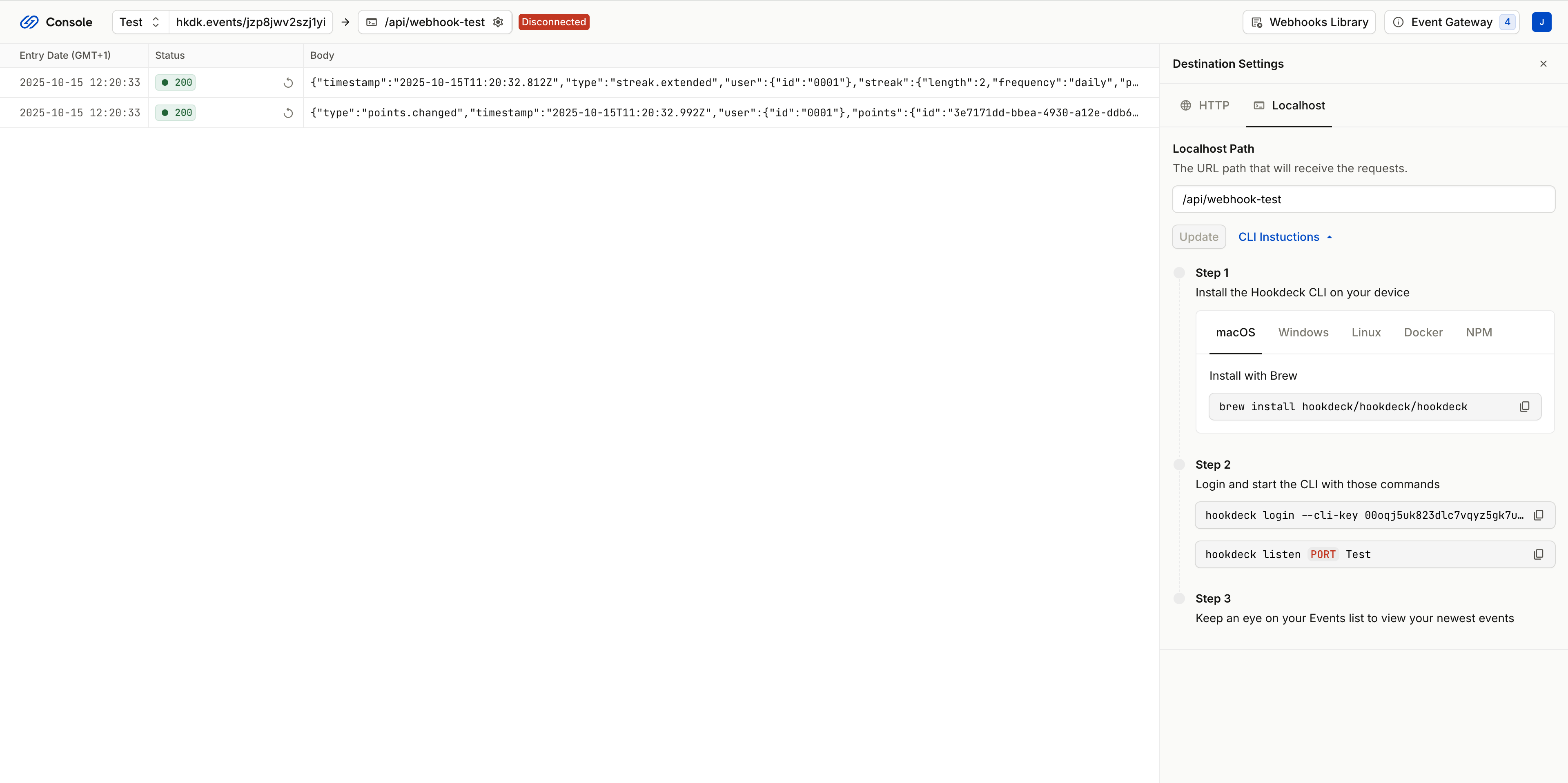
You can choose to use any webhook development tool you like, but we recommend [Hookdeck Console](https://console.hookdeck.com).
First up, head into your webhook testing platform of choice and create a new test endpoint.
Then, set up this endpoint to proxy events it receives to your local development environment.
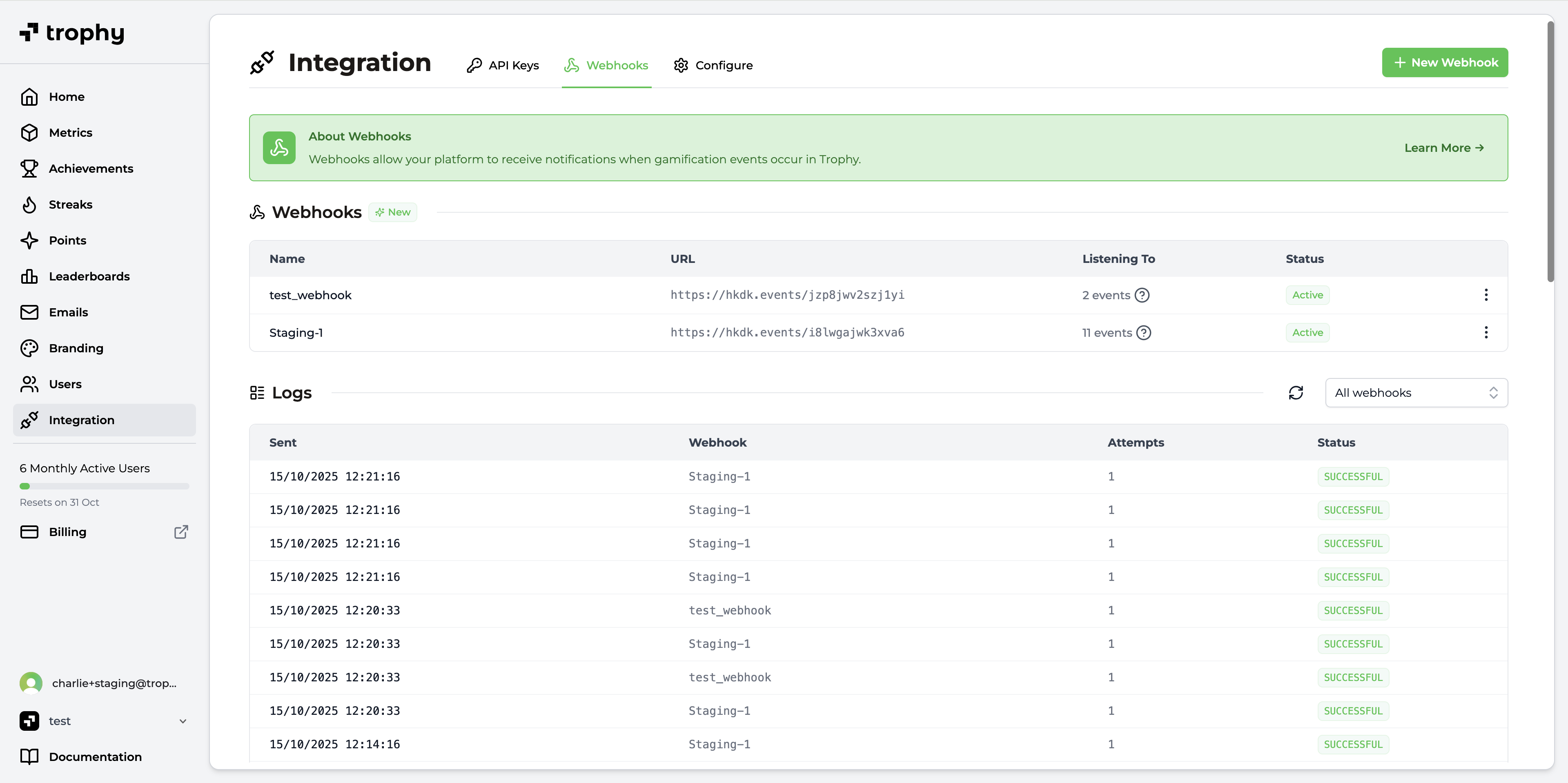
Once you have your test endpoint, head to the [webhooks](https://app.trophy.so/integration/webhooks) page of the Trophy dashboard and create a new webhook.
* Give your new webhook a name like 'Local Testing' or similar
* Paste your test endpoint URL in the 'Webhook URL' field
* Select the webhook events you want to subscribe this webhook to
* Save the new webhook
You can modify the events the webhook is subscribed to at any time after creation.
A webhook handler is just a standard HTTP endpoint that is capable of receiving `POST` requests.
Trophy will send requests to your handler, telling it what `type` of event it's sending. This allows you to construct a handler that can process multiple types of events.
It's up to you how you choose to write your handler, but a common pattern is to use a `switch` statement.
Here's an example of this pattern in NodeJS:
```js Handling Webhook Events theme={null}
switch (payload.type) {
case "achievement.completed":
// Handle achievement completed events
break;
case "leaderboard.started":
// Handle leaderboard started events
break;
case "points.changed":
// Handle points changed events
break;
case "points.level_changed":
// Handle points level changed events
break;
default:
// Handle unrecognised event type
break;
}
```
Make sure your webhook handler is set up to return a `200` status code. If Trophy detects your handler returns a non-`2XX` status code, it will treat this as a failure and [retry the request](/webhooks/retries).
Once you've written and secured your handler, you're ready to send your first test event.
Using a test user, perform interactions in your product of the type that you want to test webhooks for. For example if you want to test the `achievement.completed` webhook, trigger an achievement completion in Trophy.
Trophy will fire the relevant events to your webhook URL and you should see these in your webhook testing tool. This will then forward the event to your local webhook handler, triggering your code to run.
You can now iterate on your code until your happy you have the functionality you desire.
To help you secure your webhook handler so that it only responds to events sent from Trophy and not malicious attackers, Trophy includes a webhook signature with every event.
This signature is sent in the `X-Trophy-Signature` header and is a `base64` encoded hash of the request payload, hashed using a secure webhook secret provided by Trophy.
To validate that events your webhook handler receives do actually come from Trophy, you need to create your own hash using your secure webhook secret and compare it to the signature in the `X-Trophy-Signature` header.
Grab your secure webhook secret from the webhooks page in Trophy.
Make sure you store your webhook secret in a secure environment variable and
do not commit it to source control.
Once you have your webhook secret, you're ready to start validating events. Here's an example in NodeJS:
```js Validating Webhook Events theme={null}
// Extract X-Trophy-Signature header from the request
const hmacHeader = request.headers.get("X-Trophy-Signature");
// Create a hash based on the parsed body
const hash = crypto
.createHmac("sha256", process.env.TROPHY_WEBHOOK_SECRET as string)
.update(await request.text())
.digest("base64");
// Compare the created hash with the value of the X-Trophy-Signature header
if (hash === hmacHeader) {
console.log("Webhook is originating from Trophy");
// Request validated, continue processing
} else {
console.log("Signature is invalid, rejected");
// Request is not from Trophy, reject with 4XX status
}
```
If your handler detects a request that did not originate from Trophy, it's
important to reject the request as early as possible with a `4XX` status code.
Once your happy with your test webhook functionality, create a brand new webhook in Trophy with the same configuration as your test webhook, but this time with the URL of your production handler.
Each webhook in Trophy has a unique webhook secret so don't forget to add this as a new environment variable in your production deployment.
Full Webhook Example
Here's a full working NextJS example webhook endpoint capable of securely receiving webhook events from Trophy.
```ts Example NextJS Webhook Endpoint theme={null}
import crypto from "crypto";
import { NextRequest, NextResponse } from "next/server";
interface WebhookPayload {
type: string;
[x: string]: unknown;
}
export async function POST(request: NextRequest) {
// Extract 'X-Trophy-Signature' header from the request
const hmacHeader = request.headers.get("X-Trophy-Signature");
// Create a hash based on the parsed body
const hash = crypto
// copy this secret from the Webhooks page in Trophy
.createHmac("sha256", process.env.TROPHY_WEBHOOK_SECRET as string)
.update(await request.text())
.digest("base64");
// Compare the created hash with the value of the X-Trophy-Signature header
if (hash === hmacHeader) {
console.log("Webhook is originating from Trophy");
handleEvent(request.body as unknown as WebhookPayload);
return NextResponse.json({ message: "Webhook received" }, { status: 200 });
} else {
console.log("Signature is invalid, rejected");
return NextResponse.json({ message: "Webhook rejected" }, { status: 403 });
}
}
function handleEvent(payload: WebhookPayload) {
switch (payload.type) {
case "points.changed":
console.log("Handling points changed event");
break;
case "points.level_changed":
console.log("Handling points level changed event");
break;
case "streak.extended":
console.log("Handling streak extended event");
break;
default:
break;
}
}
```
Get Support
Want to get in touch with the Trophy team? Reach out to us via [email](mailto:support@trophy.so). We're here to help!