# Billing
Source: https://docs.trophy.so/account/billing
Learn how Trophy controls costs by charging based on monthly active users.
export const PlanBadge = ({plan}) => {
return
{plan.charAt(0).toUpperCase() + plan.slice(1)}
;
};
## Usage-based Billing
Trophy follows a usage-based pricing model where customers only pay for the units of usage they consume. For Trophy, a unit of usage corresponds to a single [Monthly Active User](##monthly-active-users-maus) (MAU).
See our [pricing page](https://trophy.so/pricing) to get an estimate of your
costs based on your expected usage.
## Monthly Active Users (MAUs)
Trophy defines an MAU as a single user that sends at least one [metric event](/platform/events) to Trophy in a given month.
Bear in mind **you never pay for churned users**. If a user signs up for your
product in a given month but doesn't return, you only pay for that user once
and never again.
## Free Tier
The free tier allows teams to test and evaluate Trophy up to **100 MAUs** without accruing usage charges.
Once you exceed the free plan, your account will continue to function and
we'll reach out to you directly with a friendly reminder to upgrade.
## Paid Plans
Trophy has two paid plans, [Starter](#starter-plan) and [Pro](#pro-plan).
### Starter Plan
The starter plan is for customers who have graduated from the testing and evaluation phase and are using Trophy in small-scale production deployments.
Unlike the [Free Tier](#free-tier), the starter plan has no limits on MAUs.
Beyond \~`16,000` MAUs it's usually more cost-efficient to upgrade to the [Pro
Plan](#pro-plan).
### Pro Plan
The pro plan is for customers who are using Trophy in larger scale deployments or who require more advanced [features](#features).
### Plan Limits
Here's a comparison of the limits of each paid plan:
| Item | Starter | Pro |
| --------------- | ------- | -------- |
| Base price | `$99` | `$299` |
| Included MAUs | `1,000` | `10,000` |
| Included emails | `5,000` | `50,000` |
## Features
Here's a list of all Trophy features and the plan they become available on:
* [Achievements](/platform/achievements)
* [Streaks](/platform/streaks)
* [Points](/platform/points)
* [Leaderboards](/platform/leaderboards)
* [Emails](/platform/emails)
* [DNS Verification](/platform/emails#dns-verification-advanced)
* [Webhooks](/webhooks)
* [Custom Attributes](/platform/users#custom-user-attributes)
## Custom Contracts
If you have more than 1M MAUs and would like to discuss custom contracts to suit your business needs then please [get in touch](mailto:hello@trophy.so) and we'll be happy to help.
## Viewing Your Usage
You can view your usage for the current billing period on the [billing page](https://app.trophy.so/billing) of the Trophy dashboard and view all past invoices in your billing portal.
## Frequently Asked Questions
We charge all customers on the 1st of the month for usage in arrears.
## Get Support
Want to get in touch with the Trophy team? Reach out to us via [email](mailto:support@trophy.so). We're here to help!
# Branding
Source: https://docs.trophy.so/account/branding
Configure your logo and brand colors used across features built with Trophy.
## Configure Branding
The [branding page](https://app.trophy.so/branding) in the Trophy dashboard allows you to configure the following account-level settings. These setting will be used in any communications you configure Trophy to send to users, like [Emails](/platform/emails).
* **Logo**: Upload your brand’s logo to be displayed in the header of Trophy emails. We recommend using a horizontal logo with a transparent background or a plain background color with rounded corners.
* **Font**: The default font used in Trophy emails.
* **Brand Color**: Choose a primary color for your brand. Trophy will use this color for buttons and other elements in your emails.
* **App Name**: Enter the name of your app or service. Trophy will use this name in various places in your emails.
* **App URL**: Enter a default URL to use when not overridden on a per-email basis. Usually this is the URL of your app or service's sign in page.
## Get Support
Want to get in touch with the Trophy team? Reach out to us via [email](mailto:support@trophy.so). We're here to help!
# Members
Source: https://docs.trophy.so/account/members
Give team members access to Trophy and manage your account settings.
## Invite Your team
Trophy supports up to 5 team members per organization. However if you feel you need more [just ask](mailto:support@trophy.so) and we'll be happy to give you more room.
To invite a team member to your Trophy organization, open up the organization management dialog and head into the *Members* tab:
Hit *Invite* and add the email address of the team member(s) you want to invite. If you're an account admin, you can add other admins, otherwise you'll only be able to add other members.
Once you're happy, hit *Send invitations* and each team member will receive an email invitation to Trophy.
## Manage User Roles
Only organization admins can manage user roles
Every team member in your Trophy organization has one of two roles:
* Admin: Can perform all account operations, including organization management and adding new admins.
* Member: Can perform all account operations, and add new members.
By default, the person who first set up Trophy will become the first admin. However you can change the role of any user at any time.
To manage roles, open up the organization management dialog and head into the *Members* tab:
Here you can promote any existing member to an admin, or demote any existing admin to a member.
## Get Support
Want to get in touch with the Trophy team? Reach out to us via [email](mailto:support@trophy.so). We're here to help!
# Overview
Source: https://docs.trophy.so/account/overview
Learn how to manage your Trophy account.
From inviting team members to understanding billing, this section of the documentation is dedicated to managing your Trophy account.
Give team members access to Trophy and manage your account settings.
Configure your logo and brand colors used across features built with Trophy.
Learn how Trophy tracks usage according to the number of users that use your
product.
## Get Support
Want to get in touch with the Trophy team? Reach out to us via [email](mailto:support@trophy.so). We're here to help!
# Create streak freezes for multiple users
Source: https://docs.trophy.so/admin-api/endpoints/streaks/grant-freezes
post /streaks/freezes
Create streak freezes for multiple users.
# Introduction
Source: https://docs.trophy.so/admin-api/introduction
Learn about the Trophy Admin API and how to use it to drive custom workflows using Trophy data.
The Trophy Admin API is a set of endpoints for building custom gamification workflows. While the [Application API](/api-reference/introduction) models the data and interactions required to deliver the gamification experience in-app, the Admin API models administrative actions that are only performed by your team or business logic outside of your application.
The Admin API is accessible through **the same SDKs** as the Application API or, for those who manage their own HTTP clients, is available at the following base URL.
```bash Base URL theme={null}
https://admin.trophy.so/v1
```
Have a use case you think you need an admin API for? [Tell us about
it](mailto:support@trophy.so) and we'll build it!
## Get Support
Want to get in touch with the Trophy team? Reach out to us via [email](mailto:support@trophy.so). We're here to help!
# Authentication
Source: https://docs.trophy.so/api-reference/authentication
Integrate securely with the API using account-level API keys transmitted in the `X-API-KEY` header.
## API Keys
Every account can create a maximum of 3 API keys from the [Integration Page](https://app.trophy.so/integration). If you've already signed up, you'll have created one during onboarding.
Trophy keeps track of and displays when each API key in your account was created and when it was last used so you can easily keep track of usage.
### Anatomy of an API key
Each API key is made up of 2 parts separated by a period:
```bash theme={null}
{prefix}•{body}
```
* The *prefix* is the first 8 characters. It's readable and will always stay the same so it's easily recognisable.
* The *body* is the secret part, and is only shown to you once when you create the key.
When using the API, both parts of your API key must be sent in the `X-API-KEY`
header.
### Authenticating Requests
When making requests to the API, make sure to include **both** parts of your API key in the `X-API-KEY` header as in this example:
```bash theme={null}
curl https://app.trophy.so/api/users//metrics/ \
-H "X-API-KEY: ********.***********************"
```
If you do not pass an API key, or your API key is invalid, you'll receive a `401` response code.
## Managing API keys
There are a few different operations you can perform on API keys from within your Trophy dashboard to manage your integration.
### Rotating keys
API keys can be rotated if you want to change them for any reason. At the point of rotation, the original API key will no longer function and any requests still using it will begin receiving `401` responses immediately.
Note that when rotating keys, both the prefix and the body will change.
### Revoking keys
API keys can also be revoked entirely at which point they become *Inactive*. At the point of revocation, the API key will no longer function and any requests still using it will begin receiving `401` responses immediately.
Once revoked you can re-activate the API key at any time.
Neither the prefix or the body of the key change when revoked or re-activated.
### Deleting API keys
If you're 100% sure you no longer need an API key, they can be deleted.
Once API keys are deleted, they cannot be recovered.
## Get Support
Want to get in touch with the Trophy team? Reach out to us via [email](mailto:support@trophy.so). We're here to help!
# Client Libraries
Source: https://docs.trophy.so/api-reference/client-libraries
Use Trophy's type-safe SDKs to integrate with the API.
Trophy currently offers the following SDKs for interacting with the Trophy API.
}
href="https://github.com/trophyso/trophy-go"
/>
}
href="https://github.com/trophyso/trophy-java"
/>
}
href="https://github.com/trophyso/trophy-dotnet"
/>
}
href="https://github.com/trophyso/trophy-node"
/>
}
href="https://github.com/trophyso/trophy-php"
/>
}
href="https://github.com/trophyso/trophy-python"
/>
}
href="https://github.com/trophyso/trophy-ruby"
/>
## Get Support
Want to get in touch with the Trophy team? Reach out to us via [email](mailto:support@trophy.so). We're here to help!
# Get all achievements and their completion stats
Source: https://docs.trophy.so/api-reference/endpoints/achievements/all-achievements
get /achievements
Get all achievements and their completion stats.
# Mark an achievement as completed
Source: https://docs.trophy.so/api-reference/endpoints/achievements/mark-an-achievement-as-completed
post /achievements/{key}/complete
Mark an achievement as completed for a user.
# Get all active leaderboards
Source: https://docs.trophy.so/api-reference/endpoints/leaderboards/get-all-active-leaderboards
get /leaderboards
Get all active leaderboards for your organization.
# Get a single leaderboard
Source: https://docs.trophy.so/api-reference/endpoints/leaderboards/get-leaderboard
get /leaderboards/{key}
Get a specific leaderboard by its key.
# Send a metric change event
Source: https://docs.trophy.so/api-reference/endpoints/metrics/send-a-metric-change-event
post /metrics/{key}/event
Increment or decrement the value of a metric for a user.
# Get a points system with its triggers
Source: https://docs.trophy.so/api-reference/endpoints/points/get-points
get /points/{key}
Get a points system with all its triggers.
# Get a breakdown of users by points
Source: https://docs.trophy.so/api-reference/endpoints/points/get-points-summary
get /points/{key}/summary
Get a breakdown of the number of users with points in each range.
# Get top users by streak length
Source: https://docs.trophy.so/api-reference/endpoints/streaks/get-streak-rankings
get /streaks/rankings
Get the top users by streak length (active or longest).
# Get the streak lengths of a list of users
Source: https://docs.trophy.so/api-reference/endpoints/streaks/get-streaks
get /streaks
Get the streak lengths of a list of users, ranked by streak length from longest to shortest.
# Create a new user
Source: https://docs.trophy.so/api-reference/endpoints/users/create-a-user
post /users
Create a new user.
# Get a summary of metric events over time
Source: https://docs.trophy.so/api-reference/endpoints/users/get-a-single-metric-event-summary-for-a-user
get /users/{id}/metrics/{key}/event-summary
Get a summary of metric events over time for a user.
# Get a single metric for a user
Source: https://docs.trophy.so/api-reference/endpoints/users/get-a-single-metric-for-a-user
get /users/{id}/metrics/{key}
Get a user's progress against a single active metric.
# Get a single user
Source: https://docs.trophy.so/api-reference/endpoints/users/get-a-single-user
get /users/{id}
Get a single user.
# Get a user's achievements
Source: https://docs.trophy.so/api-reference/endpoints/users/get-a-users-completed-achievements
get /users/{id}/achievements
Get a user's achievements.
# Get a user's leaderboard data
Source: https://docs.trophy.so/api-reference/endpoints/users/get-a-users-leaderboard
get /users/{id}/leaderboards/{key}
Get a user's rank, value, and history for a specific leaderboard.
# Get a user's points data
Source: https://docs.trophy.so/api-reference/endpoints/users/get-a-users-points
get /users/{id}/points/{key}
Get a user's points for a specific points system.
# Get a summary of points events over time
Source: https://docs.trophy.so/api-reference/endpoints/users/get-a-users-points-summary
get /users/{id}/points/{key}/event-summary
Get a summary of points awards over time for a user for a specific points system.
# Get a user's streak status
Source: https://docs.trophy.so/api-reference/endpoints/users/get-a-users-streak
get /users/{id}/streak
Get a user's streak data.
# Get all metrics for a user
Source: https://docs.trophy.so/api-reference/endpoints/users/get-all-metrics-for-a-user
get /users/{id}/metrics
Get a single user's progress against all active metrics.
# Identify a user
Source: https://docs.trophy.so/api-reference/endpoints/users/identify-a-user
put /users/{id}
Identify a user.
# Update a user
Source: https://docs.trophy.so/api-reference/endpoints/users/update-a-user
patch /users/{id}
Update a user.
# Idempotency
Source: https://docs.trophy.so/api-reference/idempotency
Prevent unintended side effects when retrying requests with idempotency controls built into the Trophy API and SDKs.
## What is Idempotency?
When describing APIs, [idempotence](https://en.wikipedia.org/wiki/Idempotence) is a property of a particular operation whereby subsequent invocations after the first have no additional effect on the state of the system.
Trophy's [event tracking API](/api-reference/endpoints/metrics/send-a-metric-change-event) can be used to enforce idempotency preventing client retries from having unintended side effects such as overcounting user interactions, or awarding points to users multiple times for the same action.
This is particularly important where rewards are tied to user actions to prevent users from 'gaming the system'.
## Sending Idempotent Requests
To ensure idempotency is respected when sending events to Trophy, include an `Idempotency-Key` header when using the [event tracking API](/api-reference/endpoints/metrics/send-a-metric-change-event). Additionally, all [client SDKs](/api-reference/client-libraries) support idempotency with built-in type safety.
You can choose what to use as your idempotency key, but it should reflect the level of 'uniqueness' that you want Trophy to respect.
For example, if you use Trophy to reward users for completing lessons, and
want to make sure each user can only redeem rewards once for each lesson, use
the unique ID of the lesson as your idempotency key.
Here's an example of what using an idempotency key looks like:
```bash cURL {3} theme={null}
curl -X POST https://app.trophy.so/api/metrics/lessons-completed/event \
-H "X-API-KEY: " \
-H "Idempotency-Key: " \
-H "Content-Type: application/json" \
-d '{
"user": {
"id": "18",
"email": "user@example.com",
"tz": "Europe/London"
},
"value": 1
}'
```
```typescript Node {9} theme={null}
trophy.metrics.event("lessons-completed",
{
user: {
id: "18",
email: "user@example.com",
tz: "Europe/London",
},
value: 1,
idempotencyKey: "lesson-123",
}
);
```
```python Python {9} theme={null}
client.metrics.event(
key="lessons-completed",
user=EventRequestUser(
id="18",
email="user@example.com",
tz="Europe/London",
),
value=1,
idempotencyKey="lesson-123"
)
```
```php PHP {9} theme={null}
$user = new EventRequestUser([
'id' => '18',
'email' => 'user@example.com'
]);
$request = new MetricsEventRequest([
'user' => $user,
'value' => 1,
'idempotencyKey' => 'lesson-123'
]);
$trophy->metrics->event("lessons-completed", $request);
```
```java Java {9} theme={null}
MetricsEventRequest request = MetricsEventRequest.builder()
.user(
EventRequestUser.builder()
.id("18")
.email("user@example.com")
.build()
)
.value(1)
.idempotencyKey("lesson-123")
.build();
EventResponse response = client.metrics().event("lessons-completed", request);
```
```go Go {10} theme={null}
response, err := client.Metrics.Event(
"lessons-completed",
&api.MetricsEventRequest{
User: &api.EventRequestUser{
Id: "18",
Email: "user@example.com",
},
Value: 1,
IdempotencyKey: "lesson-123"
},
)
```
```csharp C# {9} theme={null}
var user = new EventRequestUser {
Id = "18",
Email = "user@example.com"
};
var request = new MetricsEventRequest {
User = user,
Value = 1,
IdempotencyKey = "lesson-123"
};
await trophy.Metrics.EventAsync("lessons-completed", request);
```
```ruby Ruby {8} theme={null}
result = client.metrics.event(
:key => 'lessons-completed',
:user => {
:id => '18',
:email => 'user@example.com'
},
:value => 1,
:idempotencyKey => 'lesson-123'
)
```
## How Idempotency Works
When Trophy detects an idempotency key has been sent with an event, it will first check if the user the event relates to has used it before. It will then proceed to take one of the following actions:
* If the user has used the idempotency key before, Trophy will not process the event, returning a `202 Accepted` response. The response will reflect the current state of the system, but will not increase the users metric total, complete any achievements, award any points, extend the streak, etc.
* If instead Trophy detects the user hasn't used the idempotency key before, it will process the event as usual, returning a `201 Created` response. Finally Trophy will store the idempotency key for lookup during any subsequent requests.
All Trophy [metrics](/platform/metrics) manage idempotency in isolation.
Trophy will accept a user using the same idempotency key for events against
different metrics as separate isolated requests.
Additionally, when using an idempotency key the response will contain two properties to help clients manage replayed requests effectively:
```json theme={null}
{
...,
"idempotentReplayed": true, // true if replayed, false otherwise
"idempotencyKey": "test" // the original idempotency key
}
```
By default Trophy uses an infinite time window for detecting duplicate events.
If you feel you need different behavior, please [get in
touch](mailto:support@trophy.so) and we'll happily set that up for you.
## Get Support
Want to get in touch with the Trophy team? Reach out to us via [email](mailto:support@trophy.so). We're here to help!
# Introduction
Source: https://docs.trophy.so/api-reference/introduction
Learn about the Trophy API and get started building your integration.
The Trophy Application API is a set of endpoints that provide simple interfaces for building gamification experiences, taking care of the tricky bits behind the scenes while being flexible enough to support any gamification use case.
There are no usage limits or paywalls, and everybody has access to the exact same API to build to their hearts content.
The Application API is accessible through [SDKs](/api-reference/client-libraries) available in most major programming languages or, for those who wish manage their own HTTP clients, is available at the following base URL.
```bash Base URL theme={null}
https://api.trophy.so/v1
```
Securely integrate your applications with the Trophy API using API keys.
Learn about the Trophy API and request rate limiting.
Use Trophy’s type-safe SDKs to integrate with the API.
## Get Support
Want to get in touch with the Trophy team? Reach out to us via [email](mailto:support@trophy.so). We're here to help!
# Rate Limiting
Source: https://docs.trophy.so/api-reference/rate-limiting
Learn about the Trophy API and request rate limiting.
Trophy currently rate limits requests to **60 requests/second** across all endpoints scoped at the organisation level.
If you feel you need a higher rate limit, then please [contact
us](mailto:support@trophy.so) and we'll be happy to discuss your needs.
## Get Support
Want to get in touch with the Trophy team? Reach out to us via [email](mailto:support@trophy.so). We're here to help!
# Overview
Source: https://docs.trophy.so/experimentation/overview
Learn how to use Trophy to experiment with the gamification experience and increase retention.
Trophy provides a core set of primitives to help you ship gamification experiences faster. But gamification is not something you can set and forget.
A key part of running a gamified platform is experimentation — tweaking and optimizing the user experience to ensure that users keep coming back.
Usually, you'd have to build these tools yourself, but with Trophy you get an experimentation stack out-of-the-box.
We have plans to extend Trophy's experimentation capabilities in the future to
support more broad A/B testing of your gamification features.
Automatically measure the impact of gamification on user retention
## Get Support
Want to get in touch with the Trophy team? Reach out to us via [email](mailto:support@trophy.so). We're here to help!
# Trophy Impact Score
Source: https://docs.trophy.so/experimentation/trophy-impact-score
Learn how Trophy measures its own effectiveness against a control cohort.
## What Is The Trophy Impact Score?
Trophy has a built-in A/B testing feature that allows you to test the impact of your gamification features on retention and engagement.
Through manipulating the [Control Ratio](#customizing-the-control-ratio), you can assign a certain percentage of your users to a 'control cohort'. Each new user that you tell Trophy about will be automatically assigned to the control cohort or not based on this setting.
Trophy then exposes the `control` attribute through the [GET user API](/api-reference/endpoints/users/get-a-single-user#response-control) to allow developers to hide gamification UI and features from users in the control cohort.
Similarly, if you use the [Emails](/platform/emails) feature, Trophy only sends emails to users who are not in the control cohort.
Trophy then automatically tracks the 14-day retention of the two cohorts and compares them, resulting in the Trophy Impact Score.
The Trophy Impact Score reflects the percentage difference in 14-day retention between the control cohort and the rest of your userbase.
An Impact Score of 5% means that users enrolled in gamification features are
5% more likely to be using your platform after 14 days than the control
cohort.
## Customizing The Control Ratio
By default, Trophy will use a 90/10 ratio of non-control/control users. However, you can customize this as you wish.
If you'd prefer to use a different ratio of control to non-control users then you can do so on the [Integration](https://app.trophy.so/integration) page.
Use the slider to change the percentage of your userbase that will be set as control users and opted out of gamification features.
## Get Support
Want to get in touch with the Trophy team? Reach out to us via [email](mailto:support@trophy.so). We're here to help!
# Welcome to Trophy
Source: https://docs.trophy.so/getting-started/introduction
Trophy documentation for gamification APIs, quickstart guides and tutorials.
Trophy is a developer-friendly toolkit for building gamified product experiences in any mobile or web app.
It makes building features like [Achievements](/platform/achievements), [Streaks](/platform/streaks), [Points](/platform/points) and [Leaderboards](/platform/leaderboards) simple with just a few lines of code, and can send gamified [Emails](/platform/emails) to increase your retention and engagement.
Integrate Trophy into your backend in under 10 minutes.
Use Trophy to build practical solutions to common gamification use cases.
Learn the key concepts behind building gamification experiences with Trophy.
Explore the Trophy API and see what's possible.
## Why Trophy
If your goal is for your users to create a regular habit of using your app—to learn something, publish content, or even exercise—gamification could be for you.
It's been proven by the likes of Duolingo and others to predictably boost retention and increase platform engagement.
But building gamification at scale can be tricky. You have a global userbase, all in different timezones, all with different usage patterns that need to be measured and optimized in realtime. Plus, you want to run experiments to test different approaches and see how they impact retention, but this requires constant code changes, which holds up work on your core product.
Trophy takes away the legwork involved in building features like achievements, streaks, points systems and leaderboards while providing reliable, scalable APIs for shipping gamification experiences faster than building in-house. Plus, it provides a web platform to easily configure, measure and experiment with the product experience without constant code changes.
## Get Support
Want to get in touch with the Trophy team? Reach out to us via [email](mailto:support@trophy.so). We're here to help!
# Quick Start
Source: https://docs.trophy.so/getting-started/quickstart
Get up and running with Trophy in under 10 minutes
Here you'll integrate your backend web application with Trophy and start building your first gamified feature.
First, [create a new account](https://app.trophy.so/sign-up?utm_source=docs\&utm_medium=quickstart) if you don't already have one and head into the [Trophy dashboard](https://app.trophy.so).
Head through onboarding to get your account set up.
We have SDK libraries available in most major programming languages but if you don't see yours listed, let us know and we'll make one!
```bash Node theme={null}
npm install @trophyso/node
```
```bash Ruby theme={null}
gem install trophy_api_client
```
```bash Python theme={null}
pip install trophy
```
```bash PHP theme={null}
composer require trophyso/php
```
```bash Java (Gradle) theme={null}
implementation 'so.trophy:trophy-java:1.0.0'
```
```bash Java (Maven) theme={null}
so.trophytrophy-java1.0.0
```
```bash Go theme={null}
go get github.com/trophy-so/trophy-go
```
```bash .NET (C#) theme={null}
// .NET Core CLI
dotnet add package Trophy
// Nuget Package Manager
nuget install Trophy
// Visual Studio
Install-Package Trophy
```
Alternatively, you can directly call the API using any server-side HTTP library.
Add your API key that you created during onboarding (or [create a new one](https://app.trophy.so/integration)) as an environment variable in your backend application:
```bash theme={null}
TROPHY_API_KEY='*******'
```
Make sure to pass this API key to the Trophy SDK or to your API client to authenticate.
All gamification features are driven by user interactions. In Trophy, you use [Metrics](/platform/metrics) to define and model those interactions and [Events](/platform/events) to track them.
Here you'll create your first metric to get started. In the Trophy dashboard, head into the [metrics page](https://app.trophy.so/metrics) and hit the *New Metric* button:
Give the metric a name and hit *Save*.
Once you've created your metric, head to the configure tab and copy it's unique API reference key.
To track an event against this metric when a user interacts with your product, call the [metric change event API](/api-reference/endpoints/metrics/send-a-metric-change-event), passing along details of the user that made the interaction. In this example the metric key would be `flashcards-flipped`:
```bash cURL theme={null}
curl -X POST https://app.trophy.so/api/metrics/flashcards-flipped/event \
-H "X-API-KEY: " \
-H "Content-Type: application/json" \
-d '{
"user": {
"id": "18",
"email": "user@example.com",
"tz": "Europe/London"
},
"value": 750
}'
```
```typescript Node theme={null}
trophy.metrics.event("flashcards-flipped", {
user: {
id: "18",
email: "user@example.com",
tz: "Europe/London",
},
value: 750,
});
```
```python Python theme={null}
client.metrics.event(
key="flashcards-flipped",
user=EventRequestUser(
id="18",
email="user@example.com",
tz="Europe/London",
),
value=750.0,
)
```
```php PHP theme={null}
$user = new EventRequestUser([
'id' => '18',
'email' => 'user@example.com'
]);
$request = new MetricsEventRequest([
'user' => $user,
'value' => 750
]);
$trophy->metrics->event("flashcards-flipped", $request);
```
```java Java theme={null}
MetricsEventRequest request = MetricsEventRequest.builder()
.user(
EventRequestUser.builder()
.id("18")
.email("user@example.com")
.build()
)
.value(750)
.build();
EventResponse response = client.metrics().event("flashcards-flipped", request);
```
```go Go theme={null}
response, err := client.Metrics.Event(
"flashcards-flipped",
&api.MetricsEventRequest{
User: &api.EventRequestUser{
Id: "18",
Email: "user@example.com",
},
Value: 750,
},
)
```
```csharp C# theme={null}
var user = new EventRequestUser {
Id = "18",
Email = "user@example.com"
};
var request = new MetricsEventRequest {
User = user,
Value = 750
};
await trophy.Metrics.EventAsync("flashcards-flipped", request);
```
```ruby Ruby theme={null}
result = client.metrics.event(
:key => 'flashcards-flipped',
:user => {
:id => '18',
:email => 'user@example.com'
},
:value => 750
)
```
By making this call, you're telling Trophy that a specific user made an interaction with your product. As a result, Trophy will process any gamification features like achievements or streaks that you've configured against the metric automatically.
With a metric integrated into your backend, you're ready to start adding gamification features to your product.
Follow the links below to learn more about each feature you can build with Trophy:
Reward users for continued progress or taking specific actions.
Motivate users to build regular usage habits.
Build sophisticated points systems to reward and retain users.
}
href="/platform/leaderboards"
>
Create friendly competitions to increase user engagement.
Deliver personalized lifecycle emails to users at the perfect moment.
Or, explore our [API reference](/api-reference/introduction) to get familiar with what Trophy can do.
## Get Support
Want to get in touch with the Trophy team? Reach out to us via [email](mailto:support@trophy.so). We're here to help!
# Achievements
Source: https://docs.trophy.so/platform/achievements
Learn how to use Achievements in a gamified product experience with Trophy.
## What Are Achievements?
Achievements are rewards that users can unlock as they use your platform. They can be used to reward users for making continued progress along core user journeys, or to motivate users to explore more nascent features.
Achievements work best when designed to incentivize users to take actions that
are likely to lead to increased retention.
Use Trophy's [metric analytics](/platform/metrics#metric-analytics) to compare
the retention of each user interaction, then configure achievements around
these interactions to maximize retention impact.
Here we'll have a look of the types of achievements you can build with Trophy, the different ways to use them, and how to integrate them into your platform.
Watch Charlie run walk through using achievements in a NextJS application:
## Achievement Types
Trophy offers three types of achievements, [Metric](#metric-achievements), [API](#api-achievements) and [Streak achievements](#streak-achievements), detailed below.
### Metric Achievements
Metric achievements are tied to [Metrics](/platform/metrics) and are best used when you want to incentivize users to take the same action over and over again.
Let's take the example of a study platform that uses Trophy to encourage users to view more flashcards with metric achievements as follows:
* 1,000 flashcards
* 2,500 flashcards
* 5,000 flashcards
* 10,000 flashcards
* 25,000 flashcards
* 50,000 flashcards
In this case you would create a metric called *Flashcards Flipped* and create achievements against the metric for each milestone.
Since these achievements are directly tied to the *Flashcards Flipped* metric, Trophy will automatically track when users unlock these achievements as they [increment the metric](/platform/events#tracking-metric-events).
When achievements are unlocked, Trophy includes information about the unlocked achievements in the [Event API](/api-reference/endpoints/metrics/send-a-metric-change-event) response, and automatically triggers [Achievement Emails](/platform/emails#achievement-emails) if configured.
```json Response [expandable] theme={null}
{
"metricId": "d01dcbcb-d51e-4c12-b054-dc811dcdc623",
"eventId": "0040fe51-6bce-4b44-b0ad-bddc4e123534",
"total": 750,
"achievements": [
{
"id": "5100fe51-6bce-6j44-b0hs-bddc4e123682",
"trigger": "metric",
"metricId": "5100fe51-6bce-6j44-b0hs-bddc4e123682",
"metricName": "Flashcards Flipped",
"metricValue": 500,
"name": "500 Flashcards Flipped",
"description": "Write 500 words in the app.",
"achievedAt": "2020-01-01T00:00:00Z"
}
],
"currentStreak": {
"length": 1,
"frequency": "daily",
"started": "2025-04-02",
"periodStart": "2025-03-31",
"periodEnd": "2025-04-05",
"expires": "2025-04-12"
},
"points": {
"xp": {
"id": "0040fe51-6bce-4b44-b0ad-bddc4e123534",
"name": "XP",
"description": null,
"badgeUrl": null,
"total": 10,
"added": 10,
"awards": [
{
"id": "0040fe51-6bce-4b44-b0ad-bddc4e123534",
"awarded": 10,
"date": "2021-01-01T00:00:00Z",
"total": 10,
"trigger": {
"id": "0040fe51-6bce-4b44-b0ad-bddc4e123534",
"type": "metric",
"metricName": "Flashcards Flipped",
"metricThreshold": 100,
"points": 10
}
}
]
}
},
"leaderboards": {
"daily_champions": {
"id": "0040fe51-6bce-4b44-b0ad-bddc4e123535",
"key": "daily_champions",
"name": "Daily Champions",
"description": null,
"rankBy": "metric",
"runUnit": null,
"runInterval": 0,
"maxParticipants": 100,
"metricName": "Flashcards Flipped",
"metricKey": "flashcards-flipped",
"threshold": 10,
"start": "2025-01-01",
"end": null,
"previousRank": 50,
"rank": 12
}
}
}
```
### API Achievements
API achievements can only be completed once and are useful for rewarding users for taking specific actions.
Common examples include:
* A user completing their profile after signing up
* A user linking their social account to a platform
* A user sharing their product experience on social media
API achievements serve as an easy way to reward users for completing any action that you think is important for retention.
Just like metric achievements, API achievements can also trigger automated [Achievement Emails](/platform/emails#achievement-emails) if configured.
### Streak Achievements
Streak achievements are directly tied to a user's [Streak](/platform/streaks) and are automatically unlocked when users reach a particular streak length.
You can create as many streak achievements as you like for increasing lengths of streak, for example 7 days, 30 days and 365 days to motivate users to use your app more and more.
Just like metric and API achievements, you can add a custom name and assign a badge to streak achievements.
## Creating Achievements
To create new achievements, head to the [achievements page](https://app.trophy.so/achievements) in the Trophy dashboard and hit the **New Achievement** button:
Enter a name for the achievement. This will be returned from APIs and made available for use in emails and other areas of Trophy where appropriate.
Enter a short description of the achievement. This will be returned from APIs
and made available for use in emails and other areas of Trophy where
appropriate.
You can upload and assign a badge to the achievement that will be returned in
API responses and made available in emails and other areas of Trophy where
appropriate.
Choose how you want this achievement to be unlocked.
* Choosing **Metric** will mean the achievement will be automatically unlocked when the user's metric total reaches the achievement trigger value.
* Choosing **Streak** will mean the achievement will be automatically unlocked when the user's streak length reaches the achievement trigger value.
* Choosing **API Call** will mean the achievement will only be unlocked when explicitly marked as completed by your code through a request to the [complete achievement API](/api-reference/endpoints/achievements/mark-an-achievement-as-completed).
Once you've chosen the trigger type for the achievement, you need to set up the trigger settings.
* If you chose the **Metric** trigger, you'll need to choose the metric and the user's total value that should unlock the achievement when reached.
* If you chose the **Streak** trigger, you'll need to set the streak length that should unlock the achievement.
* If you chose the **API Call** trigger, you'll need to choose a unique reference `key` you'll use the complete the achievement via the [API](/api-reference/endpoints/achievements/mark-an-achievement-as-completed).
You can assign attribute filters to an achievement to further restrict who can unlock them and when.
* To limit a **Metric** achievement to only apply to events with specific [custom event attributes](/platform/events#custom-event-attributes), select an attribute and enter a value in the **Event Attribute** section.
* To limit any type of achievement to only apply to a user with one or more specific [custom user attributes](/platform/users#custom-user-attributes), add attributes and the desired values in the **User Attributes** section.
Save the new achievement.
## Managing Achievements
Trophy has built in tools to help you test and control which achievements can be unlocked, by who and when, without affecting production.
### Achievement Statuses
Here's an overview of the different achievement statuses and what they mean.
**Inactive**
All achievements are created as inactive. Inactive achievements can't be completed and aren't returned in any achievement APIs. Users won't see them until you make them active.
**Active**
When you make an achievement active, it makes it 'live'. Users can complete it and it will be returned from all achievement APIs.
**Locked**
When you lock an achievement, users who haven't unlocked it yet won't be able to unlock it anymore, but users who have already unlocked it won't be affected.
Locked achievements are only returned in APIs for users who have already achieved them.
**Archived**
Archived achievements can't be completed and aren't returned in any achievement APIs.
Once you archive an achievement it disappears from Trophy so be sure to only
archive achievements that you no longer need.
Archived achievements can be restored by [contacting support](#get-support).
### Achievement Workflow
Achievements can be moved through different statuses according to the following workflow:
```mermaid theme={null}
flowchart LR
A@{ shape: rounded, label: "Inactive" }
B@{ shape: rounded, label: "Active" }
C@{ shape: rounded, label: "Active" }
D@{ shape: rounded, label: "Locked" }
E@{ shape: rounded, label: "Archived" }
F@{ shape: rounded, label: "Locked" }
G@{ shape: rounded, label: "Active" }
H@{ shape: rounded, label: "Archived" }
A-->B
C-->D
D-->E
C-->E
F-->G
F-->H
style A fill:#FDFDEA,stroke:#F7F0D5
style B fill:#F2FAF7,stroke:#E2F6E6
style C fill:#F2FAF7,stroke:#E2F6E6
style D fill:#eee,stroke:#ddd
style E fill:#ddd,stroke:#ccc
style F fill:#eee,stroke:#ddd
style G fill:#F2FAF7,stroke:#E2F6E6
style H fill:#ddd,stroke:#ccc
```
## Completing Achievements
If you're using metric achievements, there's no need to explicitly *complete* achievements. Once you've set up [metric tracking](/platform/events#tracking-metric-events) in your code, all achievements linked to the metric will be automatically tracked.
Similarly, if you're using streak achievements, all achievements related to the user's streak will automatically be unlocked when a user reaches the respective streak length.
However if you're using any API achievements, you will have to mark them as completed for each user as appropriate. To do this, you can use the [Complete Achievement API](/api-reference/endpoints/achievements/mark-an-achievement-as-completed) using the `key` of the achievement you want to complete.
This will return back a response that contains details of the achievement that was completed that can be used in any post-completion workflows, like showing an in-app notification.
```json Response theme={null}
{
"completionId": "0040fe51-6bce-4b44-b0ad-bddc4e123534",
"achievement": {
"id": "5100fe51-6bce-6j44-b0hs-bddc4e123682",
"trigger": "api",
"name": "Finish onboarding",
"description": "Complete the onboarding process.",
"badgeUrl": "https://example.com/badge.png",
"key": "finish-onboarding",
"achievedAt": "2021-01-01T00:00:00Z"
}
}
```
## Backdating Achievements
By default, whenever you move an achievement to 'Active' [status](#managing-achievements), Trophy will check if any existing users meet the requirements of the achievement and complete it for them behind the scenes.
This means when you release new achievements into production, or edit an existing live achievement, backdating will happen automatically.
When achievements are completed in this way, users don't receive any
notifications this has happened. This is to prevent changes to your
achievements in Trophy resulting in users getting lots of notifications.
You can check how many users have completed achievements at any time on the [achievements page](https://app.trophy.so/achievements) in the Trophy dashboard. The *Users* column in the achievements can update during backdating.
## Using Badges
A badge can be uploaded and assigned to any achievement in Trophy. Trophy will host the image for you and return the URL back to you in relevant API responses to be used as the `src` property in `` tags.
```json Response {8} theme={null}
{
"completionId": "0040fe51-6bce-4b44-b0ad-bddc4e123534",
"achievement": {
"id": "5100fe51-6bce-6j44-b0hs-bddc4e123682",
"trigger": "api",
"name": "Finish onboarding",
"description": "Complete the onboarding process.",
"badgeUrl": "https://example.com/badge.png",
"key": "finish-onboarding",
"achievedAt": "2021-01-01T00:00:00Z"
}
}
```
## Displaying Achievements
Trophy has a number of APIs that support displaying achievements within your applications. Here we'll look at the different ways to use them and the types of UI's you can build.
Check out our [full guide](/guides/how-to-build-an-achievements-feature) on
adding an achievements feature to your app for more details.
### All Achievements
To display a high-level overview of all achievements users can complete, use the [all achievements endpoint](/api-reference/endpoints/achievements/all-achievements). Use this data to build UI that gives users an idea of the progression pathways within your application.
The all achievements endpoint returns a list of all achievements within your Trophy account. Each achievement returned also includes `completions` (the number of users who have compeleted the achievement) and `rarity` (the percentage of users who have completed the achievement) as follows:
```json Response [expandable] theme={null}
[
{
"id": "5100fe51-6bce-6j44-b0hs-bddc4e123682",
"trigger": "api",
"name": "Finish onboarding",
"description": "Complete the onboarding process.",
"badgeUrl": "https://example.com/badge.png",
"key": "finish-onboarding",
"completions": 8,
"rarity": 80
},
{
"id": "5100fe51-6bce-6j44-b0hs-bddc4e123683",
"trigger": "metric",
"name": "500 Flashcards Flipped",
"description": "View 500 flashcards in the app.",
"badgeUrl": "https://example.com/badge.png",
"metricId": "5100fe51-6bce-6j44-b0hs-bddc4e123683",
"metricName": "Flashcards Flipped",
"metricValue": 500,
"completions": 6,
"rarity": 60
},
{
"id": "5100fe51-6bce-6j44-b0hs-bddc4e123684",
"trigger": "streak",
"name": "10 days of exercise",
"description": "Exercise at least once a day for 10 days in a row.",
"badgeUrl": "https://example.com/badge.png",
"streakLength": 10,
"completions": 2,
"rarity": 20
}
]
```
### User Achievements
If instead you're building user-specific UI elements, then use the [user achievements endpoint](/api-reference/endpoints/users/get-a-users-completed-achievements) to return achievements a specific user has completed.
You can also include achievements that a user has yet to complete by including
the query parameter `includeIncomplete=true`.
## Achievement Analytics
If you have achievements set up for any of your [Metrics](/platform/metrics), then the metric analytics page displays a chart that shows you the current progress of all Users as follows:
## Frequently Asked Questions
Use metric achievements for rewarding users for taking the same action over and over again, and to incentivise them to do it more.
Use streak achievements for rewarding users for keeping their streak.
Use API achievements when you want to reward users for taking specific actions that they only need to take once.
Achievements, like all gamification, offer the best retention when tightly aligned to the user's core reason for using your platform.
Use Trophy's [metric analytics](/platform/metrics#metric-analytics) to compare the retention of each user interaction, then configure achievements around these interactions to maximize retention impact.
## Get Support
Want to get in touch with the Trophy team? Reach out to us via [email](mailto:support@trophy.so). We're here to help!
# Emails
Source: https://docs.trophy.so/platform/emails
Learn how to use emails in a gamified product experience with Trophy.
export const PlanBadge = ({plan}) => {
return
{plan.charAt(0).toUpperCase() + plan.slice(1)}
;
};
Trophy can send automated emails to users based on key triggers without requiring any code. Here we'll look at what these triggers are, and how they can form part of your product's gamification experience.
## Types Of Emails
Trophy supports 4 types of emails, each of which is designed to suit a common scenario in building gamification experiences.
All emails are optional, but all four can be used simultaneously and can be controlled from the [Emails](https://app.trophy.so/emails/configure) page in the Trophy dashboard.
* **Achievement emails** are sent to users each time they unlock an [Achievement](/platform/achievements).
* **Recap emails** are sent to users on a pre-defined frequency to summarize progress. Recap Emails can be configured to be sent daily, weekly, monthly or yearly depending on your use case.
* **Reactivation emails** are sent to users after they become inactive with the goal of bringing them back to your app.
* **Streak emails** are automatically sent to users reminding them to extend their [Streak](/platform/streaks).
## Sending Emails
To start sending emails with Trophy, you'll need to verify your domain and enable email triggers.
### Domain Verification
Trophy supports sending emails from your own domain out-of-the-box. There are two ways to set this up, Single Sender Verification and DNS Verification.
All domain settings can be found in the [Domains](https://app.trophy.so/emails/domains) page in the Trophy dashboard.
If you're looking to get set up quickly we recommend starting with Single
Sender Verification then setting up DNS Verification when you're ready to move
to production.
Quickly verify a single email address
Recommended for production use
#### Sender Verification (Basic)
During onboarding you'll be prompted to set up Sender Verification. This is a super simple way to quickly verify a single email address that you want to use with Trophy without needing to change any code or DNS settings.
You'll be prompted to enter the email address, from name and reply-to email that you'd like Trophy to use when sending emails:
Trophy will send a verification email to that address. Simply click the link in the email to let Trophy know what you own the address and you'll be good to go.
The email you receive will come from our email provider, Postmark. So keep an
eye out for 'Postmark Support' in your inbox!
Sender Verification is great for getting started but is limited in that you won't benefit from your existing email reputation and can only send emails from one address.
Also, if you want to change the address in the future, you'll have to go through Sender Verification again which you can do in the [settings screen](https://app.trophy.so/integration?tab=domains).
#### DNS Verification (Advanced)
This feature is available on the [Starter](/account/billing#starter-plan)
plan.
For production use we recommend DNS Verification. Once set up, this allows you to configure Trophy to send emails from any address on your domain. So if you want to change the address in future, you won't need to verify again.
Completing DNS verification also gives you the full benefits of any existing domain reputation and is the best way to make sure your emails avoid the spam folder.
This does however require adding a couple of new entries into your DNS to allow Trophy to verify you own the domain.
Follow the steps below to set up DNS verification:
Within the Emails page, you'll find the [Domains](https://app.trophy.so/emails/domains) tab which is where you'll configure everything related to the email domain Trophy will use to send emails on your behalf.
Head down to the DNS Verification section and enter the domain you want to set up with Trophy.
You can also also configure a custom Return Path. This is where Trophy will forward notifications of bounced emails to help you investigate deliverability issues:
Once you've entered your email domain, Trophy will provide you with details for two new DNS records that you'll need to add to your DNS provider.
* First is the **DKIM** record which is used by inbox providers like Google to verify the authenticity of emails. Enter the name and value provided as a new **TXT** record in your DNS provider.
* Second is the **Return Path** record. This is used to forward notifications of email bounces to your domain. Enter the name and value provided as a new **CNAME** record in your DNS provider.
Here are the pages for the most common DNS providers on how to set up new records:
[Add a TXT record](https://www.godaddy.com/en-uk/help/add-a-txt-record-19232)
[Add a CNAME record](https://www.godaddy.com/en-uk/help/add-a-cname-record-19236)
[Add DNS records](https://developers.cloudflare.com/dns/manage-dns-records/how-to/create-dns-records/#create-dns-records)
[Add a CNAME record](https://www.namecheap.com/support/knowledgebase/article.aspx/9646/2237/how-to-create-a-cname-record-for-your-domain/)
[Add a TXT record](https://www.namecheap.com/support/knowledgebase/article.aspx/317/2237how-do-i-add-txtspfdkimdmarc-records-for-my-domain/#:~:text=this%20guide%20.-,DKIM%20records,-DKIM%20\(DomainKeys%20Identified\))
Note: If you're using a proxy like Cloudflare, make sure to turn it off for these records or Trophy won't be able to properly verify them.
Once you've added the two records into your DNS settings, hit the refresh icon and Trophy will attempt to verify the records for you.
Usually Trophy can verify records within a few minutes but bear in mind that DNS changes can take up to a few hours to fully propogate.
If you see the following alert, the records may not have propogated yet, or there may be an issue with your setup.
Once you're sure everything's set up correctly in your DNS provider, hit refresh and Trophy will attempt to verify your DNS records once again.
As soon as you see the following message, you know everything's verified:
Once your DNS records are verified, it's time to choose the email address you want to send emails from. Note that now you've fully verified your domain, you can change this address whenever you like without impacting deliverability.
Simply enter the email address you want Trophy to send from, the name to show to users in the inbox when they receive emails and a support email address they can use to contact you if needed:
### Email Triggers
You can manage email triggers on the [Email Configuration](https://app.trophy.so/emails/configure) page of the Trophy dashboard. There, you'll see a list of triggers that can be turned on or off:
#### Recap Emails
The **Recap** trigger sends weekly or monthly progress reports to users. You can change the frequency of these emails on the [Integration](https://app.trophy.so/integration) page using the **Aggregation Period** setting.
#### Reactivation Emails
The **Reactivation** trigger sends win-back emails to users after they become inactive. These emails are sent according to the following timeline:
* After 3 days of inactivity
* After 5 days of inactivity
* After 7 days of inactivity
* After 14 days of inactivity
* After 30 days of inactivity
#### Streak Emails
The **Streak** trigger sends an email to each user before their streak expires. These emails are sent according to the streak frequency you configured on the [Streaks page](https://app.trophy.so/streaks):
* If your app uses a **daily streak**, this email will send four hours before the end of the day (in each user's timezone).
* For **weekly streaks**, it will send on Friday morning.
* For **monthly streaks**, it will send on the 25th of the month.
#### Achievement Emails
The **Achievement** trigger sends an email congratulating users when they complete an [achievements](/platform/achievements) you've configured in Trophy. These emails send between 5-9PM on the day the achievement is completed, or the next day at 5PM if it is past 9PM when the user completes the achievement.
#### Email Templates
For each trigger, you can assign an **Email Template** that the trigger uses. You can leave this set to *Trophy Default* or [design your own email templates](#designing-emails) right in the Trophy dashboard.
For **Achievement Emails**, you can configure a different template for each
type of achievement. For example, you could have a different template for API
achievements, streak achievements, and each metric with metric achievements.
#### Limiting Emails to Specific Types of Users
Each email trigger can be limited to users with specific [custom user attribute](/platform/users#custom-user-attributes) values. For each attribute you'd like to restrict the email to, click the Plus icon next to the **User Filters** header for the email trigger, then select the attribute and enter the desired value. Only users that have **all** specified attribute values will receive emails from this trigger.
#### Time Zones
If you specify a timezone for each user through [User Identification](/platform/users#param-tz), Trophy will use that local time zone to schedule emails according to the logic specified above. If you do not provide time zones for the users you identify, Trophy will default to Eastern Time.
## Designing Emails
Trophy has a fully-featured block-based email builder that allows you to design templates, controlling all email copy and subject lines. Within the [Emails](https://app.trophy.so/emails/configure) page you can create templates and assign them to the 3 different [Email Types](#types-of-emails).
When you create an email template, it can simultaneously be used across as
many email types as you want. So if you want your emails to be simple, just
having one email template might be enough. Otherwise, general best practice is
creating one template for each type of email you want to send.
### Default Templates
By default, Trophy provides 3 email templates that are good starting points for the different [Email Types](#types-of-emails) that Trophy offers. The default templates can't be changed, but you can duplicate and customize these as you wish.
You can also create blank templates if you just want to start from scratch.
### Creating A New Template
To create a new email template, follow the steps below.
Within the Emails page, you'll find the
[Configure](https://app.trophy.so/emails/configure) tab which is where all
your email templates live, as well as the configuration for deciding which
template to use for each type.
Choose an existing template to start from based on your use case, or create a new template from scratch.
Use the block-based editor to design your email template.
### Block Types
Trophy's email builder supports a number of different block types that serve different purposes. All the basic components you'd expect to find in an email editor like paragraphs, headers, and images are called [Basic Blocks](#basic-blocks). There is also a set of more powerful components like charts and streaks that leverage Trophy's user activity data and gamification features. These are called [Smart Blocks](#smart-blocks).
#### Basic Blocks
Here's the full list of un-opinionated basic blocks that Trophy supports:
* **Paragraph** - Good for short or longer text snippets.
* **H1, H2, H3** - Useful for headings of varying sizes.
* **Button** - Creates a call to action for users to take in emails.
* **Card** - Can nest other blocks, focusing attention.
* **Divider** - Good for separating content into logical sections.
* **Emoji** - Include any supported emoji, controlling size.
* **Image** - Upload any image and Trophy will render it in emails.
* **Spacer** - Good for giving blocks room to stand out.
* **Columns** - Useful for creating up to 3-column layouts with any content.
* **Logo** - Will render your organization's logo, set on the [Branding](https://app.trophy.so/branding) page.
#### Conditional Blocks
Trophy also has a powerful conditional rendering system powered by the *Conditional* block type.
By nesting any other block inside a conditional block and setting up the conditions logic, you can create almost any email design that will show different blocks in emails based on the evaluation of conditions at send time.
If you're familiar with the `if/else` logical operators then this will feel very familiar to you. Otherwise here's a quick diagram to explain how it works.
```mermaid theme={null}
flowchart LR
B@{ shape: diamond, label: "First condition true?" }
C@{ shape: rounded, label: "Show first block" }
D@{ shape: diamond, label: "Second condition true?" }
E@{ shape: rounded, label: "Show second block" }
F@{ shape: rounded, label: "Show default block" }
B-- Yes --->C
B-- No --->D
D-- Yes --->E
D-- No --->F
```
One common use case for the conditional block is to conditionally show a user their streak (one of Trophy's built-in [Smart Blocks](#smart-blocks)) and some streak-related motivational text only if they have an active streak. If the recipient isn't on a streak at the time the email is sent, then a simple message is displayed instead.
This creates a powerful framework to design emails based on highly relevant and personalized user data and can be used to create a wide-range of emails for common gamification use cases.
#### Smart Blocks
Smart blocks are powerful components designed to support common gamification use cases and integrate with all of Trophy's features including metrics, achievements and streaks.
You can find all smart blocks in the *Recommended Blocks* section, and they are always recognizable by the icon.
Watch Charlie walk through smart blocks and how they work:
Read more about the use case of each smart block:
The achievement progress chart block displays a chart with bars for up to five achievements for a particular metric, highlighting any that the recipient has unlocked.
Choose the metric to display achievements for using the metric selector.
{" "}
The achievements unlocked block displays the achievement the recipient has unlocked. This is only useful in the context of achievement unlocked emails. If the recipient hasn't unlocked any achievements, then this block won't show in emails.
Where achievements have badges, these will be automatically shown, as well as the name of the achievement.
{" "}
The progress chart block shows the recipient's progress against a particular metric over the last 3 [aggregation periods](#aggregation-period).
The streak block displays the recipient's current streak according to your account's streak settings.
For daily streaks, a calendar block is shown displaying the last month's streak history. Weekly and monthly streaks display the last 7 periods of streak history.
### Email Variables
Trophy provides an expansive set of email variables that can be used to insert highly relevant and personalized copy into the body of emails and subject lines.
Variables bring context from your Trophy account, the recipient's progress data, and email specific settings to your email templates.
Email variables can be inserted by typing `@` in any block that supports rich text, like headers, paragraphs, and buttons, and searching for your chosen variable.
This will open up the variable editor window where you can configure variables as in the demo below.
You can also use variables in email subject lines.
See below for a full list of all email variables supported by the email builder, broken down by category.
Variables related to the recipient of the email.
* **Name**: The recipient's name, if set
Additionally all [custom user attributes](/platform/users#custom-user-attributes) are available as email variables.
Variables related to the recipients tracked event data againt metrics.
Each Trophy metric supports the following email variables:
* **Metric Name**: The name of the metric
* **Metric Units**: The metric's units
* **Current Total**: The sum of all the recipients event values to date
* **Change This Period**: Absolute change in the recipients current total in the current aggregation period
* **Change This Period (%)**: Percent change in the recipients current total in the current aggregation period
* **Percentile (All Time)**: The recipients current total compared to all other users for all time
* **Percentile (This Period)**: The recipients current total compared to all other users in the current aggregion period
Additionally, the **Highest** and **Lowest** dynamic aliases support the same set of variables. When using these aliases, Trophy will pick the metric where the recipient has either the highest or lowest current total at send time.
When using metric variables, you also have the option of filtering the data that any of the above variables reference through a [custom event attribute](/platform/events#custom-event-attributes).
Similarly to metrics, each points system has the following variables that can be used to add dynamic data to email copy:
* **Current Total**: The recipients total points
* **Change This Period**: Absolute change in the recipients total points in the current aggregation period
* **Change This Period (%)**: Percent change in the recipients total points in the current aggregation period
* **Percentile (All Time)**: The recipients total points compared to all other users for all time
* **Percentile (This Period)**: The recipients total points compared to all other users in the current aggregion period
.
These variables are only relevant for [achievement emails](#achievement-emails).
When configuring a template for use with achievement emails, the following variables are available:
* **Is Final Achievement**: If the achievement triggering the email is part of a series of metric achievements, this is true when the achievement is the final achievement in the series
* **Percent To Next Achievement**: If the achievement triggering the email is part of a series of metric achievements, this is the percentage until the user unlocks the next achievement in the series
* **Achievement Name**: The name of the achievement that triggered the email
* **Achievement Description**: The description of the achievement that triggered the email
.
Variables related to the recipient's streak.
* **Has Active Streak**: True if the recipient has an active streak at the time the email is sent, false otherwise
* **Streak Length**: The length of the recipient's current streak
* **Streak Extended**: True if the recipient's streak was extended, false otherwise
* **Days Since Last Extended**: The number of days since the user last extended their streak
.
These variables are only relevant for [reactivation emails](#reactivation-emails).
* **Message Number**: The number of the message in the reactivation sequence (1-5)
.
These variables are only relevant for [recap emails](#recap-emails).
* **Current Period Date Range**: The start and end dates of the current aggregation period
.
#### Advanced Usage
There are a couple of additional options to consider when using emails variables.
**Prefix & Suffix**
You can provide a prefix and suffix for text variables like the recipients name, or the name of a particular metric.
If the value of the variable fails to render when the email is sent, then Trophy won't display the variable or the prefix or suffix to keep emails clean.
**Singular & Plural**
When using numeric variables like the recipients current points total or metric total, you can also provide a singular and plural suffix to accompany it.
### Text Variations
Variations can be used to add randomness to text within emails sent by Trophy. This prevents emails from getting boring and helps improve open and click rates.
Any block that supports text entry inculding H1, H2, H3 and paragraph support variations.
You can also use variations to add randomness to email subject lines.
To create a variation click the *Add Variation* button on any block that supports them.
Variations do not support A/B testing yet, but this is on our roadmap so stay
tuned...
### Using The Editor
The email template editor is a blank canvas for designing emails that look great in the inbox. Using pre-configured [Blocks](#block-types) makes it really easy to create email templates that suit common gamification use cases. Here we'll walk through how to best use the editor to create awesome looking emails.
#### Adding Blocks
To add a new block an email template hit the key, this will open the block selection dialog where you can choose the block you want to add.
Or if you want to add a block immediately after another block, use the block menu.
#### Arranging Blocks
Blocks can be dragged up and down using the block menu.
#### Text Formatting
The email editor offers rich text formatting including bold, italics, [hyperlinks](https://www.youtube.com/watch?v=dQw4w9WgXcQ) and `code` formatting.
### Font Style
On the [email configure page](https://app.trophy.so/emails/configure), you'll find a setting to change the font style used in all emails.
Other email styles are pulled from your Trophy account's [Branding](https://app.trophy.so/branding) settings.
## Handling Unsubscribes
All emails that Trophy sends include an unsubscribe link and message. This is important for maintaining compliance with regulations and it's not possible to hide it.
The message will read as follows: *You are receiving this email because you
are subscribed to progress report and achievement emails. If you no longer
wish to receive these emails, you can unsubscribe.*
Any recipient that clicks this link will no longer receive any emails from Trophy.
## Email Analytics
Trophy has built-in analytics for all Emails that it sends. This includes:
* Recipients (The total number of people that recieved the email)
* Open rate (The percentage of recipients that opened the email)
* Click rate (The percentage of recipients that clicked on at least one link in the email)
* Retention rate (The percentage of users that opened the email that came back and used your platform after at least 2 days)
## Frequently Asked Questions
Yes! Sending emails from your own domain is supported out-of-the-box. Follow the steps in the section on [sending emails](#sending-emails) to get started.
{" "}
No, we don't limit how many emails you can send. However, we do monitor usage
to prevent abuse.
## Get Support
Want to get in touch with the Trophy team? Reach out to us via [email](mailto:support@trophy.so). We're here to help!
# Events
Source: https://docs.trophy.so/platform/events
Events are data objects that represent individual user interactions against metrics in Trophy.
## What are Events?
Events represent individual user interactions against [Metrics](/platform/metrics) in Trophy. One event corresponds to a single interaction made by a single user.
When you [integrate metrics](#tracking-metric-events) into your platform, you're setting up your platform to continuously stream events to your Trophy metrics for each user interaction. These interactions then drive all the gamification features you set up around these metrics.
## Key Attributes
Events only have one required attribute, `value`. The value of an event is the numerical amount that will be added to the user's total metric count as a result of the user interaction it relates to.
The value can be positive or negative, and can be a whole number or a decimal.
## Custom Event Attributes
This feature is available on the [Pro](/account/billing#pro-plan) plan
You can specify a number of custom event attributes to help you track additional information relevant to your use case against events you send to Trophy.
For example, a language learning app might have a 'Questions Completed' metric and use a custom event attribute to store wether the answer to each question was correct.
Similarly a fitness app might use an 'Exercises Completed' metric and use a custom event attribute to store the weight that was used in each exercise and another custom event attribute to store how long the exercise lasted.
Using custom event attributes in this way allows you to enrich events in Trophy with additional context relevant to your use case and use it to power even more engaging gamification features.
### Creating Attributes
To create a new custom event attribute, head to the metrics page in the Trophy dashboard and hit the *Add Event Attribute* button.
Give the attribute a name and a unique key, you'll use the key when referencing the attribute in API calls.
### Setting Attributes
To set the value of a custom attribute on an event, pass its value in the `attributes` object in your metric tracking code.
Trophy will only set values of attributes that have first been created
in the dashboard. We do this to help you keep a clean set of attributes and
prevent accidental overwrites.
If you receive an error similar to the following then you might have miss-spelled the attribute key in the request, or you need to create the attribute first in the Trophy dashboard:
```json theme={null}
{
"error": "Invalid attribute keys: device. Please ensure all attribute keys match those set up at https://app.trophy.so/metrics."
}
```
Here's an example of an event payload where the values of two attributes, `device` and `duration`, are set:
```json {7-10} theme={null}
{
"user": {
"id": "18",
"tz": "Europe/London"
},
"value": 25,
"attributes": {
"device": "ios",
"duration": "120"
}
}
```
### Using Attributes
Custom event attributes can be used to power more advanced triggers for achievements and points and can be used in email templates to customize copy and to control the data shown in charts.
#### Advanced Feature Triggers
Custom event attributes can be used to set up achievements or points triggers that only track events with specific attribute values. Follow the links to the relevant pages below to learn more.
Configure achievements that can only be unlocked by events with certain
attribute values.
Set up points triggers to only award points from events with specific
attribute values.
#### Email Customization
If you use any Trophy [Emails](/platform/emails), event attributes can be used to customize the data shown in certain email blocks.
Firstly, when using metric-based variables in email copy you can use event attributes to further control what data the variable refrences.
For example here's a case where we use an email variable to tell users what their total number of workouts they've done on different gym equipment is using a metric 'Workouts' and an attribute 'Equipment':
Secondly, here's an example where we add a chart to an email that shows users how many workouts they've done on a bike over time:
There's a huge number of possibilities here, so get creative!
## Tracking Metric Events
Each metric has a unique `key` which you can use to reference and track events against it in your code. You can find the `key` in the metric settings page.
To start tracking user interactions as events against your Trophy metrics, use the [Metrics API](/api-reference/endpoints/metrics/send-a-metric-change-event) or one of our type-safe [Client SDKs](/api-reference/client-libraries) supported in most major programming languages.
Here's an example where a fictional study platform is using a metric to track the number of flashcards flipped by each student. Each time an student interacts, the platform sends an event to Trophy telling it how many flashcards they viewed:
```bash cURL theme={null}
curl -X POST https://app.trophy.so/api/metrics/flashcards-flipped/event \
-H "X-API-KEY: " \
-H "Content-Type: application/json" \
-d '{
"user": {
"id": "18",
"email": "user@example.com",
"tz": "Europe/London"
},
"value": 750
}'
```
```typescript Node theme={null}
trophy.metrics.event("flashcards-flipped", {
user: {
id: "18",
email: "user@example.com",
tz: "Europe/London",
},
value: 750,
});
```
```python Python theme={null}
client.metrics.event(
key="flashcards-flipped",
user=EventRequestUser(
id="18",
email="user@example.com",
tz="Europe/London",
),
value=750.0,
)
```
```php PHP theme={null}
$user = new EventRequestUser([
'id' => '18',
'email' => 'user@example.com'
]);
$request = new MetricsEventRequest([
'user' => $user,
'value' => 750
]);
$trophy->metrics->event("flashcards-flipped", $request);
```
```java Java theme={null}
MetricsEventRequest request = MetricsEventRequest.builder()
.user(
EventRequestUser.builder()
.id("18")
.email("user@example.com")
.build()
)
.value(750)
.build();
EventResponse response = client.metrics().event("flashcards-flipped", request);
```
```go Go theme={null}
response, err := client.Metrics.Event(
"flashcards-flipped",
&api.MetricsEventRequest{
User: &api.EventRequestUser{
Id: "18",
Email: "user@example.com",
},
Value: 750,
},
)
```
```csharp C# theme={null}
var user = new EventRequestUser {
Id = "18",
Email = "user@example.com"
};
var request = new MetricsEventRequest {
User = user,
Value = 750
};
await trophy.Metrics.EventAsync("flashcards-flipped", request);
```
```ruby Ruby theme={null}
result = client.metrics.event(
:key => 'flashcards-flipped',
:user => {
:id => '18',
:email => 'user@example.com'
},
:value => 750
)
```
Any [Achievements](/platform/achievements), [Streaks](/platform/streaks), [Points](/platform/points) or [Leaderboards](/platform/leaderboards) that have been set up against this metric will be automatically processed, and the response will contain any updates to the user's progress that are a direct result of the event occurring:
```json Response [expandable] theme={null}
{
"metricId": "d01dcbcb-d51e-4c12-b054-dc811dcdc623",
"eventId": "0040fe51-6bce-4b44-b0ad-bddc4e123534",
"total": 750,
"achievements": [
{
"id": "5100fe51-6bce-6j44-b0hs-bddc4e123682",
"trigger": "metric",
"metricId": "5100fe51-6bce-6j44-b0hs-bddc4e123682",
"metricName": "Flashcards Flipped",
"metricValue": 500,
"name": "500 Flashcards Flipped",
"description": "Write 500 words in the app.",
"achievedAt": "2020-01-01T00:00:00Z"
}
],
"currentStreak": {
"length": 1,
"frequency": "daily",
"started": "2025-04-02",
"periodStart": "2025-03-31",
"periodEnd": "2025-04-05",
"expires": "2025-04-12"
},
"points": {
"xp": {
"id": "0040fe51-6bce-4b44-b0ad-bddc4e123534",
"name": "XP",
"description": null,
"badgeUrl": null,
"total": 10,
"added": 10,
"awards": [
{
"id": "0040fe51-6bce-4b44-b0ad-bddc4e123534",
"awarded": 10,
"date": "2021-01-01T00:00:00Z",
"total": 10,
"trigger": {
"id": "0040fe51-6bce-4b44-b0ad-bddc4e123534",
"type": "metric",
"metricName": "Flashcards Flipped",
"metricThreshold": 100,
"points": 10
}
}
]
}
},
"leaderboards": {
"daily_champions": {
"id": "0040fe51-6bce-4b44-b0ad-bddc4e123535",
"key": "daily_champions",
"name": "Daily Champions",
"description": null,
"rankBy": "metric",
"runUnit": null,
"runInterval": 0,
"maxParticipants": 100,
"metricName": "Flashcards Flipped",
"metricKey": "flashcards-flipped",
"threshold": 10,
"start": "2025-01-01",
"end": null,
"previousRank": 50,
"rank": 12
}
}
}
```
In this example the response includes the following:
* The user's newly unlocked achievements as a result of the event
* The user's latest streak as result of the event
* The user's latest points for each points system that changed as a result of the event
* The user's latest leaderboard data for each leaderboard that changed as a result of the event
With a little bit of custom code, this response data can be used to drive any in-app experience you wish including:
* Triggering in-app notifications
* Sound effects
* Animations
Watch Charlie integrate metric tracking into a simple NextJS application using the Trophy [NodeJS SDK](/api-reference/client-libraries):
### Idempotent Events
Trophy supports enforcing uniqueness on events so that users cannot increase a metric by taking the same exact action over and over.
For example, a language learning app could specify that users can only increase the `lessons-completed` metric by 1 for each unique lesson completed, so if they complete the same lesson twice only the first counts.
```bash cURL {3} theme={null}
curl -X POST https://app.trophy.so/api/metrics/lessons-completed/event \
-H "X-API-KEY: " \
-H "Idempotency-Key: " \
-H "Content-Type: application/json" \
-d '{
"user": {
"id": "18",
"email": "user@example.com",
"tz": "Europe/London"
},
"value": 1
}'
```
```typescript Node {9} theme={null}
trophy.metrics.event("lessons-completed",
{
user: {
id: "18",
email: "user@example.com",
tz: "Europe/London",
},
value: 1,
idempotencyKey: "lesson-123",
}
);
```
```python Python {9} theme={null}
client.metrics.event(
key="lessons-completed",
user=EventRequestUser(
id="18",
email="user@example.com",
tz="Europe/London",
),
value=1,
idempotencyKey="lesson-123"
)
```
```php PHP {9} theme={null}
$user = new EventRequestUser([
'id' => '18',
'email' => 'user@example.com'
]);
$request = new MetricsEventRequest([
'user' => $user,
'value' => 1,
'idempotencyKey' => 'lesson-123'
]);
$trophy->metrics->event("lessons-completed", $request);
```
```java Java {9} theme={null}
MetricsEventRequest request = MetricsEventRequest.builder()
.user(
EventRequestUser.builder()
.id("18")
.email("user@example.com")
.build()
)
.value(1)
.idempotencyKey("lesson-123")
.build();
EventResponse response = client.metrics().event("lessons-completed", request);
```
```go Go {10} theme={null}
response, err := client.Metrics.Event(
"lessons-completed",
&api.MetricsEventRequest{
User: &api.EventRequestUser{
Id: "18",
Email: "user@example.com",
},
Value: 1,
IdempotencyKey: "lesson-123"
},
)
```
```csharp C# {9} theme={null}
var user = new EventRequestUser {
Id = "18",
Email = "user@example.com"
};
var request = new MetricsEventRequest {
User = user,
Value = 1,
IdempotencyKey = "lesson-123"
};
await trophy.Metrics.EventAsync("lessons-completed", request);
```
```ruby Ruby {8} theme={null}
result = client.metrics.event(
:key => 'lessons-completed',
:user => {
:id => '18',
:email => 'user@example.com'
},
:value => 1,
:idempotencyKey => 'lesson-123'
)
```
This helps keep your codebase free of logic that checks if users have completed actions before, and can instead trust Trophy to uphold the constraints you need.
To use idempotent events, use the `Idempotency-Key` header in the [metric event API](/api-reference/endpoints/metrics/send-a-metric-change-event).
[Learn more about idempotency](/api-reference/idempotency).
## Get Support
Want to get in touch with the Trophy team? Reach out to us via [email](mailto:support@trophy.so). We're here to help!
# Leaderboards
Source: https://docs.trophy.so/platform/leaderboards
Learn how to use Leaderboards in a gamified product experience with Trophy.
## What are Leaderboards?
Leaderboards are social competitions between users of your application. Use leaderboards to increase engagement and foster social interaction.
## Types of Leaderboards
In this section we outline the different types of leaderboards supported in Trophy and when to use each one.
### Perpetual Leaderboards
Perpetual leaderboards never reset. Once started they continually track and rank users progress over time forever, or until the configured [end date](#end-dates).
Use perpetual leaderboards when you want to create all-time rankings of user activity.
### Repeating Leaderboards
Repeating leaderboards can be configured to reset after any arbitrary number of days, months or years.
In Trophy each instance of a repeating leaderboard is called a **'run'**. For example, a monthly leaderboard would have 12 runs in a year, but a daily leaderboard would have `n` runs in a month where `n` is the number of days in a given month.
Trophy tracks the rankings in each run of a repeating leaderboard individually and provides [APIs](/api-reference/endpoints/leaderboards/get-leaderboard) to fetch ranking data on historical runs.
We recommend using repeating leaderboards over perpetual where possible as
repeating leaderboards give new users an equal chance to compete with existing
users, helping to prevent leaderboards from becoming stale.
#### Handling Time Zones
If you have tracked users' [time zones](/platform/users#param-tz) with Trophy, these will be used to ensure that each user has an equal chance of winning no matter where they are in the world.
In practice this means leaderboards are finalized and winners chosen about 12 hours after they naturally finish in UTC to allow users in all time zones to make their final push.
#### Tips for Weekly Leaderboards
To create a weekly leaderboard, set up a [repeating leaderboard](#repeating-leaderboards) on a 7 day schedule and set the start date to be the next occurring first day of the week.
While you wait for the start date to come around, the leaderboard will be in `scheduled` status and will automatically go live on the start date.
## Ranking Logic
Leaderboards in Trophy are configurable to rank participants in a number of different ways to support common use cases.
### Ranking Methods
The ranking method of a leaderboard determines on what dimension participants will be ordered.
#### Metric Rankings
Metric leaderboards are linked to an existing Trophy [Metric](/platform/metrics) and rank users based on their total metric value.
Use metric leaderboards if you only want to rank users based on a single interaction.
#### Points Rankings
Points leaderboards are linked to an existing Trophy [Points System](/platform/points) and automatically rank users according to their total points.
Use a points leaderboard if you want to rank users based on a combination of metrics, achievements or other Trophy features.
#### Streak Rankings
Streak leaderboards rank users based on their current streak length.
Streak leaderboards can only be [perpetual](#perpetual-leaderboards).
### Ranking Breakdowns
If you have a large user base, it's best practice to split up leaderboard participants into smaller, more socially-connected groups. This often leads to higher engagement than when using global leaderboards.
Leaderboards in Trophy can be configured to group users into smaller groups according to a specific [custom user attribute](#custom-user-attributes).
When using leaderboard breakdowns, [participant limits](#participant-limits)
apply at the group level, not overall.
To set up a leaderboard breakdown head to the leaderboard configuration page and create or select your user attribute in the 'Breakdown Attribute' field.
Trophy will automatically start grouping users into smaller leaderboards based on the values of your chosen attribute for each of your users.
To fetch rankings for a particular group of users with a specific attribute value, use the [leaderboard rankings API](/api-reference/endpoints/leaderboards/get-leaderboard), specifying the attribute value in the [`userAttributes` parameter](/api-reference/endpoints/leaderboards/get-leaderboard#parameter-user-attributes) as follows:
```bash cURL theme={null}
curl --request GET \
--url https://api.trophy.so/v1/leaderboards/{key}?userAttributes=city:london \
--header 'X-API-KEY: '
```
```typescript Node theme={null}
trophy.leaderboards.get("daily_champions", {
offset: 0,
limit: 10,
run: "2025-01-15",
userAttributes: "city:london"
});
```
```python Python theme={null}
client.leaderboards.get(
key="daily_champions",
offset=0,
limit=10,
run="2025-01-15",
user_attributes="city:london"
)
```
```php PHP theme={null}
$request = new LeaderboardsGetRequest([
'offset' => 0,
'limit' => 10,
'run' => "2025-01-15",
'user_attributes' => "city:london"
]);
$trophy->leaderboards->get("daily_champions", $request);
```
```java Java theme={null}
LeaderboardsGetRequest request = LeaderboardsGetRequest.builder()
.offset(0)
.limit(10)
.run("2025-01-15")
.userAttributes("city:london")
.build();
LeaderboardsGetResponse response = client.leaderboards().get("daily_champions", request);
```
```go Go theme={null}
response, err := client.Leaderboards.Get(
"daily_champions",
&api.LeaderboardsGetRequest{
Offset: 0,
Limit: 10,
Run: "2025-01-15",
UserAttributes: "city:london",
},
)
```
```csharp C# theme={null}
var request = new LeaderboardsGetRequest {
Offset = 0,
Limit = 10,
Run = "2025-01-15",
UserAttributes = "city:london"
};
await trophy.Leaderboards.GetAsync("daily_champions", request);
```
```ruby Ruby theme={null}
result = client.Leaderboards.Get(
:key => "daily_champions",
:offset => 0,
:limit => 10,
:run => "2025-01-15",
:user_attributes => "city:london"
)
```
If you wish to fetch rankings for a particular group of users with a specific combination of user attributes, create a new attribute to track the combination and use that as your breakdown attribute as follows:
```bash cURL theme={null}
curl --request GET \
--url https://api.trophy.so/v1/leaderboards/{key}?userAttributes=region_city:southeast_london \
--header 'X-API-KEY: '
```
```typescript Node theme={null}
trophy.leaderboards.get("daily_champions", {
offset: 0,
limit: 10,
run: "2025-01-15",
userAttributes: "region_city:southeast_london"
});
```
```python Python theme={null}
client.leaderboards.get(
key="daily_champions",
offset=0,
limit=10,
run="2025-01-15",
user_attributes="region_city:southeast_london"
)
```
```php PHP theme={null}
$request = new LeaderboardsGetRequest([
'offset' => 0,
'limit' => 10,
'run' => "2025-01-15",
'user_attributes' => "region_city:southeast_london"
]);
$trophy->leaderboards->get("daily_champions", $request);
```
```java Java theme={null}
LeaderboardsGetRequest request = LeaderboardsGetRequest.builder()
.offset(0)
.limit(10)
.run("2025-01-15")
.userAttributes("region_city:southeast_london")
.build();
LeaderboardsGetResponse response = client.leaderboards().get("daily_champions", request);
```
```go Go theme={null}
response, err := client.Leaderboards.Get(
"daily_champions",
&api.LeaderboardsGetRequest{
Offset: 0,
Limit: 10,
Run: "2025-01-15",
UserAttributes: "region_city:southeast_london",
},
)
```
```csharp C# theme={null}
var request = new LeaderboardsGetRequest {
Offset = 0,
Limit = 10,
Run = "2025-01-15",
UserAttributes = "region_city:southeast_london"
};
await trophy.Leaderboards.GetAsync("daily_champions", request);
```
```ruby Ruby theme={null}
result = client.Leaderboards.Get(
:key => "daily_champions",
:offset => 0,
:limit => 10,
:run => "2025-01-15",
:user_attributes => "region_city:southeast_london"
)
```
## Start & End Dates
Use start and end dates to control the window within which leaderboards are actively ranking users.
### Start Dates
Leaderboards in Trophy can be set to start at a future date of your choice. This is often useful to allow some time for last minute changes or adjustments before leaderboards start ranking users.
Leaderboards with a start date in the future are scheduled and automatically go live on the start date you choose.
### End Dates
Leaderboards in Trophy can have end dates. If you set an end date on a leaderboard then after that date it will enter `finished` status and rankings will be finalized and winners chosen.
Due to differences in [time zones](#handling-time-zones), leaderboards can be
finalized up to 12 hours after the end date in UTC to allow all users to reach
the end date according to their local clock.
## Participant Limits
Leaderboards in Trophy have a maximum number of participants of **1,000**. However a leaderboard can be configured to have any arbitrary number of participants to support use cases like *Top 100* or similar.
If a leaderboard already has a number of participants that matches its configured maximum, new users will have to surpass the score of the lowest rank to join the leaderboard.
We chose to limit leaderboard size to help guide customers on best practice.
Traditionally, leaderboards with lots of participants fail to engage users beyond the top 1%, and have a **negative** impact on users in the bottom half, particularly new users. To avoid this, keep your leaderboards small by breaking them down into smaller leaderboards using [breakdown attributes](#ranking-breakdowns).
For more background on the negative effects on global leaderboards, read this [blog post](https://www.trophy.so/blog/leaderboard-only-motivating-top-one-percent).
The only exception to this is when using [breakdown attributes](#ranking-breakdowns) to group participants into smaller cohorts. When using breakdown attributes the participant limit applies to each group, not overall.
## Creating Leaderboards
To create a leaderboard, head to the [leaderboards page](https://app.trophy.so/leaderboards) in the Trophy dashboard and hit the *New Leaderboard* button.
Choose a name for the leaderboard.
Enter a unique reference key for the leaderboard. This is what you'll use to reference the leaderboard in your application code.
Choose one of the [methods](#ranking-method) that the leaderboard will rank users by:
* **Metric**: Ranks users by total value of a chosen metric
* **Points**: Ranks users by total points in a chosen points system
* **Streak**: Ranks users by current streak length
Choose the maximum number of participants the leaderboard should support. The
current upper limit supported by Trophy is 1,000. Read [this
section](#participant-limits) to learn more about how we chose this limit.
Hit save and head to the configure page to set up [start & end dates](#start-and-end-dates), [repeating leaderboard schedules](#repeating-leaderboards) and more.
## Managing Leaderboards
Leaderboards in Trophy have a number of statuses to help you control when users and how users can join them.
### Leaderboard Statuses
Leaderboards can have one of the following statuses:
* `Inactive`
* `Scheduled`
* `Active`
* `Finished`
* `Archived`
All new leaderboards are created as `Inactive`. While inactive, any properties or settings of the leaderboard can be changed, they won't be visible to users and users can't join them.
Once you're ready for users to start participating, you can make it `Active`. This means Trophy will start tracking users' activity and entering them into leaderboards.
Leaderboards that have been configured with a [start date](#start-dates) in the future can't be made active, they can only be `Scheduled`. Once the start date is past, Trophy will automatically make them `Active` and start accepting participants.
If a leaderboard has an [end date](#end-dates), then once it has past Trophy will automatically move it to `Finished` status and stop monitoring user activity. Once a leaderboard has finished it won't be visible to users but you can still query APIs to get rankings for historical runs.
If you decide you no longer need a leaderboard, you can move it to `Archived` status.
Once a leaderboard is archived, it can only be restored by contacting support.
## Displaying Leaderboards
Check out our [full guide](/guides/how-to-build-a-leaderboards-feature) on
adding leaderboards to your app for more details.
## Leaderboard Analytics
Trophy has built-in analytics to help you understand how users are engaging with your leaderboards.
### Total Unique Participants
This chart shows how many unique users have participated in any run of a leaderboard over time. This is useful to understand how many of your users actually take part in leaderboards and how [participant limits](#participant-limits) are affecting this.
### Active Users
This chart show the number of users who have changed rank at least once in a given leaderboard. This is useful to get a sense of how competitive the average user is in a particular leaderboard.
### Rank Changes
This chart shows the total number of rank changes in a particular leaderboard over time. This is useful to understand how competitive users are across the board.
### Score Distribution
This chart is a histogram of users' scores in a particular leaderboard. This is useful to get a sense of how bunched up or spread out users are, and what sections of the rankings are the most competitive.
## Frequently Asked Questions
We limit leaderboards to 1,000 participants.
Read more about this in the [dedicated section](#participant-limits) of this page.
{" "}
Trophy supports running repeating leaderboards on any arbitrary number of
days. So a weekly leaderboard would just be a leaderboard that repeats every 7
days. Read [this section](#tips-for-weekly-leaderboards) for more tips of
creating weekly leaderboards.
## Get Support
Want to get in touch with the Trophy team? Reach out to us via [email](mailto:support@trophy.so). We're here to help!
# Metrics
Source: https://docs.trophy.so/platform/metrics
Learn how to model user interactions using Trophy Metrics. Model any user interaction and trigger automated gamification flows with just a few lines of code.
## What are Metrics?
All gamification features are centered around user interactions. At Trophy, we use the term **Metrics** to refer to the data objects that model those interactions within your web or mobile app.
Metrics are un-opinionated, meaning they can be used to model absolutely any user interaction you can think of. Examples could include:
* Followers, likes or posts
* Tasks completed
* Miles ran
* Lessons completed
* Words written
* ...
Metrics are the building blocks of the infrastructure that powers Trophy's gamification features. Each user interaction that relates to a metric is stored as an [Event](/platform/events).
Events are stored and processed in chronological order. At any particular point in time, the combined state of a user's event history reflects their overall progress on your platform.
## Key Attributes
Here we describe the key attributes that allow you to create metrics to best fit your use case.
### Units
You can easily assign units to metrics in the dashboard for either:
* Arbitrary numbers (tasks, posts, messages etc.)
* Currencies (\$, £, €)
## Creating Metrics
To create a Metric, head over to the [Metrics](https://app.trophy.so/metrics) page within Trophy and hit the **New Metric** button:
Choose a name for the metric.
Save the new metric.
Configure additional settings like metric units or currency if applicable on the metric configure page.
## Metric Analytics
Trophy has a built-in analytics dashboard for each metric you create. It shows you:
* The total value of all tracked events against the metric
* The number of users actively making progress against the metric
* The metric's [Trophy Retention Impact Score](#trophy-retention-impact-score)
* The metric's [Achievement Completion Chart](#achievement-completion-chart)
### Trophy Retention Impact Score
By default, Trophy only enrolls 90% of your users in any emails. It leaves the other 10% out as a 'control cohort'.
Trophy then automatically tracks the 14-day retention of the two cohorts and compares them, resulting in the Trophy Impact Score.
The Trophy Impact Score reflects the percentage difference in 14-day retention between the control cohort and the rest of your userbase.
An Impact Score of 5% means that users enrolled in gamification features are
5% more likely to be using your platform after 14 days than the control
cohort.
### Achievement Completion Chart
The achievement completion chart shows the current state of the userbase in terms of the number of users who have completed each achievement that you've configured against this metric.
[Learn more about achievements](/platform/achievements).
## Frequently Asked Questions
As many as you want!
No, metrics are purely server-side and only support the business logic around achievements, streaks and other workflows like sending emails.
They don't control any in-app UI, but our APIs provide all the data you need to build whatever UI you want.
## Get Support
Want to get in touch with the Trophy team? Reach out to us via [email](mailto:support@trophy.so). We're here to help!
# Overview
Source: https://docs.trophy.so/platform/overview
Learn the key concepts behind Trophy's gamification system.
Trophy is built around a set of key concepts that all gamification experiences have in common, while still offering enough customization for you to build any kind of gamified experience you need.
## Platform Concepts
Trophy's platform concepts are scalable building blocks that support all of Trophy's features and are the main things for developers to get comfortable with.
Model how users interact with your application.
Track user interactions against metrics.
Tell Trophy about the people using your application.
## Gamification Concepts
Trophy's gamification concepts are flexible primitives built on the infrastructure concepts that support a wide range of common gamification use cases.
Encourage users to make continued progress or to take specific actions.
Motivate users to build regular usage habits.
Reward users with sophisticated points systems.
}
href="/platform/leaderboards"
>
Create friendly competitions to increase user engagement.
Deliver personalized lifecycle emails to users to increase retention.
## Get Support
Want to get in touch with the Trophy team? Reach out to us via [email](mailto:support@trophy.so). We're here to help!
# Points
Source: https://docs.trophy.so/platform/points
Learn how to build points-based systems using Trophy
## What is a Points System?
Points systems are used to create counters that track users' interactions with [Metrics](/platform/metrics), [Achievements](/platform/achievements) and [Streaks](/platform/streaks). You can then build features like 'XP' and 'Energy' around these counters within your product.
## Use Cases
### Rewards
Points systems can be used to create features like 'XP' or 'Gems' that reward users for a number of interactions at different rates.
In this way points can be used to weight the value of certain interactions differently to others to reward users for taking the actions you consider most closely correlated to retention.
### Metering
Points systems can also be used to create features like 'Energy' that meter usage of your product in a way that gives you control over promoting and restricting user activity.
This allows you to control the rate at which users can use your product with a flexible mechanic that sits outside your codebase.
## Creating Points Systems
Trophy let's you set up multiple points systems for different use cases within your application.
To create a points system, head to the [points page](https://app.trophy.so/points) and follow the steps below.
Give the new points system a name, and a unique key. The key is what you'll
use to reference the points system in APIs and in email templates if
relevant.
You can also give the points system a description which is returned from
APIs to be displayed in your application.
If you want to limit the number of points that each user can have in your new system, set a value in the 'max points' field.
Any [points triggers](#points-triggers) that you configure against this points system will respect the maximum set.
You can also optionally upload a badge or logo to represent the points
system. A `src` friendly URL to the image is returned from APIs for display
in your application.
## Points Triggers
In Trophy, points are awarded to or deducted from users through triggers. These define the different mechanics that make up your points system.
You can add as many triggers as you like to each points system you set up, allowing you to create different logic for how points are awarded or deducted for different points systems.
### Types of Triggers
There are multiple types of triggers in Trophy that can be used to award or deduct points in different ways.
**Metric Triggers**
Points can be awarded or deducted continually as users increment [Metrics](/platform/metrics). You can choose to award or deduct any arbitrary number of points at any arbitrary metric threshold, for example "award 10 points for every 3 tasks completed".
**Streak Triggers**
Points can be awarded or deducted for reaching any arbitrary length of a [Streak](/platform/streaks), for example "award 50 points for every 7 days streak".
**Achievement Triggers**
Points can be awarded or deducted when users unlock specific [Achievements](/platform/achievements), for example "award 100 points when users completed the `profile-completed` achievement".
**Time-based Triggers**
Points can be awarded or deducted at repeating time intervals, every hour or every day. For example "award 10 points every 3 hours".
**User Identification Triggers**
Points can be awarded when users are first identified in Trophy, useful for granting an initial amount of points when they sign up to your product.
### Creating Triggers
To create a new points trigger, head to the points system that you want to create a trigger for and follow the steps below.
All new points triggers are created as 'Inactive' to allow testing and
balancing before deployment to production.
Choose how you want points to be awarded or deducted as described by the available [trigger types](#types-of-triggers).
Once you've chosen the points trigger type, you need to set up the trigger settings.
* If you chose the **Metric** trigger, you'll need to choose the metric and the threshold amount at which to award or deduct points.
* If you chose the **Streak** trigger, you'll need to set the streak length that should award or deduct points.
* If you chose the **Achievement** trigger, you'll need to choose the achievement that should award or deduct points when completed.
* If you chose the **Time** trigger, you'll need to choose the time unit you want to award or deduct points on (hours or days) and the number of those time units that you want to award or deduct points after.
* If you chose the **First User Identification** trigger, you won't need to add any additional configuration.
Once your trigger is configured, set the number of points to award or deduct
when fired.
You can assign attribute filters to a points trigger to further restrict when they apply.
* To limit a **Metric trigger** to only apply to events with specific [custom event attributes](/platform/events#custom-event-attributes), select an attribute and enter a value in the **Event Attribute** section.
* To limit any type of trigger to only apply to a user with one or more specific [custom user attributes](/platform/users#custom-user-attributes), add attributes and the desired values in the **User Attributes** section.
Save the new points trigger.
Once you're happy that your new trigger will behave as expected, change its status to active to make it live.
## Balancing Points
Running an effective points system requires finding the optimal pace at which users earn points. Too fast, and users will get points fatigue, rendering them useless. Too slow, and users may get bored and churn.
Trophy's preview tool can model different scenarios to help you determine how frequently users should earn points in each of your points systems.
## Displaying Points
There are a few ways to use Trophy to fetch and display points in your app.
Check out our guides on adding an [XP
feature](/guides/how-to-build-an-xp-feature) or an [energy
feature](/guides/how-to-build-an-energy-feature) to your web or mobile app.
### Triggering Transactional UI
Firstly, any points awarded to or deducted from users as a result of a metric change event are returned in the response when using the [metric change event API](/api-reference/endpoints/metrics/send-a-metric-change-event).
The response includes the user's new total points, how many points were awarded or deducted as a result of the event, and the details of the specific points triggers that fired.
```json Response [expandable] theme={null}
{
"metricId": "d01dcbcb-d51e-4c12-b054-dc811dcdc623",
"eventId": "0040fe51-6bce-4b44-b0ad-bddc4e123534",
"total": 750,
"achievements": [
{
"id": "5100fe51-6bce-6j44-b0hs-bddc4e123682",
"trigger": "metric",
"metricId": "5100fe51-6bce-6j44-b0hs-bddc4e123682",
"metricName": "Flashcards Flipped",
"metricValue": 500,
"name": "500 Flashcards Flipped",
"description": "Write 500 words in the app.",
"achievedAt": "2020-01-01T00:00:00Z"
}
],
"currentStreak": {
"length": 1,
"frequency": "daily",
"started": "2025-04-02",
"periodStart": "2025-03-31",
"periodEnd": "2025-04-05",
"expires": "2025-04-12"
},
"points": {
"xp": {
"id": "0040fe51-6bce-4b44-b0ad-bddc4e123534",
"name": "XP",
"description": null,
"badgeUrl": null,
"total": 10,
"added": 10,
"awards": [
{
"id": "0040fe51-6bce-4b44-b0ad-bddc4e123534",
"awarded": 10,
"date": "2021-01-01T00:00:00Z",
"total": 10,
"trigger": {
"id": "0040fe51-6bce-4b44-b0ad-bddc4e123534",
"type": "metric",
"metricName": "Flashcards Flipped",
"metricThreshold": 100,
"points": 10
}
}
]
}
},
"leaderboards": {
"daily_champions": {
"id": "0040fe51-6bce-4b44-b0ad-bddc4e123535",
"key": "daily_champions",
"name": "Daily Champions",
"description": null,
"rankBy": "metric",
"runUnit": null,
"runInterval": 0,
"maxParticipants": 100,
"metricName": "Flashcards Flipped",
"metricKey": "flashcards-flipped",
"threshold": 10,
"start": "2025-01-01",
"end": null,
"previousRank": 50,
"rank": 12
}
}
}
```
This makes it really simple to read the response and trigger any of the following transactional UI in your application:
* Displaying in-app notifications and pop-ups
* Playing sound effects
### Displaying User's Points
Trophy also has APIs that allow you fetch user's points data whenever you want.
First, the [user points API](/api-reference/endpoints/users/get-a-users-points) returns the user's total points for a particular points system and up to 100 of the most recent events that awarded points to or deducted points from them.
You can use this API to display the user's total points anywhere in your platform as well as a 'Latest awards' section or similar.
Then, the [user points summary API](/api-reference/endpoints/users/get-a-users-points-summary) can be used to fetch historical points data for a particular user.
Data can be aggregated daily, weekly or monthly between a start and end date. Use this API to display points progress charts to users over any time frame.
### Displaying Aggregate Data
Additionally there are a number of APIs that can be used to fetch and display points data at the account level.
First, the [points summary API](/api-reference/endpoints/points/get-points-summary) returns aggregate points system data across your entire user base.
Use this data to display a histogram of points for a particular points system and show users how they compare to others on the platform.
This API can also be filtered to only return data for users with specific
[custom user attributes](/platform/users#custom-user-attributes).
Finally, the [points system API](/api-reference/endpoints/points/get-points) returns data about a particular points system, including all its triggers that award points to or deduct points from users.
Use this API to show users how they can earn points on your platform. Any new triggers you add will automatically be returned from this API helping to reduce code changes in your platform, and shifting operations to Trophy.
## Points Analytics
Trophy has built-in analytics to track points awards for each points system you configure across your users in real time including:
* Total points earned by all users over time
* Most points earned by a single user
* Average points earned in the first 14 days (useful for understanding new user retention patterns and the impact of points)
* A breakdown on the most commonly awarded points triggers
## Get Support
Want to get in touch with the Trophy team? Reach out to us via [email](mailto:support@trophy.so). We're here to help!
# Streaks
Source: https://docs.trophy.so/platform/streaks
Learn how to use streaks in a gamified product experience with Trophy.
## What are Streaks?
A streak is a period of consecutive days, weeks or months that a user has performed a key action on your platform. Streaks have been shown to meaningfully increase retention, particularly when the user action being tracked aligns with the core value of your product.
Use Trophy's [metric analytics](/platform/metrics#metric-analytics) to compare
the retention of each user interaction, then configure streaks around these
interactions to maximize retention impact.
Streaks are **global** to your platform, meaning that each user has a single streak across all interactions. You can decide which [Metrics](/platform/metrics) should contribute a user's streak on the [streaks configure](https://staging-app.trophy.so/streaks/configure) page.
## Streak Frequency
Streaks can be configured to be daily, weekly or monthly. This means that a user must increment a metric at least once every calendar day, week or month to maintain their streak.
Trophy will automatically compute streak data for all streak frequencies, which means you can change the frequency at any time while maintaining users' streaks. Just note that changing the frequency may be confusing for users, so best to communicate any changes ahead of time.
## Streak Metrics
You can choose which metrics should contribute to a user's streak
For example, if your platform is a language learning app, you might want to track a user's streak based on the number of lessons completed, while also tracking a metric for the number of words learned that doesn't affect streaks.
In this case, you would configure the lessons completed metric to contribute to streaks but not the words learned metric.
Regardless of whether streaks are enabled or disabled, Trophy will still
compute all streak data. This means that you can enable streaks at any time
and all your users' streak status will be immediately available, going back
for as long as you've been using Trophy.
## Streak Freezes
Streak freezes help users keep their streaks for longer by allowing them to miss periods without it resetting to zero. This helps keep streaks motivating even if users don't maintain a perfect usage habit.
Streak freezes are optional in Trophy but can be configured on the [streaks page](https://app.trophy.so/streaks) of the Trophy dashboard.
### Granting Initial Freezes
You can configure any number of arbitrary freezes to grant to new users when you first identify them with Trophy.
Giving users too many freezes may decrease their perceived value, but granting too few freezes might result it a higher number of lost streaks.
As a general rule of thumb, aim for the average user to have one or two
freezes in their account in any given period to create a balanced experience.
### Freeze Accumulation
As users use up streak freezes, they'll need a continuous supply of new ones to keep them going. To facilitate this, Trophy can automatically grant streak freezes to users over time. You can choose an arbitrary number of days over which to grant an arbitrary number of freezes to each user.
If you've [configured time zones](/platform/users#param-tz) for your users, Trophy will automatically consume freezes at midnight in the user's time zone when necessary to extend their streak, and if any new freezes are due to be granted to a user, they will be granted up to ten minutes later.
### Maximum Freeze Count
In Trophy you also configure the maximum number of freezes that each user can have, up to a limit of 100. [Freeze accumulation](#freeze-accumulation) will only ever grant freezes up to this limit.
## Tracking Streaks
Trophy automatically calculates streaks for all users when users
[increment a metric](/platform/events#tracking-metric-events). There's no extra work required of you to track streaks, and you can start using them right away. Just make sure that streaks are enabled in the Trophy dashboard.
## Managing Streaks
This section outlines some of the operations you can perform to manage user's streaks in your application.
### Restoring A Users Streak
To restore a user's streak, head to the user details page and use the 'Restore Streak' action. Restoring a user's streak sets it to the length it was when they last lost it.
## Displaying Streaks
Trophy exposes streak data in two ways, which can be used to build UI elements within your applications and display streaks to users.
Check out our [full guide](/guides/how-to-build-a-streaks-feature) on adding a
streaks feature to your app for more details.
### Metric Event Response
When you [increment a metric](/platform/events#tracking-metric-events) for a user, the [metric API](/api-reference/endpoints/metrics/send-a-metric-change-event) response will include the user's current
streak.
```json Response [expandable] theme={null}
{
"metricId": "d01dcbcb-d51e-4c12-b054-dc811dcdc623",
"eventId": "0040fe51-6bce-4b44-b0ad-bddc4e123534",
"total": 750,
"achievements": [
{
"id": "5100fe51-6bce-6j44-b0hs-bddc4e123682",
"trigger": "metric",
"metricId": "5100fe51-6bce-6j44-b0hs-bddc4e123682",
"metricName": "Flashcards Flipped",
"metricValue": 500,
"name": "500 Flashcards Flipped",
"description": "Write 500 words in the app.",
"achievedAt": "2020-01-01T00:00:00Z"
}
],
"currentStreak": {
"length": 1,
"frequency": "daily",
"started": "2025-04-02",
"periodStart": "2025-03-31",
"periodEnd": "2025-04-05",
"expires": "2025-04-12"
},
"points": {
"xp": {
"id": "0040fe51-6bce-4b44-b0ad-bddc4e123534",
"name": "XP",
"description": null,
"badgeUrl": null,
"total": 10,
"added": 10,
"awards": [
{
"id": "0040fe51-6bce-4b44-b0ad-bddc4e123534",
"awarded": 10,
"date": "2021-01-01T00:00:00Z",
"total": 10,
"trigger": {
"id": "0040fe51-6bce-4b44-b0ad-bddc4e123534",
"type": "metric",
"metricName": "Flashcards Flipped",
"metricThreshold": 100,
"points": 10
}
}
]
}
},
"leaderboards": {
"daily_champions": {
"id": "0040fe51-6bce-4b44-b0ad-bddc4e123535",
"key": "daily_champions",
"name": "Daily Champions",
"description": null,
"rankBy": "metric",
"runUnit": null,
"runInterval": 0,
"maxParticipants": 100,
"metricName": "Flashcards Flipped",
"metricKey": "flashcards-flipped",
"threshold": 10,
"start": "2025-01-01",
"end": null,
"previousRank": 50,
"rank": 12
}
}
}
```
This can be used to transactionally trigger UI/UX elements including:
* Showing in-app pop-ups
* Playing sound effects
### User Streaks API
The [user streaks API](/api-reference/endpoints/users/get-a-users-streak) returns the current streak for a single user, along with their recent streak history. Use the [`historyPeriods`](/api-reference/endpoints/users/get-a-users-streak#parameter-history-periods) query parameter to control how many periods to return.
```json Response [expandable] theme={null}
{
"length": 1,
"frequency": "weekly",
"started": "2025-04-02",
"periodStart": "2025-03-31",
"periodEnd": "2025-04-05",
"expires": "2025-04-12",
"rank": 5,
"streakHistory": [
{
"periodStart": "2025-03-02",
"periodEnd": "2025-03-08",
"length": 9
},
{
"periodStart": "2025-03-09",
"periodEnd": "2025-03-15",
"length": 0
},
{
"periodStart": "2025-03-16",
"periodEnd": "2025-03-22",
"length": 0
},
{
"periodStart": "2025-03-23",
"periodEnd": "2025-03-29",
"length": 1
},
{
"periodStart": "2025-03-30",
"periodEnd": "2025-04-05",
"length": 2
},
{
"periodStart": "2025-04-06",
"periodEnd": "2025-04-12",
"length": 3
},
{
"periodStart": "2025-04-13",
"periodEnd": "2025-04-19",
"length": 4
}
]
}
```
Use this data to display a user's streak history within your application.
### List Multiple User's Streaks
If you want to display streaks for multiple users at once, for example to support a friend streak or user group feature, then use the [list user streaks API](/api-reference/endpoints/streaks/get-streaks).
```json [expandable] theme={null}
[
{
"userId": "user-123",
"streakLength": 15,
"extended": "2025-01-01T05:03:00Z"
},
{
"userId": "user-456",
"streakLength": 12,
"extended": "2025-01-01T08:43:00Z"
},
{
"userId": "user-789",
"streakLength": 0,
"extended": null
}
]
```
## Get Support
Want to get in touch with the Trophy team? Reach out to us via [email](mailto:support@trophy.so). We're here to help!
# Users
Source: https://docs.trophy.so/platform/users
Learn how to track interactions across your userbase using Trophy.
## What are Users?
Users are the individual people that use your product. You tell Trophy about your users through APIs and use the dashboard to design gamification experiences around them.
Users must be individuals, they cannot be companies or organisations. To create organizational structures or user groupings, consider using a [custom user attribute](#custom-user-attributes).
## Key Attributes
Key attributes are properties of users controlled and managed by Trophy and are for things like `id` or `email`, some are required while others are optional.
### Required Attributes
Trophy only requires one key attribute, `id`. Every user you tell Trophy about must have an `id`, this is what identifies them as a unique person.
This is the ID of the user in **your** database.
To make things simple, Trophy lets you use your own `id` that you already have
in your database instead of needing to manage another one just for Trophy.
### Optional Attributes
Additionally, you can tell Trophy about any of the following optional key attributes and it will make them available to you as part of your gamification experience:
The user's full name. This is accessible in email templates and other areas
where you may want to address the user by name.
The user's email address. This address will be used in any
[Emails](/platform/emails) that you set up as part of your gamification
experience with Trophy.
The user's time zone. Must be specified as an [IANA timezone
identifier](https://en.wikipedia.org/wiki/List_of_tz_database_time_zones).
Used for streaks, leaderboard rankings and sending emails to users in
accordance with their local clock.
In JavaScript, you can fetch the users time zone using this snippet:
```js Fetching timezone theme={null}
// e.g. 'Europe/London'
const timezone = Intl.DateTimeFormat().resolvedOptions().timeZone;
```
If you've configured any Trophy [Emails](/platform/emails), then they'll only
be sent to a user when this field is true. Note: If you don't provide an
`email`, attempting to set this field to true will result in an error.
## Custom User Attributes
This feature is available on the [Pro](/account/billing#pro-plan) plan
Custom user attributes are managed by you and can be anything you like based on your use case.
For example a language learning app might use a custom user attribute for the language a user is learning, or a study platform might use one for the users favourite subject.
Custom user attributes let you tell Trophy about this contextual information and use it to personalize gamification features.
### Creating Attributes
To create a new custom user attribute, head to the [attributes tab](https://app.trophy.so/users/attributes) of the users page in the Trophy dashboard and hit the *Add User Attribute* button.
Give the attribute a name and a unique key. The key is what you'll use to reference the attribute in API calls.
### Setting Attributes
Attributes can be assigned values for specific users using their unique key either inline, as users increment metrics through the [metric increment API](/api-reference/endpoints/metrics/send-a-metric-change-event), or explicitly through the [user identification](/api-reference/endpoints/users/identify-a-user), [create user](/api-reference/endpoints/users/create-a-user), or [update user](api-reference/endpoints/users/update-a-user) APIs.
Trophy will only set values of attributes that have first been created
in the dashboard. We do this to help you keep a clean set of attributes and
prevent accidental overwrites.
If you receive an error similar to the following then you might have miss-spelled the attribute key in the request, or you need to create the attribute first in the Trophy dashboard:
```json theme={null}
{
"error": "Invalid attribute keys: pln. Please ensure all attribute keys match those set up at https://app.trophy.so/users/attributes."
}
```
Across all APIs, the schema for setting attribute values is consistent. Here's an example of a request payload that sets the value of two custom user attributes `subject` and `plan`:
```json {4-7} theme={null}
{
"name": "Joe Bloggs",
"email": "joe.bloggs@example.com",
"attributes": {
"subject": "physics",
"plan": "free"
}
}
```
### Using Attributes
Use custom user attributes across Trophy to personalize gamification features , aggregate and filter data returned from APIs, and to segment and compare user cohorts in analytics.
#### Feature Personalization
Custom user attributes can be used to personalize achievements, customize the way points are earned by different users and more. Follow the links to the relevant pages below to learn more.
Configure achievements that can only be unlocked by specific users.
Personalize how different users earn points.
Control which users receive gamified emails.
Personalize email copy and subject lines with custom user attributes.
#### Data Aggregation and Filtering
You can use custom user attributes to aggregate and filter data returned from some APIs to support a wide range of gamification use cases. In all cases, attributes are included in the `userAttributes` query parameter using a consistent schema:
`?userAttributes=city:london,subscription-plan:pro`
Here's a list of all APIs that support the `userAttributes` query parameter:
* [Points Summary](/api-reference/endpoints/points/get-points-summary)
#### Segmented Analytics
Custom user attributes can be used to segment and compare retention and engagement charts between user groups.
This is useful to understand which cohorts are making full use of your gamification features, and which are struggling to engage and therefore require some attention.
## Identifying Users
When you tell Trophy about a user in your platform, we call this **identification**. There are two ways you can identify users with Trophy, [inline](#inline-identification) and [explicit](#explicit-identification) identification.
We recommend getting started with inline identification if you're new to
Trophy. If you decide you need more control, try explicit identification.
### Inline Identification
Inline identification is the easiest way of telling Trophy about your users as it doesn't require any specific user identification code. You simply tell Trophy about users as they go about normal use of your platform.
In practice this means whenever you use the [Metric Event API](/api-reference/endpoints/metrics/send-a-metric-change-event), you pass along full details of the user who triggered the event.
Here's an example where an API call is made to the metric events API, and the details of the user who made the interaction are passed along in the request body:
```bash cURL theme={null}
curl -X POST https://app.trophy.so/api/metrics/flashcards-flipped/event \
-H "X-API-KEY: " \
-H "Content-Type: application/json" \
-d '{
"user": {
"id": "18",
"email": "user@example.com",
"tz": "Europe/London"
},
"value": 750
}'
```
```typescript Node theme={null}
trophy.metrics.event("flashcards-flipped", {
user: {
id: "18",
email: "user@example.com",
tz: "Europe/London",
},
value: 750,
});
```
```python Python theme={null}
client.metrics.event(
key="flashcards-flipped",
user=EventRequestUser(
id="18",
email="user@example.com",
tz="Europe/London",
),
value=750.0,
)
```
```php PHP theme={null}
$user = new EventRequestUser([
'id' => '18',
'email' => 'user@example.com'
]);
$request = new MetricsEventRequest([
'user' => $user,
'value' => 750
]);
$trophy->metrics->event("flashcards-flipped", $request);
```
```java Java theme={null}
MetricsEventRequest request = MetricsEventRequest.builder()
.user(
EventRequestUser.builder()
.id("18")
.email("user@example.com")
.build()
)
.value(750)
.build();
EventResponse response = client.metrics().event("flashcards-flipped", request);
```
```go Go theme={null}
response, err := client.Metrics.Event(
"flashcards-flipped",
&api.MetricsEventRequest{
User: &api.EventRequestUser{
Id: "18",
Email: "user@example.com",
},
Value: 750,
},
)
```
```csharp C# theme={null}
var user = new EventRequestUser {
Id = "18",
Email = "user@example.com"
};
var request = new MetricsEventRequest {
User = user,
Value = 750
};
await trophy.Metrics.EventAsync("flashcards-flipped", request);
```
```ruby Ruby theme={null}
result = client.metrics.event(
:key => 'flashcards-flipped',
:user => {
:id => '18',
:email => 'user@example.com'
},
:value => 750
)
```
In this case, if this is the user's first interaction (i.e. they are a new user) then a new record will be created for them in Trophy automatically.
However if Trophy finds an existing record with the same `id`, then Trophy will update any details of the user that are passed through.
In other words, inline identification is by means of an `UPSERT` operation.
```mermaid theme={null}
flowchart LR
A@{ shape: sm-circ }
B@{ shape: diamond, label: "Is new user?" }
C@{ shape: rounded, label: "Identify new user" }
D@{ shape: rounded, label: "Update existing user" }
E@{ shape: rounded, label: "Process event" }
F@{ shape: framed-circle }
A-->B
B-- Yes --->C
B-- No --->D
C-->E
D-->E
E-->F
```
Identifying users in this way has two key benefits:
* All new users that sign up for your platform and increment a metric are automatically tracked in Trophy without any explicit identification code written by you
* Any changes to existing user properties like name or email address are automatically synced to Trophy the next time the user increments a metric
In this way inline identification allows you to keep your entire userbase in constant sync with Trophy with the least amount of code required by you.
This is why we recommend starting with inline identification first, then exploring explicit identification if you discover you need more control.
### Explicit Identification
Explicit identification is when you write code in your application that explicitly tells Trophy about users separate from any metric interactions. This is useful if you want complete control over how and when Trophy learns about your users.
Scenarios where you might want to use explicit identification might be:
* You want to tell Trophy about new users immediately on sign-up, before they increment a metric
* You track a lot of metrics in Trophy, and don't want to repeat inline identification code.
* You want to only tell Trophy about a specific cohort of users, of which you control the conditions around
In this case, you can tell Trophy about new users using the [User Identification API](/api-reference/endpoints/users/identify-a-user).
```bash cURL theme={null}
curl --request PUT \
--url https://app.trophy.so/api/users/{id} \
--header 'Content-Type: application/json' \
--header 'X-API-KEY: ' \
--data '{
"email": "user@example.com",
"name": "User",
"tz": "Europe/London",
"subscribeToEmails": true
}'
```
Just like in inline identification, explicit identification also works by
means of an `UPSERT` operation meaning all user attributes are kept in sync
with Trophy automatically.
## Creating Users
To explicitly create a new user in Trophy, use the [Create User API](/api-reference/endpoints/users/create-a-user).
## Keeping Users Up To Date
To tell Trophy about an update to a user in your platform you can use the [Update User API](/api-reference/endpoints/users/update-a-user).
Any properties that you pass to Trophy will be updated to the new values you specify.
As [user identification](#identifying-users) keeps user records up to date by
default, it's usually not necessary to explicitly update users in Trophy every
time one of their properties changes in your application. However the user
update API is there if you really need it.
## Retrieving User Information
To fetch the details of a user that you've already identified with Trophy, use the [Get User API](/api-reference/endpoints/users/get-a-single-user).
This will return the full details of the user along with the `control` attribute that you can use to conditionally enroll users in any gamification features. Learn more about [Experimentation](/experimentation/overview).
```json Response {3} theme={null}
{
"id": "user-id",
"control": false,
"created": "2021-01-01T00:00:00Z",
"email": "user@example.com",
"name": "User",
"subscribeToEmails": true,
"tz": "Europe/London",
"updated": "2021-01-01T00:00:00Z"
}
```
## User Analytics
### Basic Analytics
By default Trophy includes high-level user analytics including on the [Users page](https://app.trophy.so/users) including:
* The total number of users that you've told Trophy about
* The number of users that are active on a daily basis
* The number of users that are active on a monthly basis
On this page you can also search through every user that Trophy has recorded, which can be useful for debugging.
### Top Users
Additionally, on the [Dashboard](https://app.trophy.so), Trophy shows a *Top Users* list with the set of users who have made the most progress against your platform's metrics.
These are your most engaged users, so it's useful to know who they are!
## Frequently Asked Questions
As many as you want! Trophy only charges each month for *active* users, which are the users that interact with your product at least once in a given month.
This is great because it means if a user churns, you won't pay for them in subsequent months.
You can view the total number of users you'll be charged for each month within Trophy on the sidebar:
You can estimate your usage costs on our [Pricing page](https://trophy.so/pricing).
## Get Support
Want to get in touch with the Trophy team? Reach out to us via [email](mailto:support@trophy.so). We're here to help!
# Achievement completed
Source: https://docs.trophy.so/webhooks/events/achievements/achievement-completed
webhook achievement.completed
Triggered when a user completes an achievement.
This webhook doesn't fire for achievements that are
[backdated](/platform/achievements#backdating-achievements).
# Leaderboard changed
Source: https://docs.trophy.so/webhooks/events/leaderboards/leaderboard-changed
webhook leaderboard.changed
Triggered when leaderboard rankings change.
# Leaderboard finished
Source: https://docs.trophy.so/webhooks/events/leaderboards/leaderboard-finished
webhook leaderboard.finished
Triggered when a run of a leaderboard finishes.
Events fire between 13:00-13:59 UTC the day following the end of a leaderboard
run. This is because each leaderboard run is relative to each user's time
zone, and users in the most delayed time zones must be given the chance to
finish.
Events only include the top 10 user rankings. To fetch more, use the [single
leaderboard API](/api-reference/endpoints/leaderboards/get-leaderboard).
# Leaderboard rank changed
Source: https://docs.trophy.so/webhooks/events/leaderboards/leaderboard-rank-changed
webhook leaderboard.rank_changed
Triggered when a user's leaderboard rank changes.
# Leaderboard started
Source: https://docs.trophy.so/webhooks/events/leaderboards/leaderboard-started
webhook leaderboard.started
Triggered when a run of a leaderboard begins.
Events fire at 10:00 UTC the day before the leaderboard's UTC start time. This
is because leaderboard runs are relative to each user's time zone, and the
start event must fire before users in the most advanced time zones begin
ranking. **Make sure to take into account users' time zones if scheduling
notifications from this webhook event**.
# Points changed
Source: https://docs.trophy.so/webhooks/events/points/points-changed
webhook points.changed
Triggered when a user is awarded or loses points.
Does not apply to [user identification trigger
type](/platform/points#types-of-triggers).
# Streak extended
Source: https://docs.trophy.so/webhooks/events/streaks/streak-extended
webhook streak.extended
Triggered when a user extends an existing active streak.
Does not apply to [streak freeze](/platform/streaks#streak-freezes)
consumption.
# Streak freeze consumed
Source: https://docs.trophy.so/webhooks/events/streaks/streak-freeze-consumed
webhook streak.freeze_consumed
Triggered when a user consumes a streak freeze.
# Streak freeze earned
Source: https://docs.trophy.so/webhooks/events/streaks/streak-freeze-earned
webhook streak.freeze_earned
Triggered when a user earns streak freezes.
# Streak lost
Source: https://docs.trophy.so/webhooks/events/streaks/streak-lost
webhook streak.lost
Triggered when a user loses their streak.
# Streak started
Source: https://docs.trophy.so/webhooks/events/streaks/streak-started
webhook streak.started
Triggered when a user starts a streak.
# Idempotency
Source: https://docs.trophy.so/webhooks/idempotency
Learn how to ensure your webhook endpoints only process events once to prevent unintended side effects.
## What is Idempotency?
In the context of webhooks, [idempotence](https://en.wikipedia.org/wiki/Idempotence) is the property of an endpoint to ensure it processes duplicate events exactly once.
Most webhook emitters, including Trophy, operate on an "at least once" delivery guarantee. This means you may eventually receive the same webhook multiple times and your code needs to handle those scenarios without unintended consequences.
For example, if your webhook handler is subscribed to [`leaderboard.finished`](/webhooks/events/leaderboards/leaderboard-finished) events and sends users gift cards if they place in the top 10, then your code needs to only send the gift cards once even if your code receives the same event from Trophy multiple times.
## Implementing Webhook Idempotency
Making your webhook handlers more robust is trivial in most cases. Let's take the gift card example above.
After sending out a gift card to a user, your code could insert a record into your database that represents that the gift card has been sent to the user.
```sql theme={null}
-- Create a table to store gift card receipts
CREATE TABLE gift_card_receipts (
id text PRIMARY KEY,
user_id text NOT NULL,
gift_card_id text NOT NULL
)
-- Insert a row after sending gift card
INSERT INTO gift_card_receipts (id, user_id, gift_card_id)
VALUES ('webhook_event_id', 'user_123', 'gift_card_abc')
-- Check before sending gift card
SELECT * FROM gift_card_receipts
WHERE user_id = 'user-id'
AND gift_card_id = 'gift-card-id'
LIMIT 1
```
Then before sending gift cards add an `if` statement that checks if the gift card has already been sent to the user.
```js theme={null}
var receipt = await getGiftcardReceipt();
if (!receipt) {
sendGiftCard();
} else {
// Duplicate event - do nothing
}
```
If your code receives a duplicate event, the gift card will not be sent again.
## Get Support
Want to get in touch with the Trophy team? Reach out to us via [email](mailto:support@trophy.so). We're here to help!
# Introduction
Source: https://docs.trophy.so/webhooks/introduction
Learn about webhooks in Trophy and how to use them to power custom gamification integrations.
This feature is available on the [Pro](/account/billing#pro-plan) plan
Trophy has support for a number of webhooks that fire based on key events such as `achievement.completed`, `leaderboard.finished` and `streak.lost`.
These events allow you to trigger custom code and power extended gamification experiences using Trophy data.
All Trophy webhooks are delivered over HTTP which allows customers to subscribe to receive data from Trophy via regular HTTP `POST` requests.
Read more about getting started with webhooks below.
Start receiving webhook events from Trophy in under 10 minutes.
Secure webhook endpoints using signature verification.
Learn about how Trophy handles event retries.
Handle duplicate events and prevent unintended side effects.
Learn how to monitor webhook delivery and diagnose issues.
## Common Use Cases
Common use cases include:
* Triggering custom emails and push notification sequences
* Data warehousing
* Powering non-gamification related workflows like subscription updates and feature management.
* Integrating with IFTTT platforms
Want another webhook event? [Tell us](mailto:support@trophy.so) about your use
case and we'll build it!.
## Get Support
Want to get in touch with the Trophy team? Reach out to us via [email](mailto:support@trophy.so). We're here to help!
# Observability
Source: https://docs.trophy.so/webhooks/observability
Learn how to monitor and diagnose issues with webhook delivery.
## Monitoring Webhook Delivery
The Trophy dashboard has built-in analytics for all webhook events sent to your endpoints, including viewing the status of sent events and the payload.
## Data Retention
Trophy retains all webhook logs for **7 days**. If you would like to discuss increasing your data retention window, please [get in touch](mailto:support@trophy.so) and we'll happily discuss it with you.
## Get Support
Want to get in touch with the Trophy team? Reach out to us via [email](mailto:support@trophy.so). We're here to help!
# Quick Start
Source: https://docs.trophy.so/webhooks/quickstart
Start receiving webhook events from Trophy in under 10 minutes.
## Getting Started
If you don't already have a Trophy account, follow the [Trophy quick start
guide](/getting-started/quickstart) first to get started.
In Trophy you can have multiple webhooks for handling one or more types of event. Follow the steps below to get started receiving webhook events from Trophy.
To develop and test webhooks, it's useful to use a test service that can proxy events from Trophy and send them to your local development environment.
You can choose to use any webhook development tool you like, but we recommend [Hookdeck Console](https://console.hookdeck.com).
First up, head into your webhook testing platform of choice and create a new test endpoint.
Then, set up this endpoint to proxy events it receives to your local development environment.
Once you have your test endpoint, head to the [webhooks](https://app.trophy.so/integration/webhooks) page of the Trophy dashboard and create a new webhook.
* Give your new webhook a name like 'Local Testing' or similar
* Paste your test endpoint URL in the 'Webhook URL' field
* Select the webhook events you want to subscribe this webhook to
* Save the new webhook
You can modify the events the webhook is subscribed to at any time after creation.
A webhook handler is just a standard HTTP endpoint that is capable of receiving `POST` requests.
Trophy will send requests to your handler, telling it what `type` of event it's sending. This allows you to construct a handler that can process multiple types of events.
It's up to you how you choose to write your handler, but a common pattern is to use a `switch` statement.
Here's an example of this pattern in NodeJS:
```js Handling Webhook Events theme={null}
switch (payload.type) {
case "achievement.completed":
// Handle achievement completed events
break;
case "leaderboard.started":
// Handle leaderboard started events
break;
case "points.changed":
// Handle points changed events
break;
default:
// Handle unrecognised event type
break;
}
```
Make sure your webhook handler is set up to return a `200` status code. If Trophy detects your handler returns a non-`2XX` status code, it will treat this as a failure and [retry the request](/webhooks/retries).
Once you've written and secured your handler, you're ready to send your first test event.
Using a test user, perform interactions in your product of the type that you want to test webhooks for. For example if you want to test the `achievement.completed` webhook, trigger an achievement completion in Trophy.
Trophy will fire the relevant events to your webhook URL and you should see these in your webhook testing tool. This will then forward the event to your local webhook handler, triggering your code to run.
You can now iterate on your code until your happy you have the functionality you desire.
To help you secure your webhook handler so that it only responds to events sent from Trophy and not malicious attackers, Trophy includes a webhook signature with every event.
This signature is sent in the `X-Trophy-Signature` header and is a `base64` encoded hash of the request payload, hashed using a secure webhook secret provided by Trophy.
To validate that events your webhook handler receives do actually come from Trophy, you need to create your own hash using your secure webhook secret and compare it to the signature in the `X-Trophy-Signature` header.
Grab your secure webhook secret from the webhooks page in Trophy.
Make sure you store your webhook secret in a secure environment variable and
do not commit it to source control.
Once you have your webhook secret, you're ready to start validating events. Here's an example in NodeJS:
```js Validating Webhook Events theme={null}
// Extract X-Trophy-Signature header from the request
const hmacHeader = request.headers.get("X-Trophy-Signature");
// Create a hash based on the parsed body
const hash = crypto
.createHmac("sha256", process.env.TROPHY_WEBHOOK_SECRET as string)
.update(await request.text())
.digest("base64");
// Compare the created hash with the value of the X-Trophy-Signature header
if (hash === hmacHeader) {
console.log("Webhook is originating from Trophy");
// Request validated, continue processing
} else {
console.log("Signature is invalid, rejected");
// Request is not from Trophy, reject with 4XX status
}
```
If your handler detects a request that did not originate from Trophy, it's
important to reject the request as early as possible with a `4XX` status code.
Once your happy with your test webhook functionality, create a brand new webhook in Trophy with the same configuration as your test webhook, but this time with the URL of your production handler.
Each webhook in Trophy has a unique webhook secret so don't forget to add this as a new environment variable in your production deployment.
## Full Webhook Example
Here's a full working NextJS example webhook endpoint capable of securely receiving webhook events from Trophy.
```ts Example NextJS Webhook Endpoint theme={null}
import crypto from "crypto";
import { NextRequest, NextResponse } from "next/server";
interface WebhookPayload {
type: string;
[x: string]: unknown;
}
export async function POST(request: NextRequest) {
// Extract 'X-Trophy-Signature' header from the request
const hmacHeader = request.headers.get("X-Trophy-Signature");
// Create a hash based on the parsed body
const hash = crypto
// copy this secret from the Webhooks page in Trophy
.createHmac("sha256", process.env.TROPHY_WEBHOOK_SECRET as string)
.update(await request.text())
.digest("base64");
// Compare the created hash with the value of the X-Trophy-Signature header
if (hash === hmacHeader) {
console.log("Webhook is originating from Trophy");
handleEvent(request.body as unknown as WebhookPayload);
return NextResponse.json({ message: "Webhook received" }, { status: 200 });
} else {
console.log("Signature is invalid, rejected");
return NextResponse.json({ message: "Webhook rejected" }, { status: 403 });
}
}
function handleEvent(payload: WebhookPayload) {
switch (payload.type) {
case "points.changed":
console.log("Handling points changed event");
break;
case "streak.extended":
console.log("Handling streak extended event");
break;
default:
break;
}
}
```
## Get Support
Want to get in touch with the Trophy team? Reach out to us via [email](mailto:support@trophy.so). We're here to help!
# Retries
Source: https://docs.trophy.so/webhooks/retries
Learn how Trophy handles webhook retries with configured endpoints.
Trophy will automatically retry any event that fails for one of the following reasons:
* Timeout: If your webhook endpoint does not respond within 60 seconds.
* Network error: If your webhook endpoint is unreachable due to network issues.
* HTTP status code: If your webhook endpoint responds with a `non-2XX` HTTP status code.
Trophy will automatically retry events up to 3 times exponentially starting
with a 1 minute interval.
## Get Support
Want to get in touch with the Trophy team? Reach out to us via [email](mailto:support@trophy.so). We're here to help!
# Security
Source: https://docs.trophy.so/webhooks/security
Build secure webhook endpoints using webhook signature verification.
## Webhook Signatures
To help you secure your webhook handlers so that they only respond to events sent from Trophy and not malicious attackers, Trophy includes a webhook signature with every event.
This signature is sent in the `X-Trophy-Signature` header and is a `base64` encoded hash of the request payload, hashed using a secure webhook secret provided by Trophy.
## Webhook Secrets
Each webhook you set up in Trophy has a unique webhook secret which you can access from the [webhooks page](https://app.trophy.so/integration/webhooks) in the Trophy dashboard.
Make sure you store your webhook secret in a **secure environment variable**
and do not commit it to source control.
## Securing Webhook Handlers
To validate that events your webhook handler receives do actually come from Trophy, you need to create your own hash using your secure [webhook secret](#webhook-secrets) and compare it to the [webhook signature](#webhook-signatures) in the `X-Trophy-Signature` header.
Once you have your webhook secret, you're ready to start validating events. Here's an example in NodeJS:
```js Validating Webhook Events theme={null}
// Extract X-Trophy-Signature header from the request
const hmacHeader = request.headers.get("X-Trophy-Signature");
// Create a hash based on the parsed body
const hash = crypto
.createHmac("sha256", process.env.TROPHY_WEBHOOK_SECRET as string)
.update(await request.text())
.digest("base64");
// Compare the created hash with the value of the X-Trophy-Signature header
if (hash === hmacHeader) {
console.log("Webhook is originating from Trophy");
// Request validated, continue processing
} else {
console.log("Signature is invalid, rejected");
// Request is not from Trophy, reject with 4XX status
}
```
If your handler detects a request that did not originate from Trophy, it's
important to reject the request as early as possible with a `4XX` status code.
## Get Support
Want to get in touch with the Trophy team? Reach out to us via [email](mailto:support@trophy.so). We're here to help!
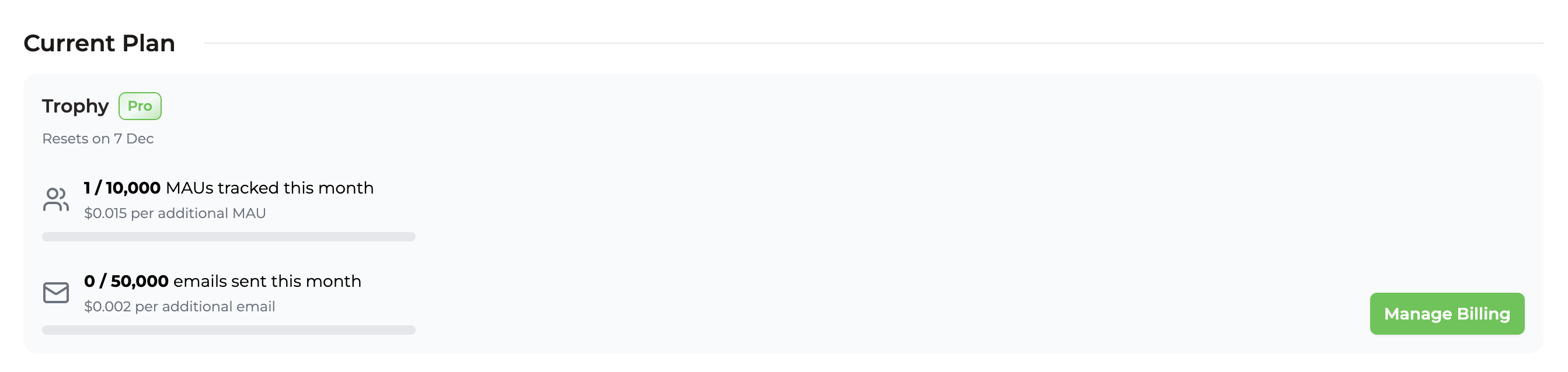 ## Frequently Asked Questions
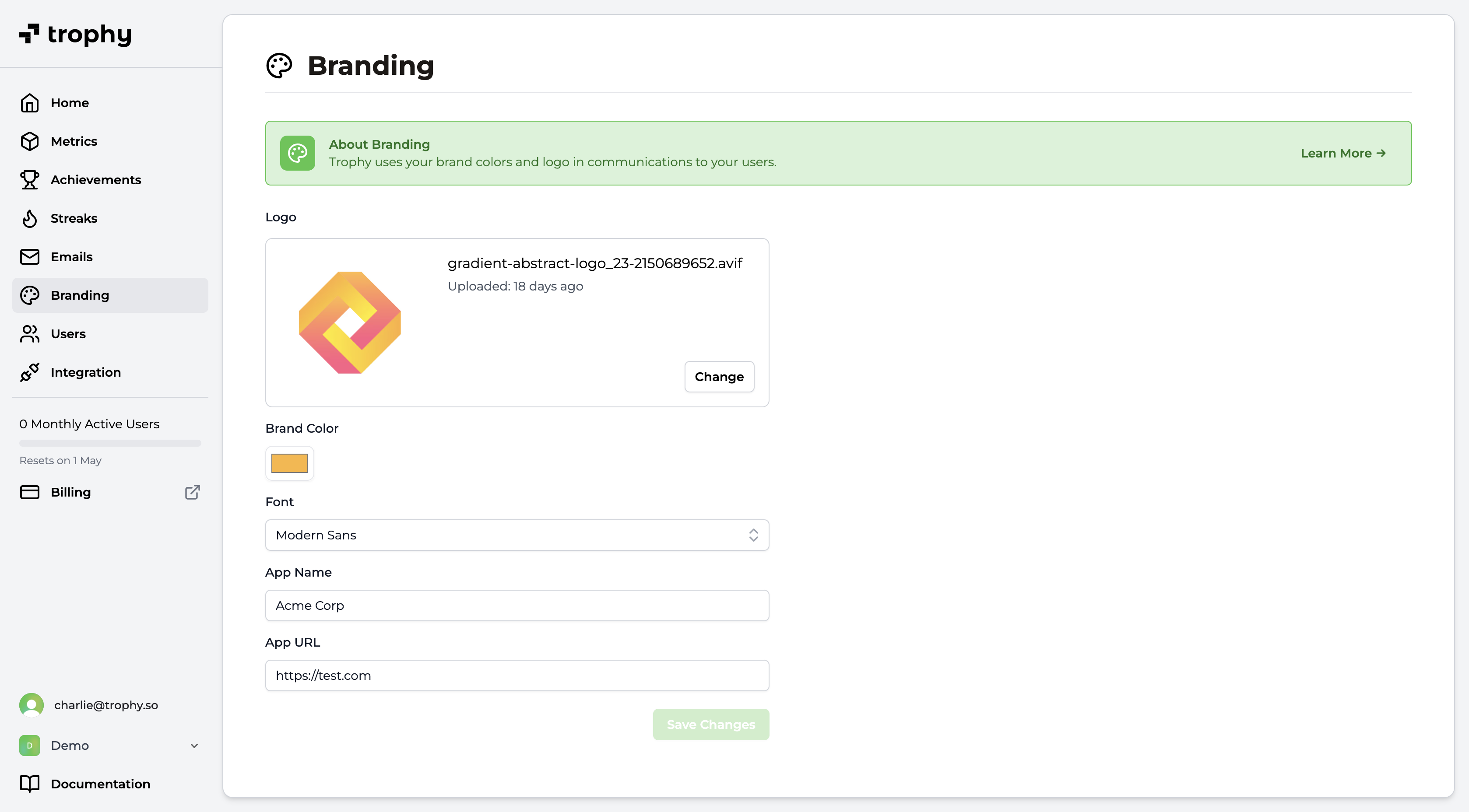 * **Logo**: Upload your brand’s logo to be displayed in the header of Trophy emails. We recommend using a horizontal logo with a transparent background or a plain background color with rounded corners.
* **Font**: The default font used in Trophy emails.
* **Brand Color**: Choose a primary color for your brand. Trophy will use this color for buttons and other elements in your emails.
* **App Name**: Enter the name of your app or service. Trophy will use this name in various places in your emails.
* **App URL**: Enter a default URL to use when not overridden on a per-email basis. Usually this is the URL of your app or service's sign in page.
## Get Support
Want to get in touch with the Trophy team? Reach out to us via [email](mailto:support@trophy.so). We're here to help!
# Members
Source: https://docs.trophy.so/account/members
Give team members access to Trophy and manage your account settings.
## Invite Your team
Trophy supports up to 5 team members per organization. However if you feel you need more [just ask](mailto:support@trophy.so) and we'll be happy to give you more room.
To invite a team member to your Trophy organization, open up the organization management dialog and head into the *Members* tab:
Hit *Invite* and add the email address of the team member(s) you want to invite. If you're an account admin, you can add other admins, otherwise you'll only be able to add other members.
Once you're happy, hit *Send invitations* and each team member will receive an email invitation to Trophy.
## Manage User Roles
* **Logo**: Upload your brand’s logo to be displayed in the header of Trophy emails. We recommend using a horizontal logo with a transparent background or a plain background color with rounded corners.
* **Font**: The default font used in Trophy emails.
* **Brand Color**: Choose a primary color for your brand. Trophy will use this color for buttons and other elements in your emails.
* **App Name**: Enter the name of your app or service. Trophy will use this name in various places in your emails.
* **App URL**: Enter a default URL to use when not overridden on a per-email basis. Usually this is the URL of your app or service's sign in page.
## Get Support
Want to get in touch with the Trophy team? Reach out to us via [email](mailto:support@trophy.so). We're here to help!
# Members
Source: https://docs.trophy.so/account/members
Give team members access to Trophy and manage your account settings.
## Invite Your team
Trophy supports up to 5 team members per organization. However if you feel you need more [just ask](mailto:support@trophy.so) and we'll be happy to give you more room.
To invite a team member to your Trophy organization, open up the organization management dialog and head into the *Members* tab:
Hit *Invite* and add the email address of the team member(s) you want to invite. If you're an account admin, you can add other admins, otherwise you'll only be able to add other members.
Once you're happy, hit *Send invitations* and each team member will receive an email invitation to Trophy.
## Manage User Roles
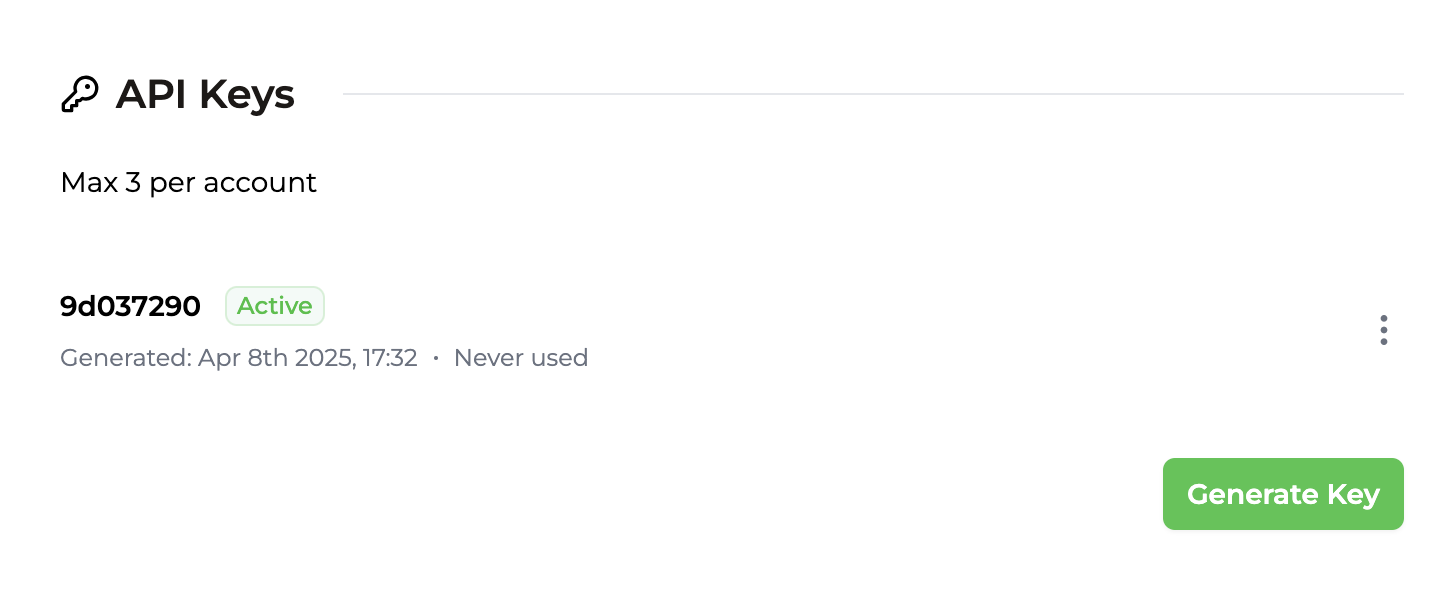 ### Anatomy of an API key
Each API key is made up of 2 parts separated by a period:
```bash theme={null}
{prefix}•{body}
```
* The *prefix* is the first 8 characters. It's readable and will always stay the same so it's easily recognisable.
* The *body* is the secret part, and is only shown to you once when you create the key.
### Anatomy of an API key
Each API key is made up of 2 parts separated by a period:
```bash theme={null}
{prefix}•{body}
```
* The *prefix* is the first 8 characters. It's readable and will always stay the same so it's easily recognisable.
* The *body* is the secret part, and is only shown to you once when you create the key.
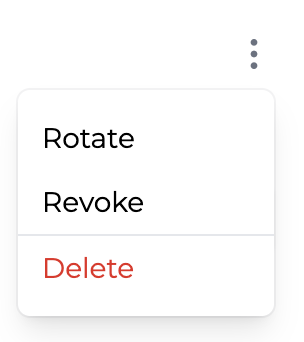 ### Rotating keys
API keys can be rotated if you want to change them for any reason. At the point of rotation, the original API key will no longer function and any requests still using it will begin receiving `401` responses immediately.
### Rotating keys
API keys can be rotated if you want to change them for any reason. At the point of rotation, the original API key will no longer function and any requests still using it will begin receiving `401` responses immediately.
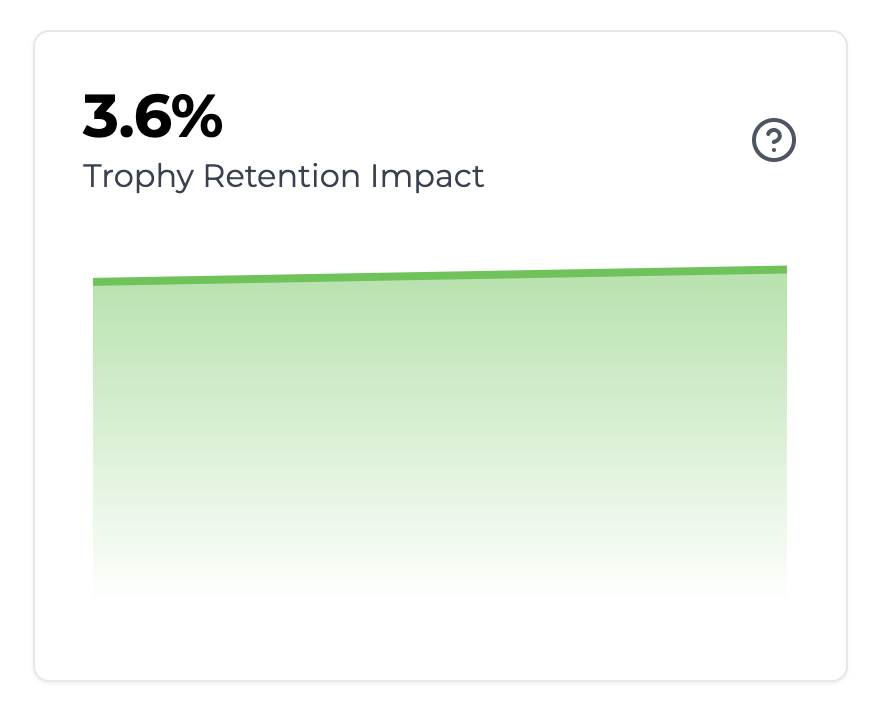 The Trophy Impact Score reflects the percentage difference in 14-day retention between the control cohort and the rest of your userbase.
 If your goal is for your users to create a regular habit of using your app—to learn something, publish content, or even exercise—gamification could be for you.
It's been proven by the likes of Duolingo and others to predictably boost retention and increase platform engagement.
But building gamification at scale can be tricky. You have a global userbase, all in different timezones, all with different usage patterns that need to be measured and optimized in realtime. Plus, you want to run experiments to test different approaches and see how they impact retention, but this requires constant code changes, which holds up work on your core product.
Trophy takes away the legwork involved in building features like achievements, streaks, points systems and leaderboards while providing reliable, scalable APIs for shipping gamification experiences faster than building in-house. Plus, it provides a web platform to easily configure, measure and experiment with the product experience without constant code changes.
## Get Support
Want to get in touch with the Trophy team? Reach out to us via [email](mailto:support@trophy.so). We're here to help!
# Quick Start
Source: https://docs.trophy.so/getting-started/quickstart
Get up and running with Trophy in under 10 minutes
Here you'll integrate your backend web application with Trophy and start building your first gamified feature.
If your goal is for your users to create a regular habit of using your app—to learn something, publish content, or even exercise—gamification could be for you.
It's been proven by the likes of Duolingo and others to predictably boost retention and increase platform engagement.
But building gamification at scale can be tricky. You have a global userbase, all in different timezones, all with different usage patterns that need to be measured and optimized in realtime. Plus, you want to run experiments to test different approaches and see how they impact retention, but this requires constant code changes, which holds up work on your core product.
Trophy takes away the legwork involved in building features like achievements, streaks, points systems and leaderboards while providing reliable, scalable APIs for shipping gamification experiences faster than building in-house. Plus, it provides a web platform to easily configure, measure and experiment with the product experience without constant code changes.
## Get Support
Want to get in touch with the Trophy team? Reach out to us via [email](mailto:support@trophy.so). We're here to help!
# Quick Start
Source: https://docs.trophy.so/getting-started/quickstart
Get up and running with Trophy in under 10 minutes
Here you'll integrate your backend web application with Trophy and start building your first gamified feature.
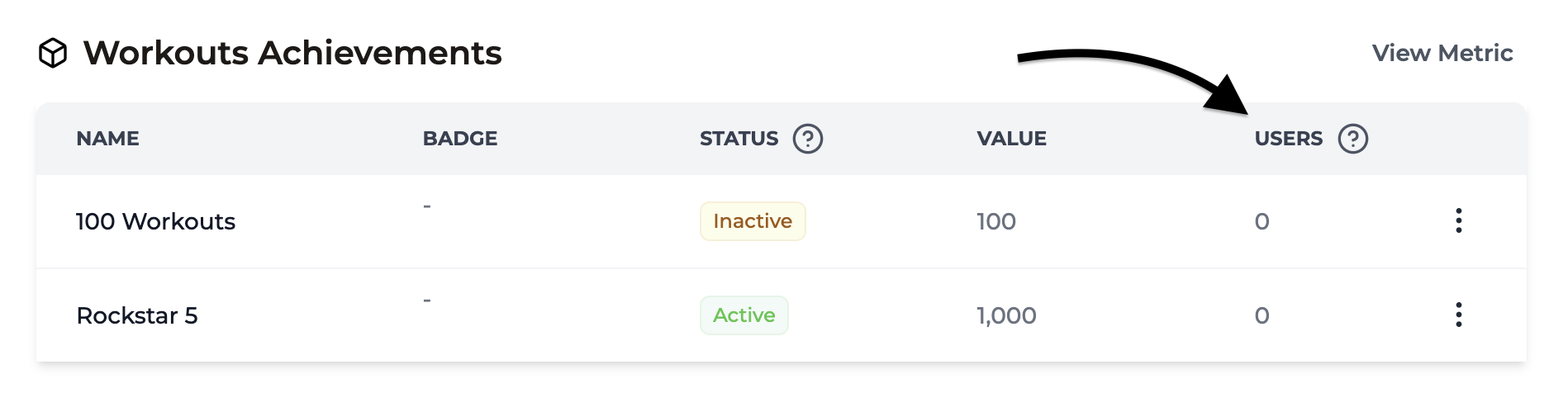 ## Using Badges
A badge can be uploaded and assigned to any achievement in Trophy. Trophy will host the image for you and return the URL back to you in relevant API responses to be used as the `src` property in `
## Using Badges
A badge can be uploaded and assigned to any achievement in Trophy. Trophy will host the image for you and return the URL back to you in relevant API responses to be used as the `src` property in `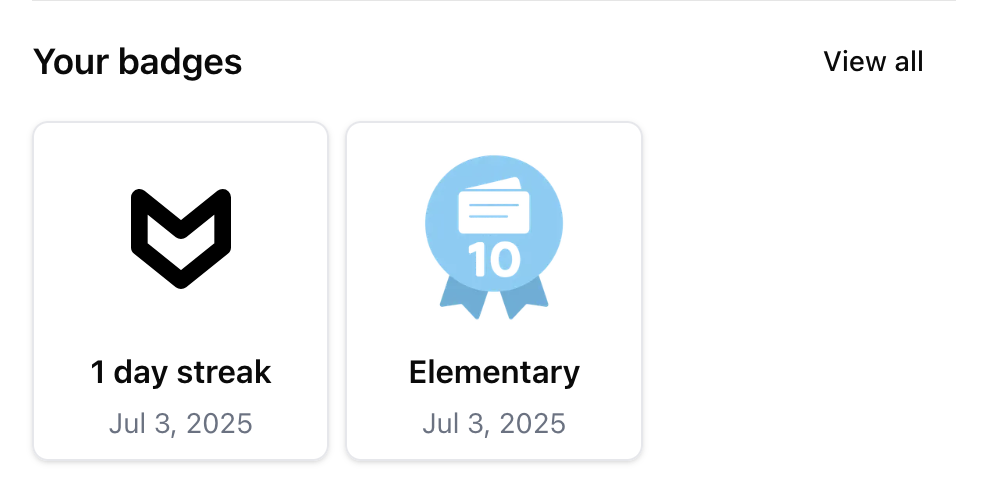 ## Achievement Analytics
If you have achievements set up for any of your [Metrics](/platform/metrics), then the metric analytics page displays a chart that shows you the current progress of all Users as follows:
## Achievement Analytics
If you have achievements set up for any of your [Metrics](/platform/metrics), then the metric analytics page displays a chart that shows you the current progress of all Users as follows:
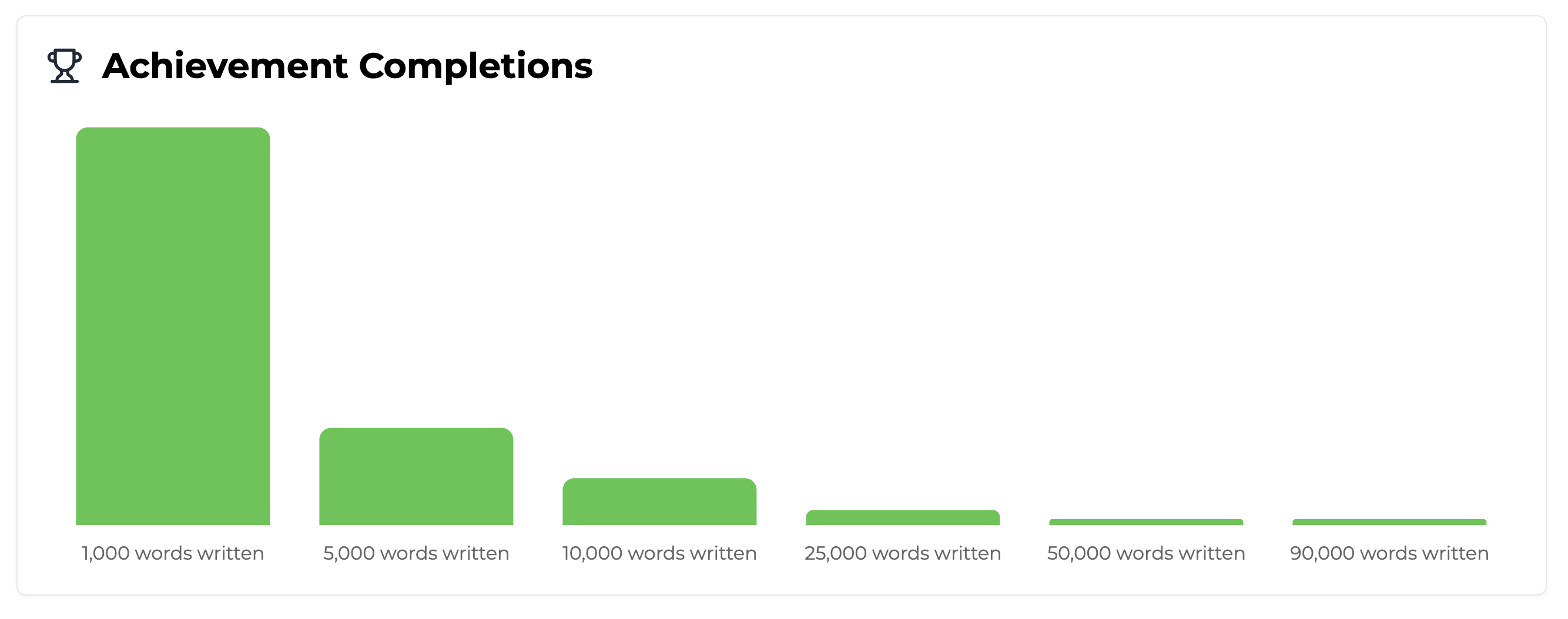 ## Frequently Asked Questions
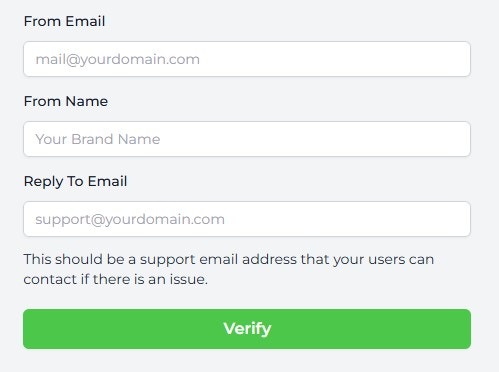 Trophy will send a verification email to that address. Simply click the link in the email to let Trophy know what you own the address and you'll be good to go.
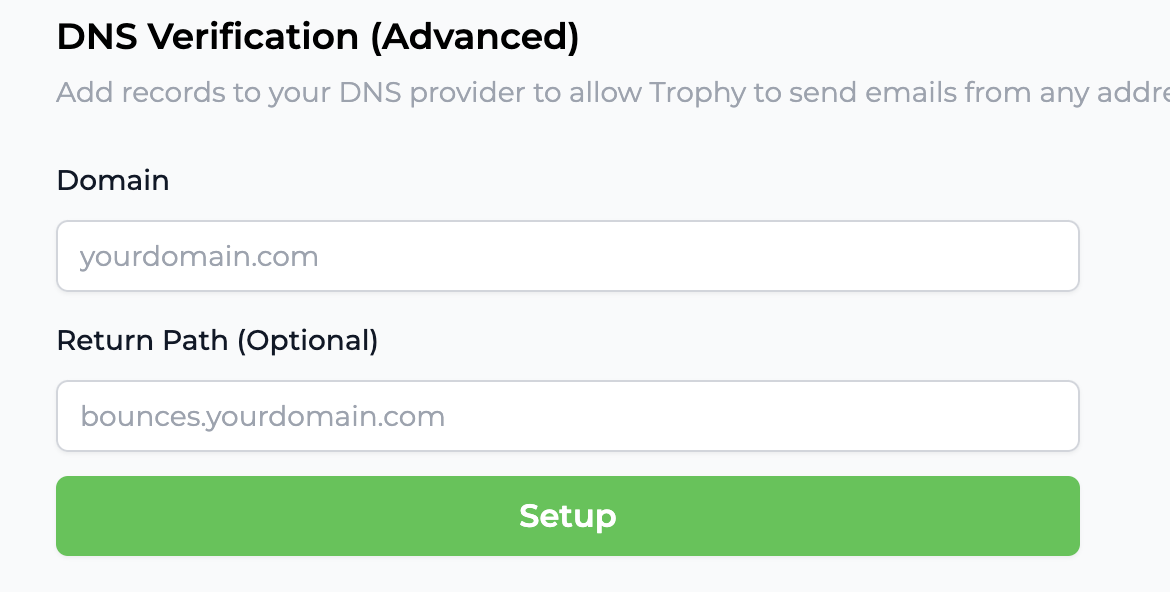
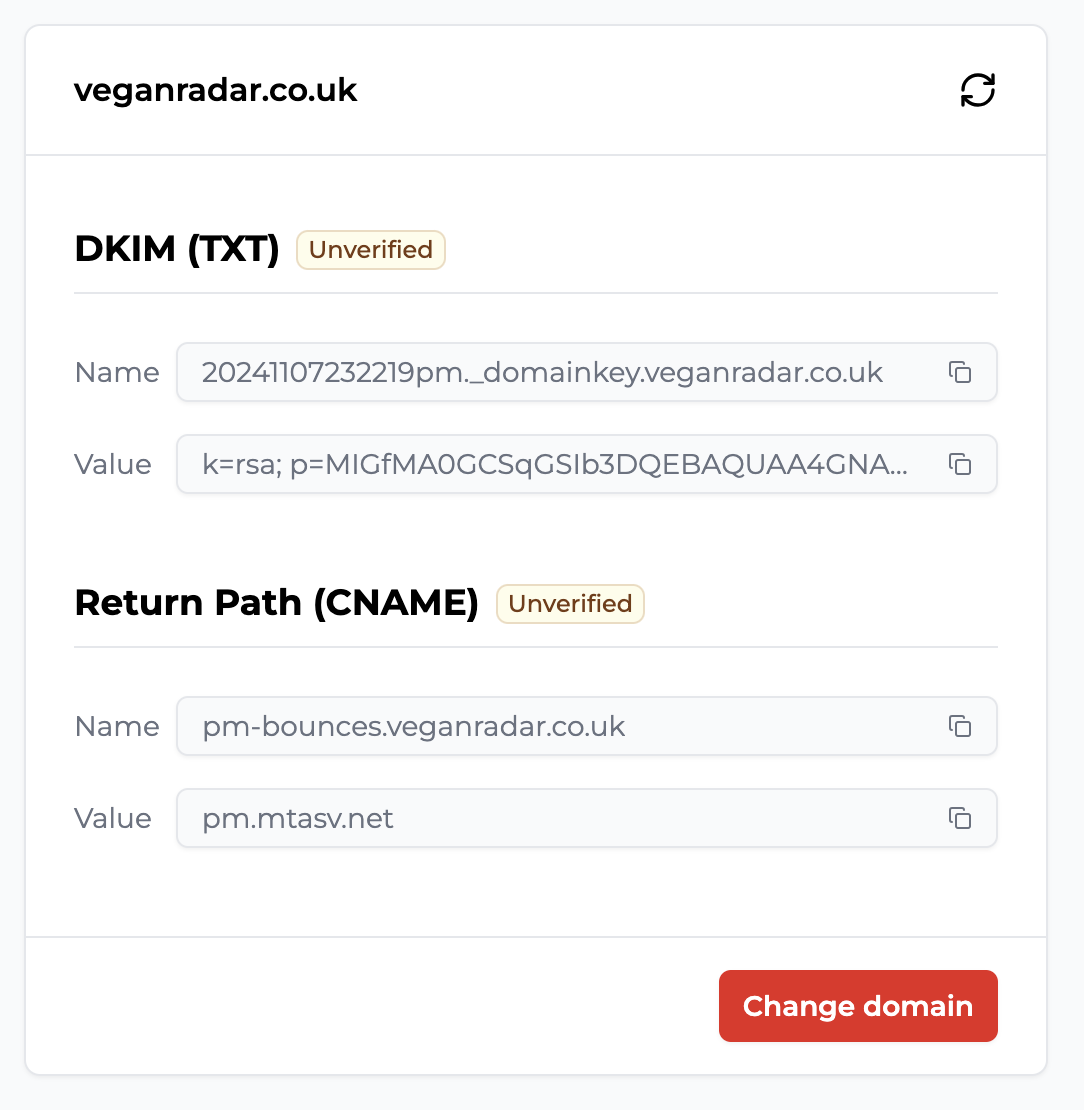 * First is the **DKIM** record which is used by inbox providers like Google to verify the authenticity of emails. Enter the name and value provided as a new **TXT** record in your DNS provider.
* Second is the **Return Path** record. This is used to forward notifications of email bounces to your domain. Enter the name and value provided as a new **CNAME** record in your DNS provider.
Here are the pages for the most common DNS providers on how to set up new records:
* First is the **DKIM** record which is used by inbox providers like Google to verify the authenticity of emails. Enter the name and value provided as a new **TXT** record in your DNS provider.
* Second is the **Return Path** record. This is used to forward notifications of email bounces to your domain. Enter the name and value provided as a new **CNAME** record in your DNS provider.
Here are the pages for the most common DNS providers on how to set up new records:
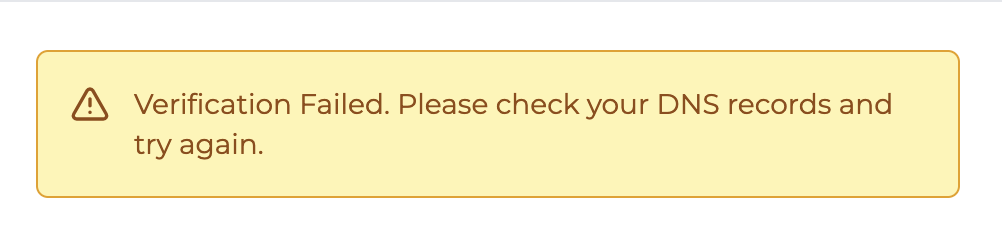 Once you're sure everything's set up correctly in your DNS provider, hit refresh and Trophy will attempt to verify your DNS records once again.
As soon as you see the following message, you know everything's verified:
Once you're sure everything's set up correctly in your DNS provider, hit refresh and Trophy will attempt to verify your DNS records once again.
As soon as you see the following message, you know everything's verified:
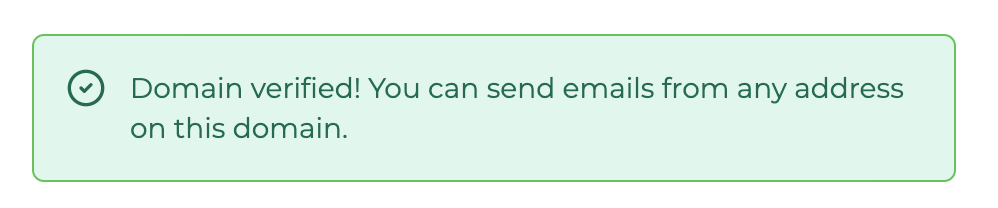
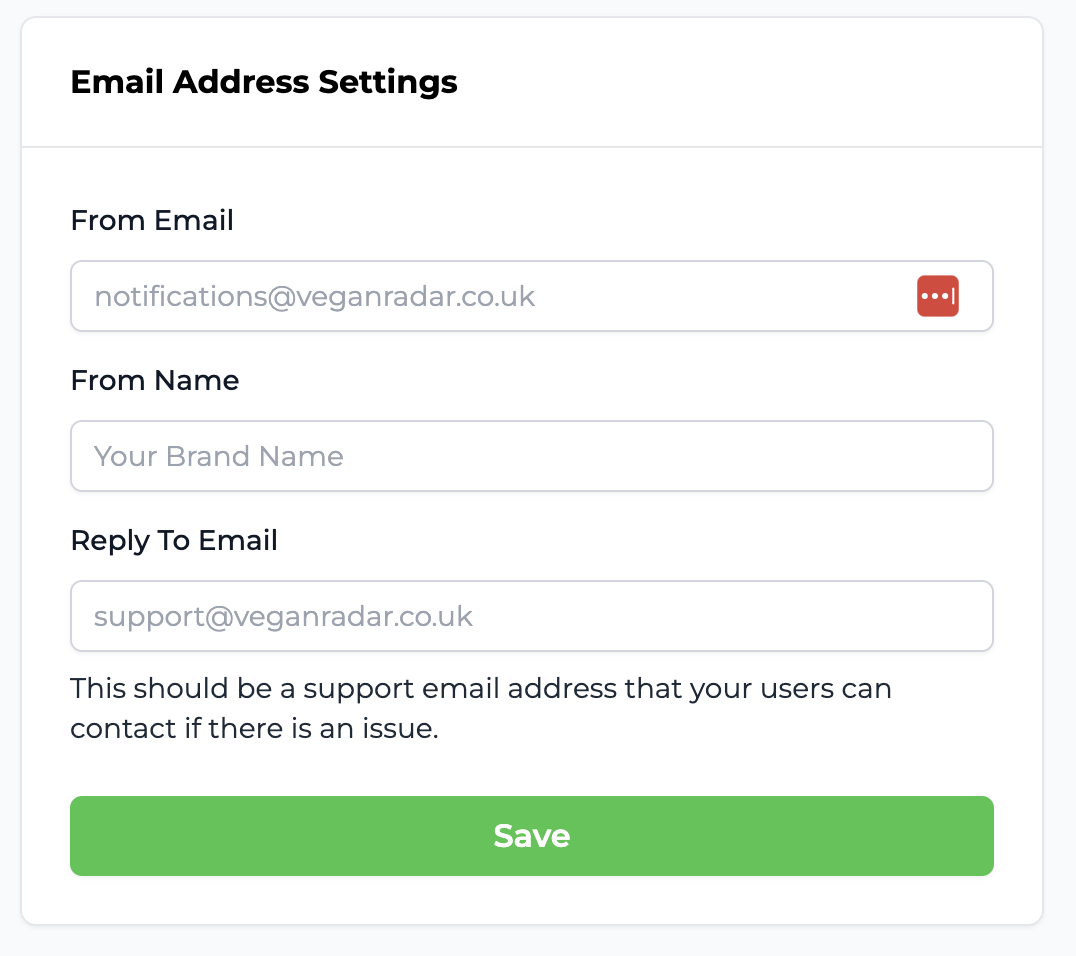
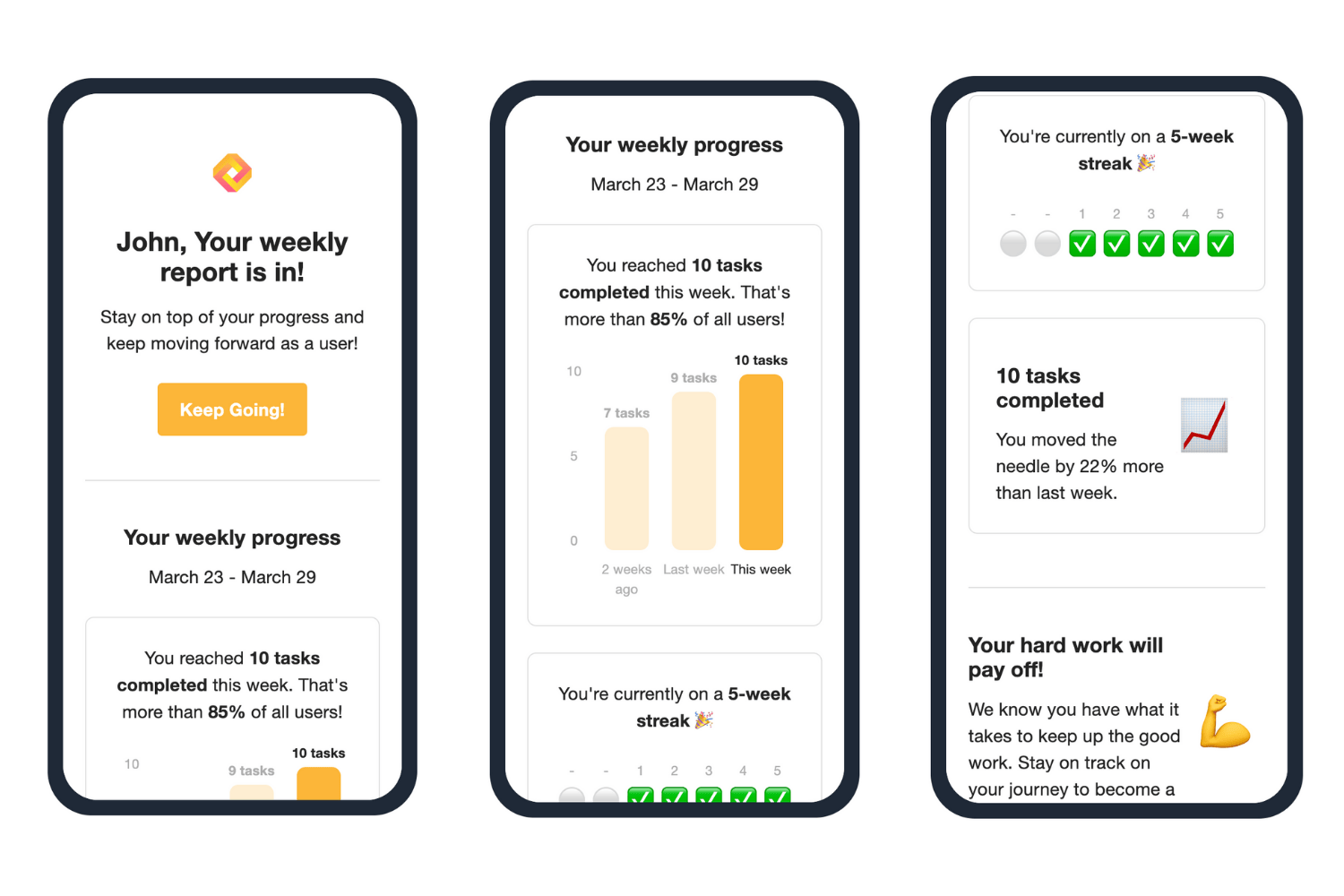 #### Reactivation Emails
The **Reactivation** trigger sends win-back emails to users after they become inactive. These emails are sent according to the following timeline:
* After 3 days of inactivity
* After 5 days of inactivity
* After 7 days of inactivity
* After 14 days of inactivity
* After 30 days of inactivity
#### Reactivation Emails
The **Reactivation** trigger sends win-back emails to users after they become inactive. These emails are sent according to the following timeline:
* After 3 days of inactivity
* After 5 days of inactivity
* After 7 days of inactivity
* After 14 days of inactivity
* After 30 days of inactivity
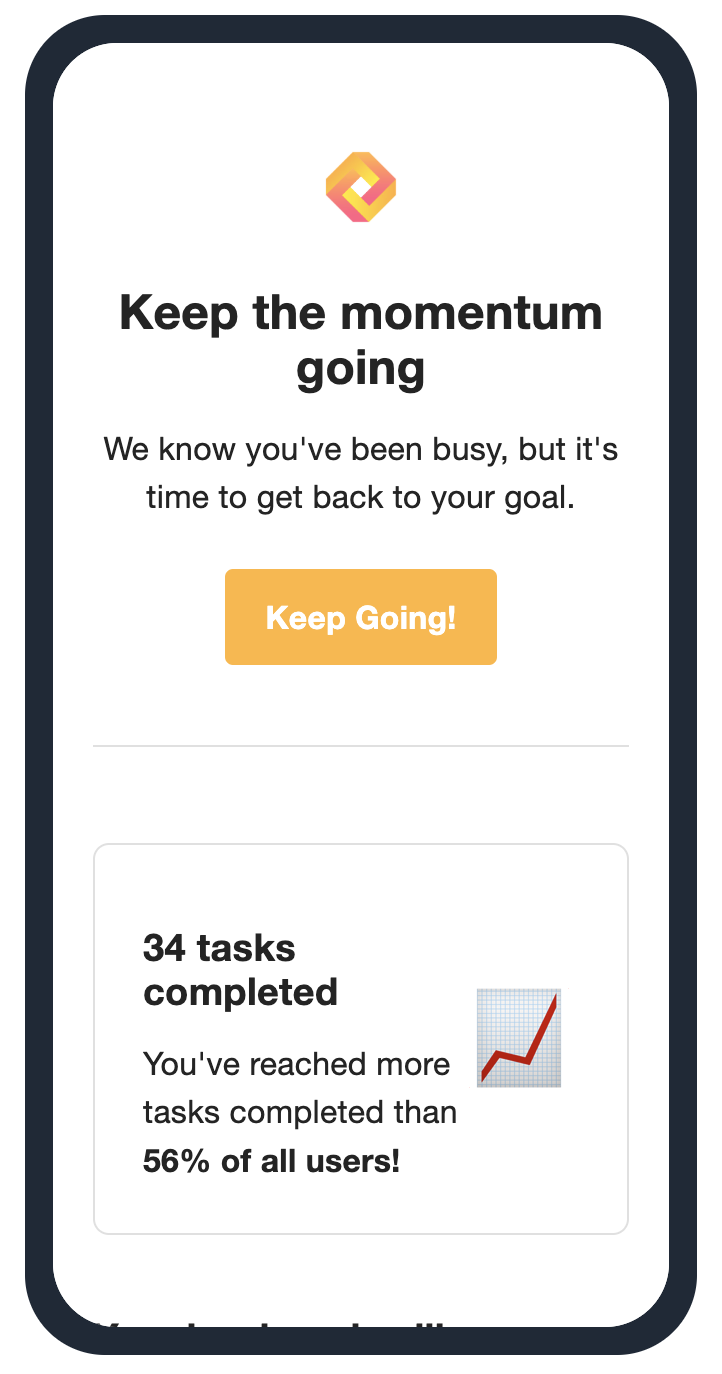 #### Streak Emails
The **Streak** trigger sends an email to each user before their streak expires. These emails are sent according to the streak frequency you configured on the [Streaks page](https://app.trophy.so/streaks):
* If your app uses a **daily streak**, this email will send four hours before the end of the day (in each user's timezone).
* For **weekly streaks**, it will send on Friday morning.
* For **monthly streaks**, it will send on the 25th of the month.
#### Streak Emails
The **Streak** trigger sends an email to each user before their streak expires. These emails are sent according to the streak frequency you configured on the [Streaks page](https://app.trophy.so/streaks):
* If your app uses a **daily streak**, this email will send four hours before the end of the day (in each user's timezone).
* For **weekly streaks**, it will send on Friday morning.
* For **monthly streaks**, it will send on the 25th of the month.
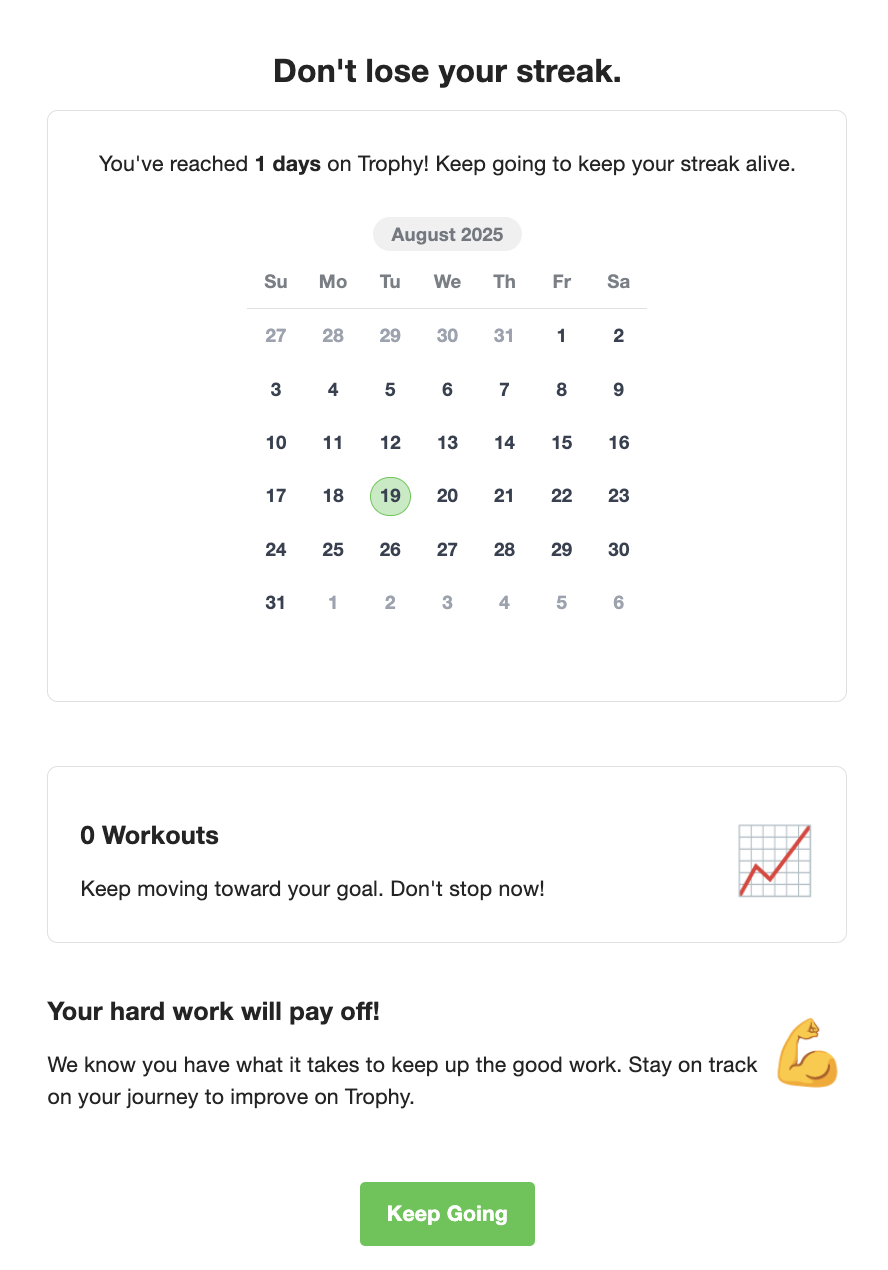 #### Achievement Emails
The **Achievement** trigger sends an email congratulating users when they complete an [achievements](/platform/achievements) you've configured in Trophy. These emails send between 5-9PM on the day the achievement is completed, or the next day at 5PM if it is past 9PM when the user completes the achievement.
#### Achievement Emails
The **Achievement** trigger sends an email congratulating users when they complete an [achievements](/platform/achievements) you've configured in Trophy. These emails send between 5-9PM on the day the achievement is completed, or the next day at 5PM if it is past 9PM when the user completes the achievement.
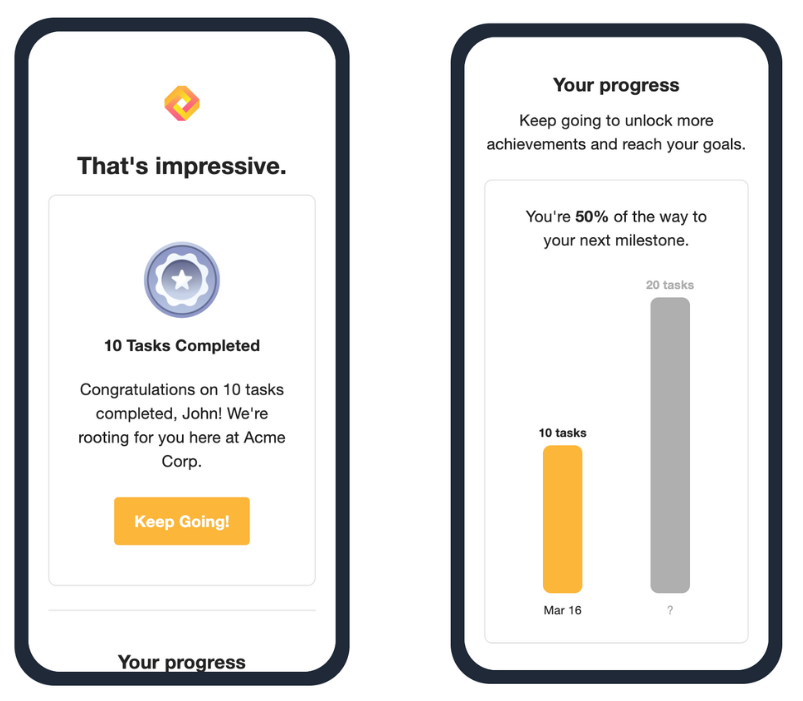 #### Email Templates
For each trigger, you can assign an **Email Template** that the trigger uses. You can leave this set to *Trophy Default* or [design your own email templates](#designing-emails) right in the Trophy dashboard.
#### Email Templates
For each trigger, you can assign an **Email Template** that the trigger uses. You can leave this set to *Trophy Default* or [design your own email templates](#designing-emails) right in the Trophy dashboard.
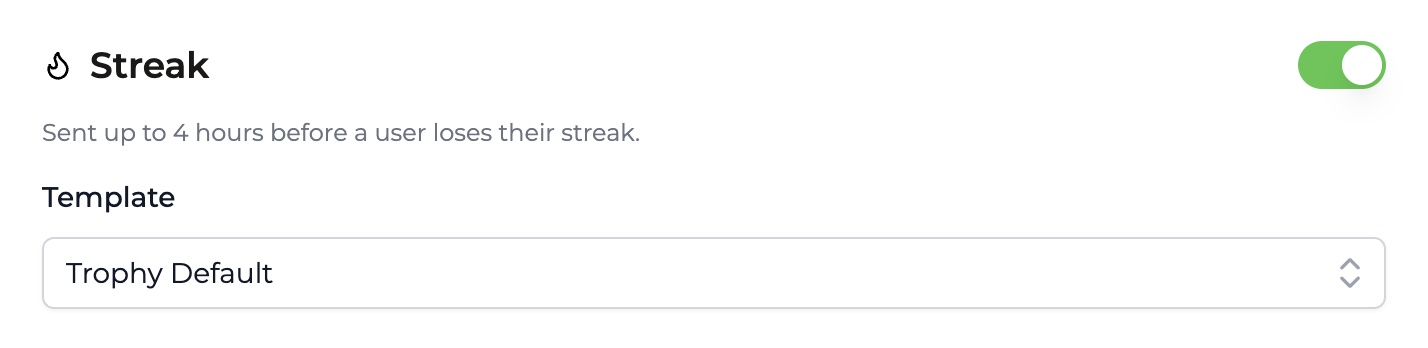
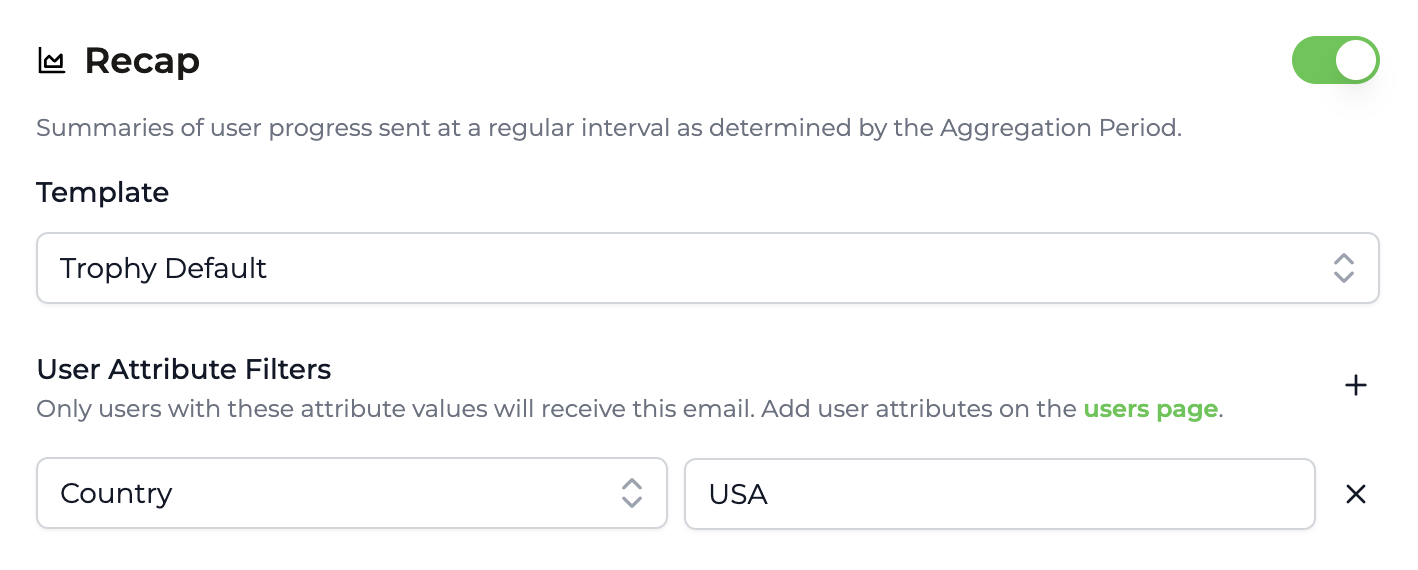 #### Time Zones
If you specify a timezone for each user through [User Identification](/platform/users#param-tz), Trophy will use that local time zone to schedule emails according to the logic specified above. If you do not provide time zones for the users you identify, Trophy will default to Eastern Time.
## Designing Emails
Trophy has a fully-featured block-based email builder that allows you to design templates, controlling all email copy and subject lines. Within the [Emails](https://app.trophy.so/emails/configure) page you can create templates and assign them to the 3 different [Email Types](#types-of-emails).
#### Time Zones
If you specify a timezone for each user through [User Identification](/platform/users#param-tz), Trophy will use that local time zone to schedule emails according to the logic specified above. If you do not provide time zones for the users you identify, Trophy will default to Eastern Time.
## Designing Emails
Trophy has a fully-featured block-based email builder that allows you to design templates, controlling all email copy and subject lines. Within the [Emails](https://app.trophy.so/emails/configure) page you can create templates and assign them to the 3 different [Email Types](#types-of-emails).
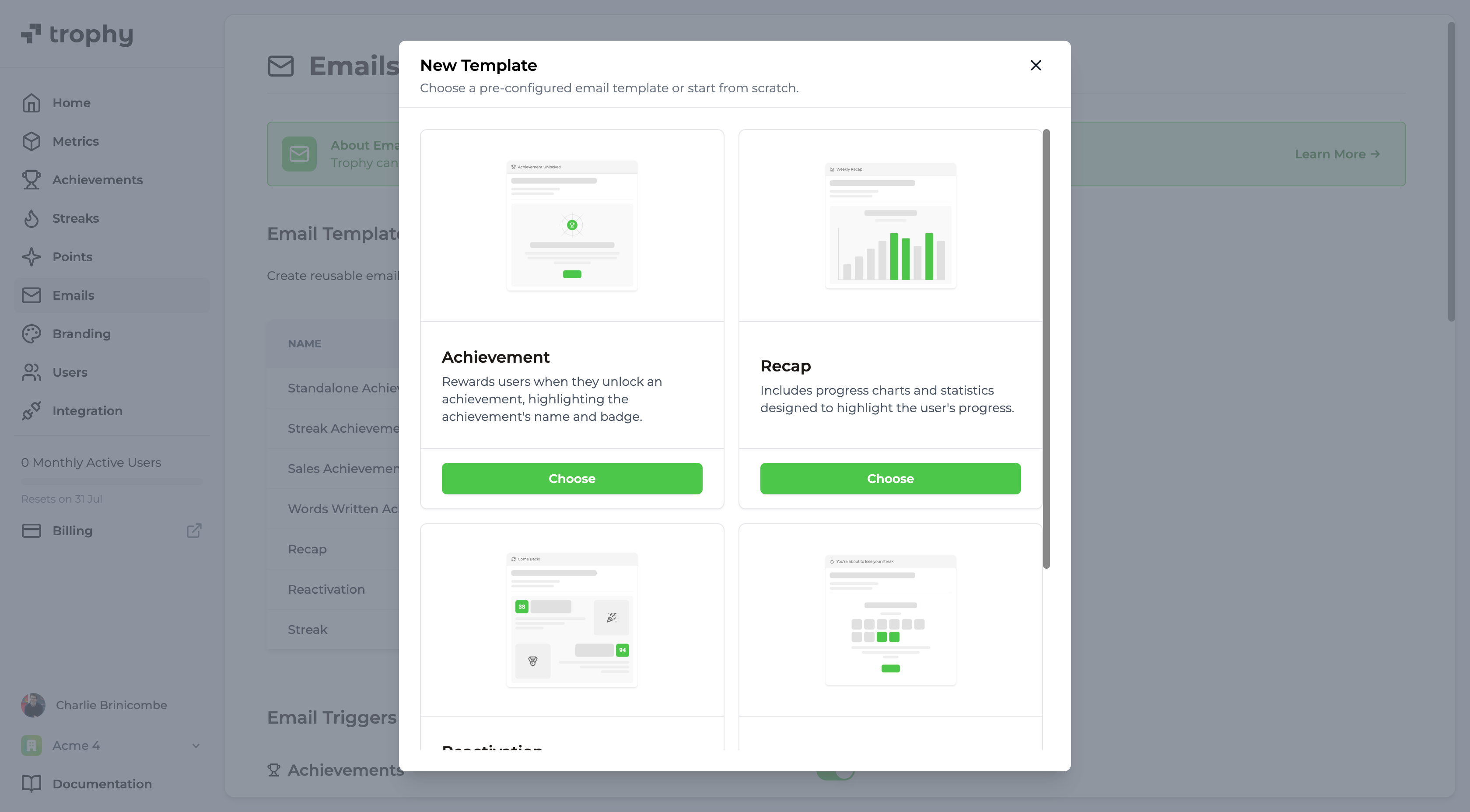
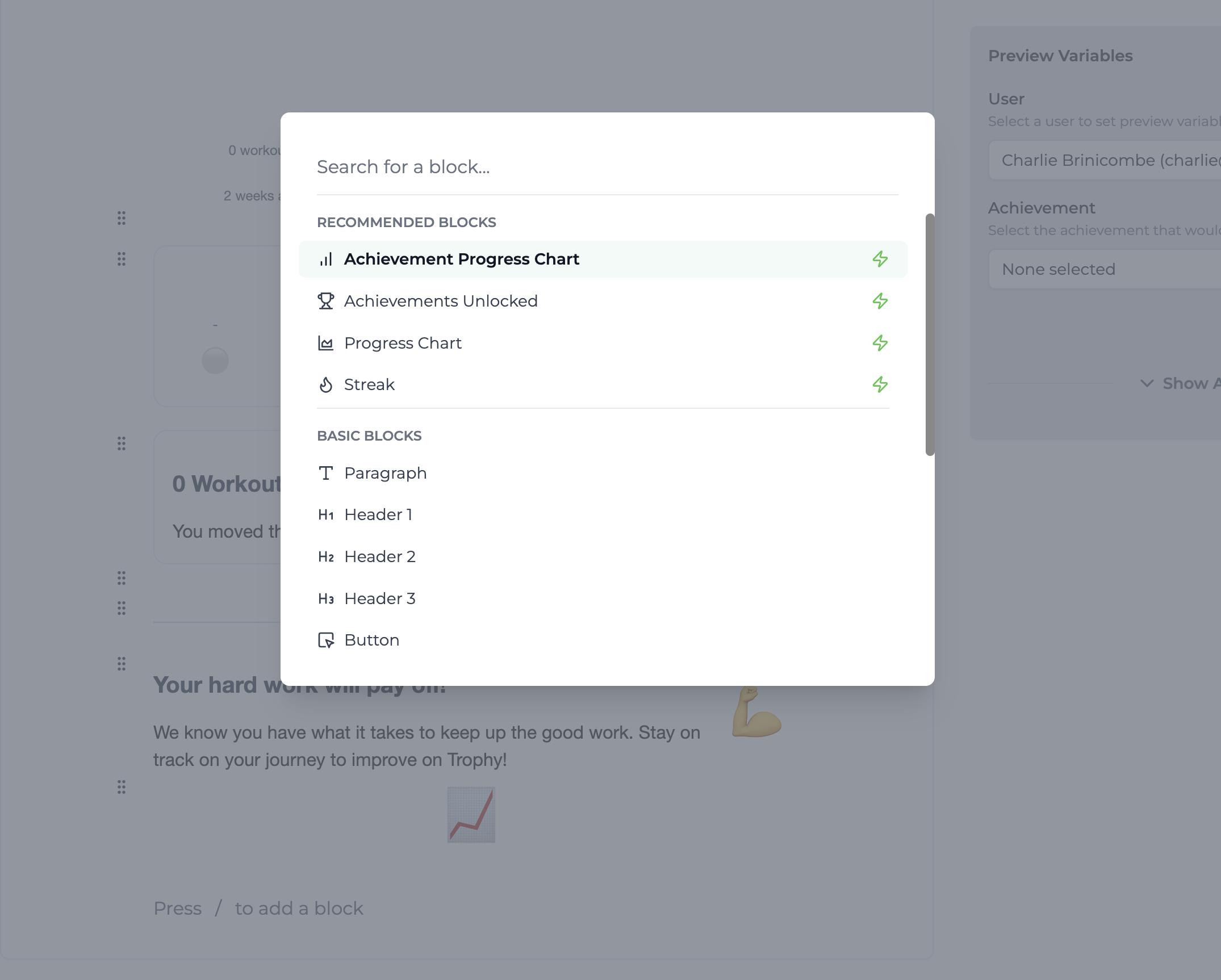 #### Basic Blocks
Here's the full list of un-opinionated basic blocks that Trophy supports:
* **Paragraph** - Good for short or longer text snippets.
* **H1, H2, H3** - Useful for headings of varying sizes.
* **Button** - Creates a call to action for users to take in emails.
* **Card** - Can nest other blocks, focusing attention.
* **Divider** - Good for separating content into logical sections.
* **Emoji** - Include any supported emoji, controlling size.
* **Image** - Upload any image and Trophy will render it in emails.
* **Spacer** - Good for giving blocks room to stand out.
* **Columns** - Useful for creating up to 3-column layouts with any content.
* **Logo** - Will render your organization's logo, set on the [Branding](https://app.trophy.so/branding) page.
#### Conditional Blocks
Trophy also has a powerful conditional rendering system powered by the *Conditional* block type.
By nesting any other block inside a conditional block and setting up the conditions logic, you can create almost any email design that will show different blocks in emails based on the evaluation of conditions at send time.
If you're familiar with the `if/else` logical operators then this will feel very familiar to you. Otherwise here's a quick diagram to explain how it works.
```mermaid theme={null}
flowchart LR
B@{ shape: diamond, label: "First condition true?" }
C@{ shape: rounded, label: "Show first block" }
D@{ shape: diamond, label: "Second condition true?" }
E@{ shape: rounded, label: "Show second block" }
F@{ shape: rounded, label: "Show default block" }
B-- Yes --->C
B-- No --->D
D-- Yes --->E
D-- No --->F
```
One common use case for the conditional block is to conditionally show a user their streak (one of Trophy's built-in [Smart Blocks](#smart-blocks)) and some streak-related motivational text only if they have an active streak. If the recipient isn't on a streak at the time the email is sent, then a simple message is displayed instead.
#### Basic Blocks
Here's the full list of un-opinionated basic blocks that Trophy supports:
* **Paragraph** - Good for short or longer text snippets.
* **H1, H2, H3** - Useful for headings of varying sizes.
* **Button** - Creates a call to action for users to take in emails.
* **Card** - Can nest other blocks, focusing attention.
* **Divider** - Good for separating content into logical sections.
* **Emoji** - Include any supported emoji, controlling size.
* **Image** - Upload any image and Trophy will render it in emails.
* **Spacer** - Good for giving blocks room to stand out.
* **Columns** - Useful for creating up to 3-column layouts with any content.
* **Logo** - Will render your organization's logo, set on the [Branding](https://app.trophy.so/branding) page.
#### Conditional Blocks
Trophy also has a powerful conditional rendering system powered by the *Conditional* block type.
By nesting any other block inside a conditional block and setting up the conditions logic, you can create almost any email design that will show different blocks in emails based on the evaluation of conditions at send time.
If you're familiar with the `if/else` logical operators then this will feel very familiar to you. Otherwise here's a quick diagram to explain how it works.
```mermaid theme={null}
flowchart LR
B@{ shape: diamond, label: "First condition true?" }
C@{ shape: rounded, label: "Show first block" }
D@{ shape: diamond, label: "Second condition true?" }
E@{ shape: rounded, label: "Show second block" }
F@{ shape: rounded, label: "Show default block" }
B-- Yes --->C
B-- No --->D
D-- Yes --->E
D-- No --->F
```
One common use case for the conditional block is to conditionally show a user their streak (one of Trophy's built-in [Smart Blocks](#smart-blocks)) and some streak-related motivational text only if they have an active streak. If the recipient isn't on a streak at the time the email is sent, then a simple message is displayed instead.
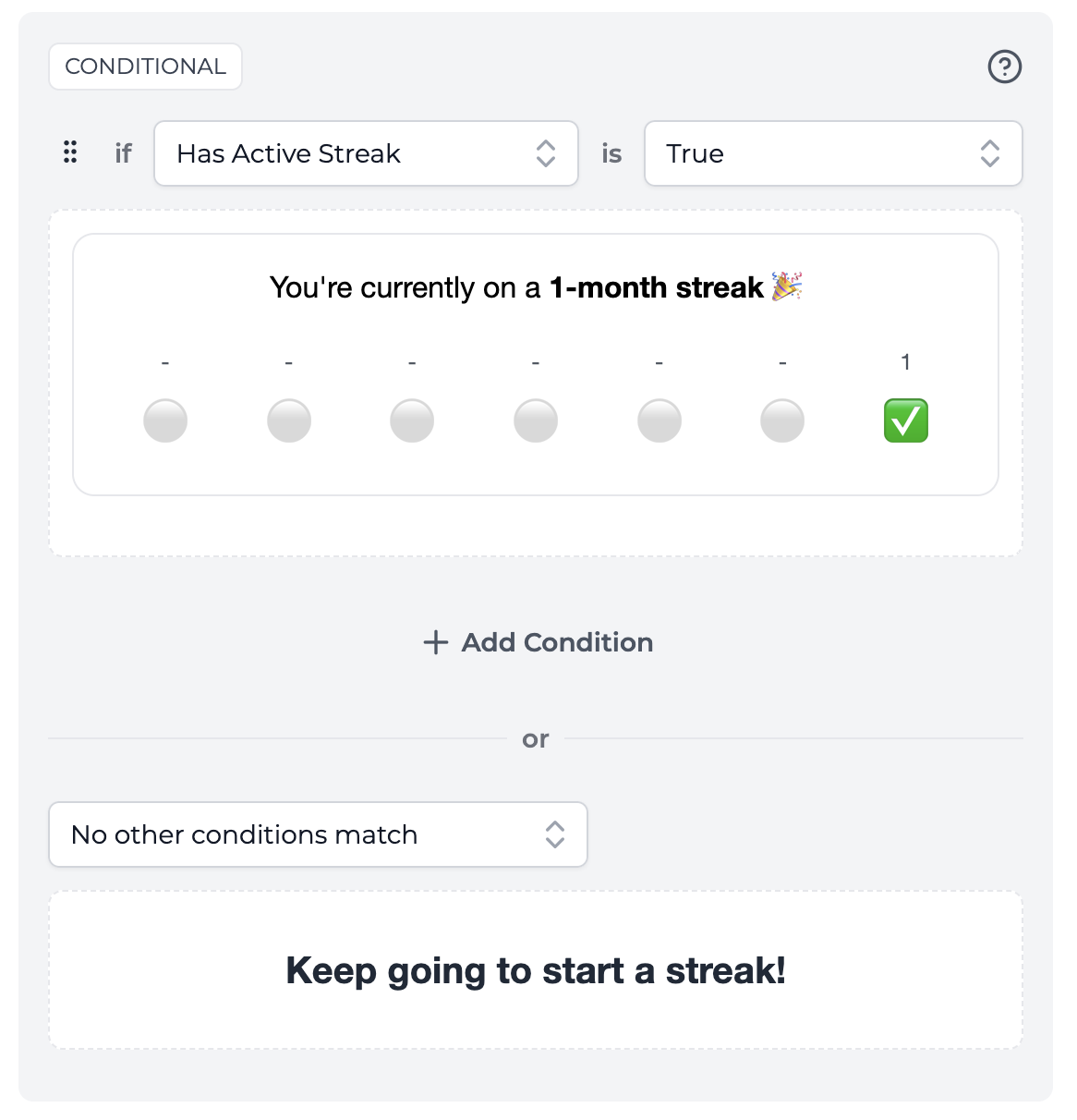 This creates a powerful framework to design emails based on highly relevant and personalized user data and can be used to create a wide-range of emails for common gamification use cases.
#### Smart Blocks
Smart blocks are powerful components designed to support common gamification use cases and integrate with all of Trophy's features including metrics, achievements and streaks.
You can find all smart blocks in the *Recommended Blocks* section, and they are always recognizable by the
This creates a powerful framework to design emails based on highly relevant and personalized user data and can be used to create a wide-range of emails for common gamification use cases.
#### Smart Blocks
Smart blocks are powerful components designed to support common gamification use cases and integrate with all of Trophy's features including metrics, achievements and streaks.
You can find all smart blocks in the *Recommended Blocks* section, and they are always recognizable by the 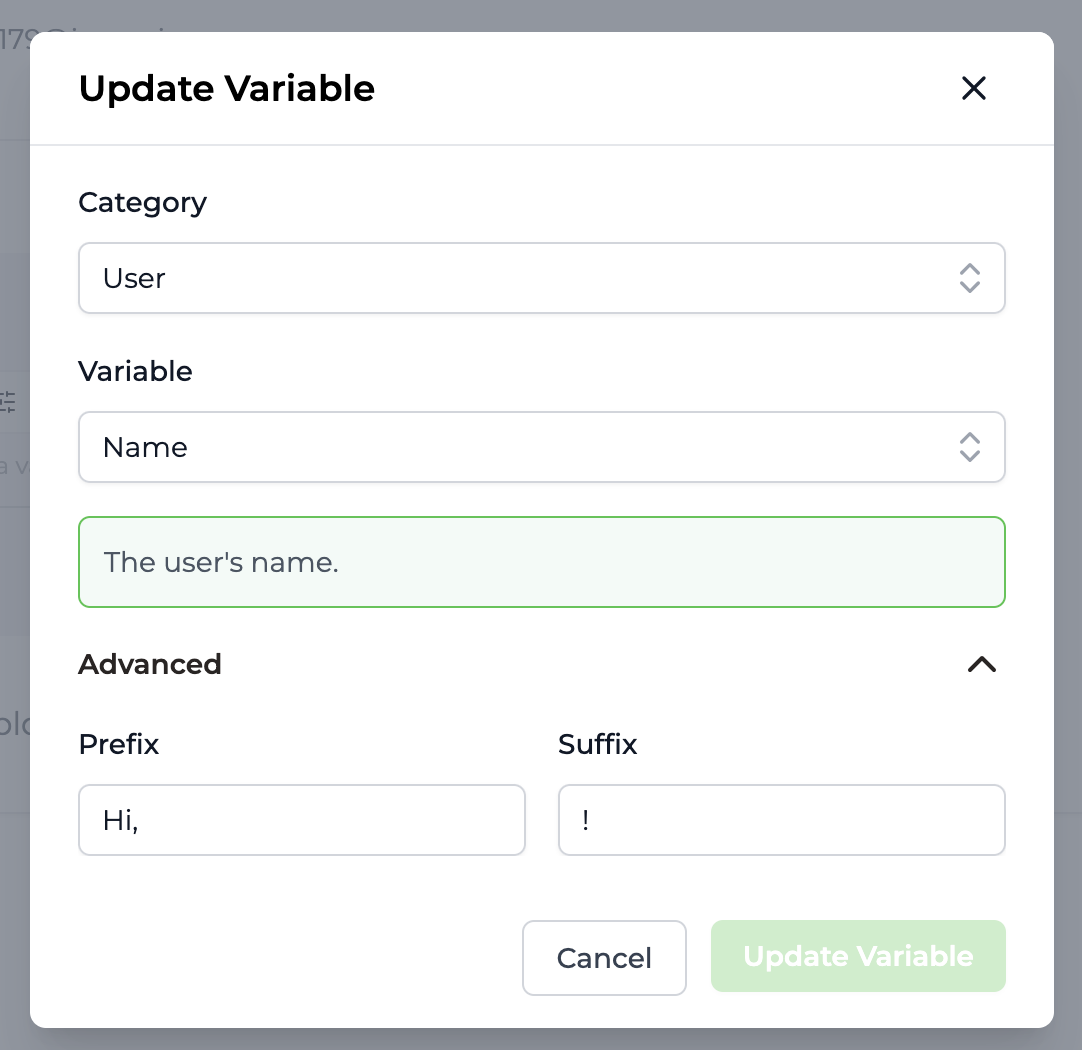 If the value of the variable fails to render when the email is sent, then Trophy won't display the variable or the prefix or suffix to keep emails clean.
**Singular & Plural**
When using numeric variables like the recipients current points total or metric total, you can also provide a singular and plural suffix to accompany it.
If the value of the variable fails to render when the email is sent, then Trophy won't display the variable or the prefix or suffix to keep emails clean.
**Singular & Plural**
When using numeric variables like the recipients current points total or metric total, you can also provide a singular and plural suffix to accompany it.
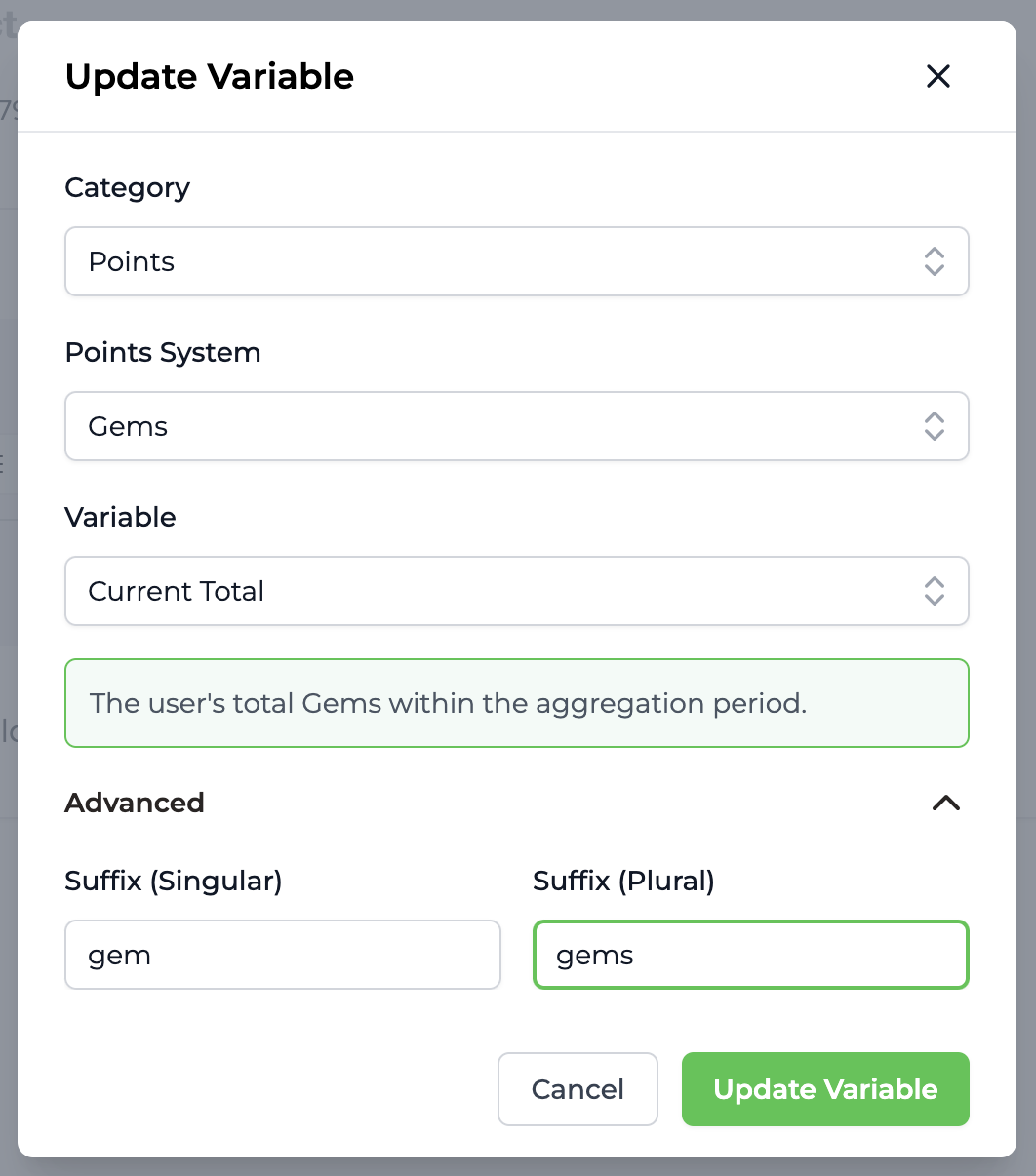 ### Text Variations
Variations can be used to add randomness to text within emails sent by Trophy. This prevents emails from getting boring and helps improve open and click rates.
Any block that supports text entry inculding H1, H2, H3 and paragraph support variations.
### Text Variations
Variations can be used to add randomness to text within emails sent by Trophy. This prevents emails from getting boring and helps improve open and click rates.
Any block that supports text entry inculding H1, H2, H3 and paragraph support variations.
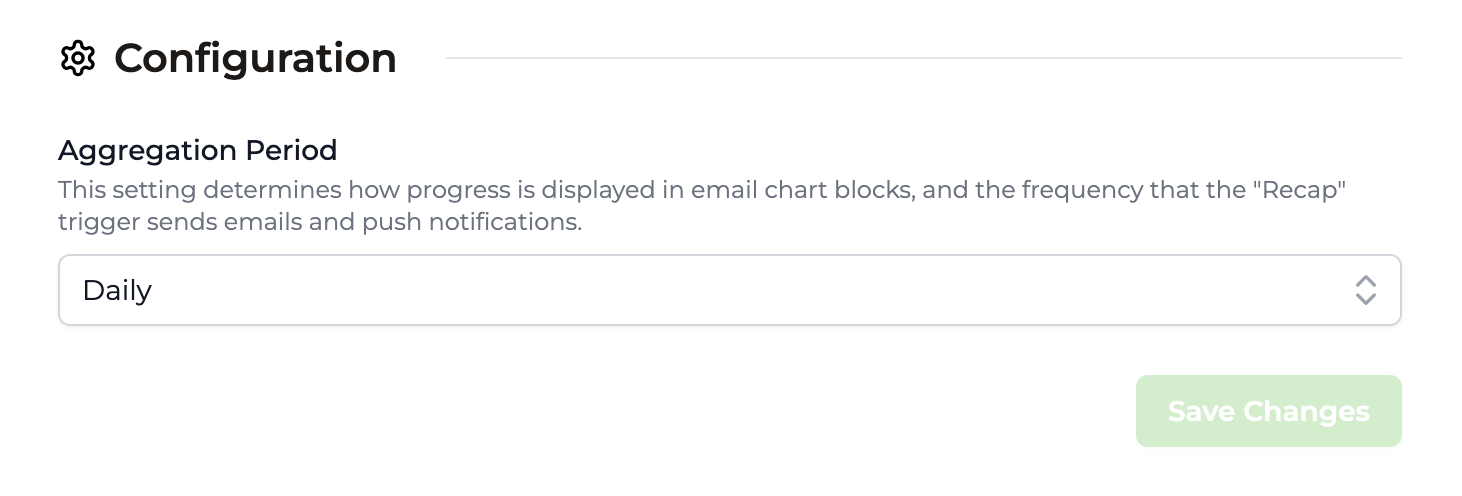 Other email styles are pulled from your Trophy account's [Branding](https://app.trophy.so/branding) settings.
## Handling Unsubscribes
All emails that Trophy sends include an unsubscribe link and message. This is important for maintaining compliance with regulations and it's not possible to hide it.
Other email styles are pulled from your Trophy account's [Branding](https://app.trophy.so/branding) settings.
## Handling Unsubscribes
All emails that Trophy sends include an unsubscribe link and message. This is important for maintaining compliance with regulations and it's not possible to hide it.
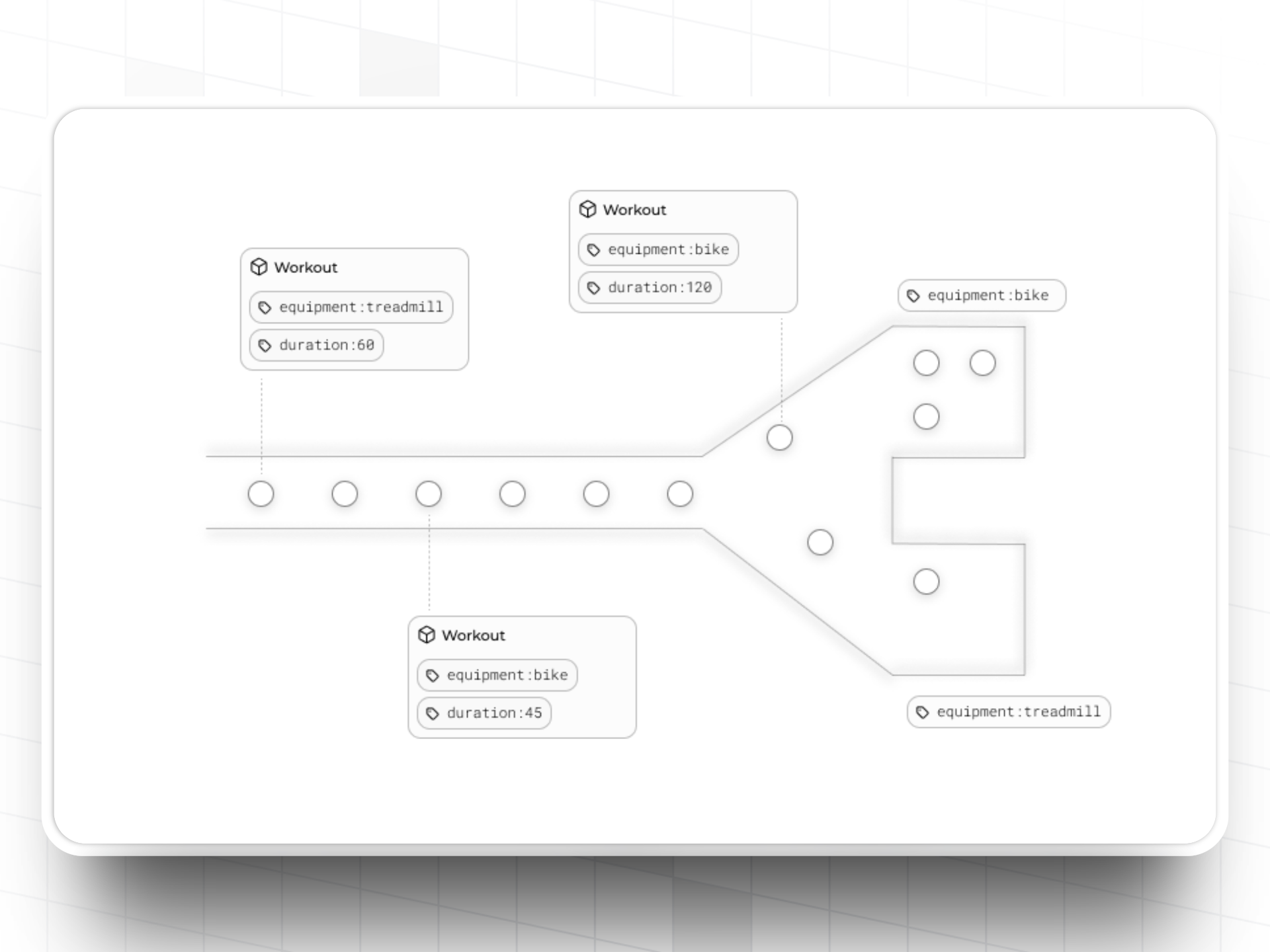 You can specify a number of custom event attributes to help you track additional information relevant to your use case against events you send to Trophy.
For example, a language learning app might have a 'Questions Completed' metric and use a custom event attribute to store wether the answer to each question was correct.
Similarly a fitness app might use an 'Exercises Completed' metric and use a custom event attribute to store the weight that was used in each exercise and another custom event attribute to store how long the exercise lasted.
Using custom event attributes in this way allows you to enrich events in Trophy with additional context relevant to your use case and use it to power even more engaging gamification features.
### Creating Attributes
To create a new custom event attribute, head to the metrics page in the Trophy dashboard and hit the *Add Event Attribute* button.
Give the attribute a name and a unique key, you'll use the key when referencing the attribute in API calls.
### Setting Attributes
To set the value of a custom attribute on an event, pass its value in the `attributes` object in your metric tracking code.
You can specify a number of custom event attributes to help you track additional information relevant to your use case against events you send to Trophy.
For example, a language learning app might have a 'Questions Completed' metric and use a custom event attribute to store wether the answer to each question was correct.
Similarly a fitness app might use an 'Exercises Completed' metric and use a custom event attribute to store the weight that was used in each exercise and another custom event attribute to store how long the exercise lasted.
Using custom event attributes in this way allows you to enrich events in Trophy with additional context relevant to your use case and use it to power even more engaging gamification features.
### Creating Attributes
To create a new custom event attribute, head to the metrics page in the Trophy dashboard and hit the *Add Event Attribute* button.
Give the attribute a name and a unique key, you'll use the key when referencing the attribute in API calls.
### Setting Attributes
To set the value of a custom attribute on an event, pass its value in the `attributes` object in your metric tracking code.
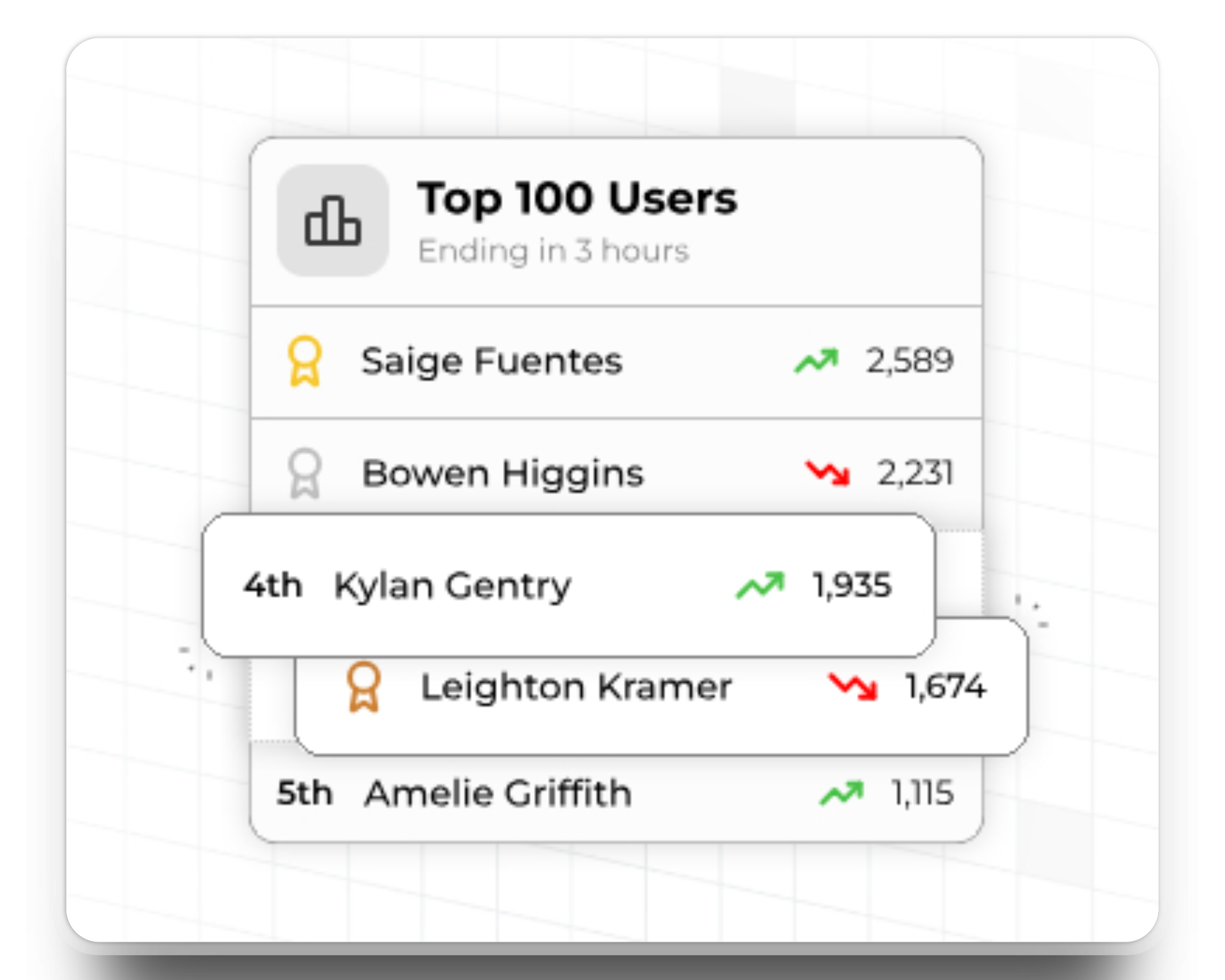 ## Types of Leaderboards
In this section we outline the different types of leaderboards supported in Trophy and when to use each one.
### Perpetual Leaderboards
Perpetual leaderboards never reset. Once started they continually track and rank users progress over time forever, or until the configured [end date](#end-dates).
Use perpetual leaderboards when you want to create all-time rankings of user activity.
### Repeating Leaderboards
Repeating leaderboards can be configured to reset after any arbitrary number of days, months or years.
In Trophy each instance of a repeating leaderboard is called a **'run'**. For example, a monthly leaderboard would have 12 runs in a year, but a daily leaderboard would have `n` runs in a month where `n` is the number of days in a given month.
Trophy tracks the rankings in each run of a repeating leaderboard individually and provides [APIs](/api-reference/endpoints/leaderboards/get-leaderboard) to fetch ranking data on historical runs.
## Types of Leaderboards
In this section we outline the different types of leaderboards supported in Trophy and when to use each one.
### Perpetual Leaderboards
Perpetual leaderboards never reset. Once started they continually track and rank users progress over time forever, or until the configured [end date](#end-dates).
Use perpetual leaderboards when you want to create all-time rankings of user activity.
### Repeating Leaderboards
Repeating leaderboards can be configured to reset after any arbitrary number of days, months or years.
In Trophy each instance of a repeating leaderboard is called a **'run'**. For example, a monthly leaderboard would have 12 runs in a year, but a daily leaderboard would have `n` runs in a month where `n` is the number of days in a given month.
Trophy tracks the rankings in each run of a repeating leaderboard individually and provides [APIs](/api-reference/endpoints/leaderboards/get-leaderboard) to fetch ranking data on historical runs.
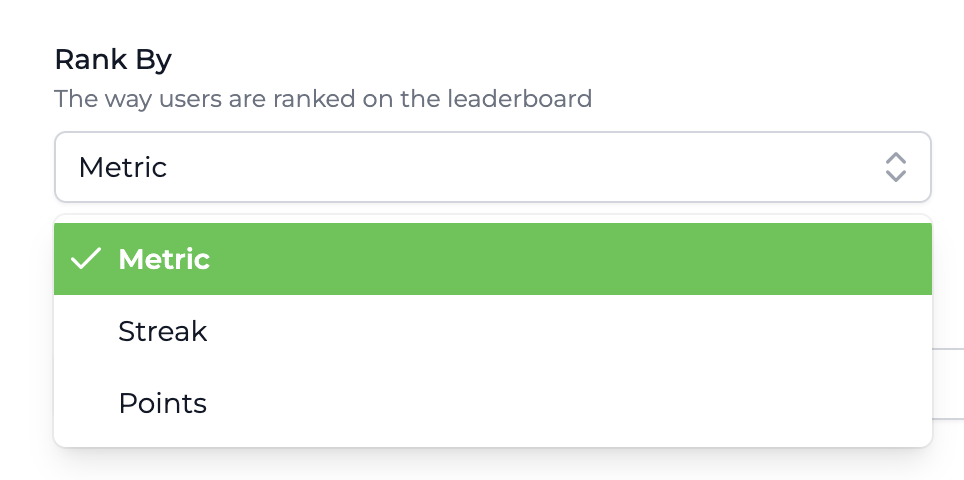 #### Metric Rankings
Metric leaderboards are linked to an existing Trophy [Metric](/platform/metrics) and rank users based on their total metric value.
Use metric leaderboards if you only want to rank users based on a single interaction.
#### Points Rankings
Points leaderboards are linked to an existing Trophy [Points System](/platform/points) and automatically rank users according to their total points.
Use a points leaderboard if you want to rank users based on a combination of metrics, achievements or other Trophy features.
#### Streak Rankings
Streak leaderboards rank users based on their current streak length.
#### Metric Rankings
Metric leaderboards are linked to an existing Trophy [Metric](/platform/metrics) and rank users based on their total metric value.
Use metric leaderboards if you only want to rank users based on a single interaction.
#### Points Rankings
Points leaderboards are linked to an existing Trophy [Points System](/platform/points) and automatically rank users according to their total points.
Use a points leaderboard if you want to rank users based on a combination of metrics, achievements or other Trophy features.
#### Streak Rankings
Streak leaderboards rank users based on their current streak length.
 ### Start Dates
Leaderboards in Trophy can be set to start at a future date of your choice. This is often useful to allow some time for last minute changes or adjustments before leaderboards start ranking users.
Leaderboards with a start date in the future are scheduled and automatically go live on the start date you choose.
### End Dates
Leaderboards in Trophy can have end dates. If you set an end date on a leaderboard then after that date it will enter `finished` status and rankings will be finalized and winners chosen.
### Start Dates
Leaderboards in Trophy can be set to start at a future date of your choice. This is often useful to allow some time for last minute changes or adjustments before leaderboards start ranking users.
Leaderboards with a start date in the future are scheduled and automatically go live on the start date you choose.
### End Dates
Leaderboards in Trophy can have end dates. If you set an end date on a leaderboard then after that date it will enter `finished` status and rankings will be finalized and winners chosen.
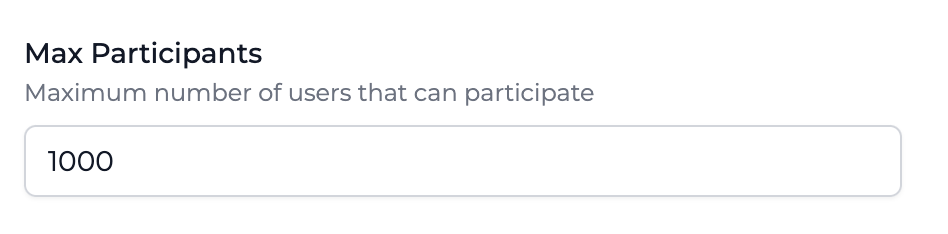 If a leaderboard already has a number of participants that matches its configured maximum, new users will have to surpass the score of the lowest rank to join the leaderboard.
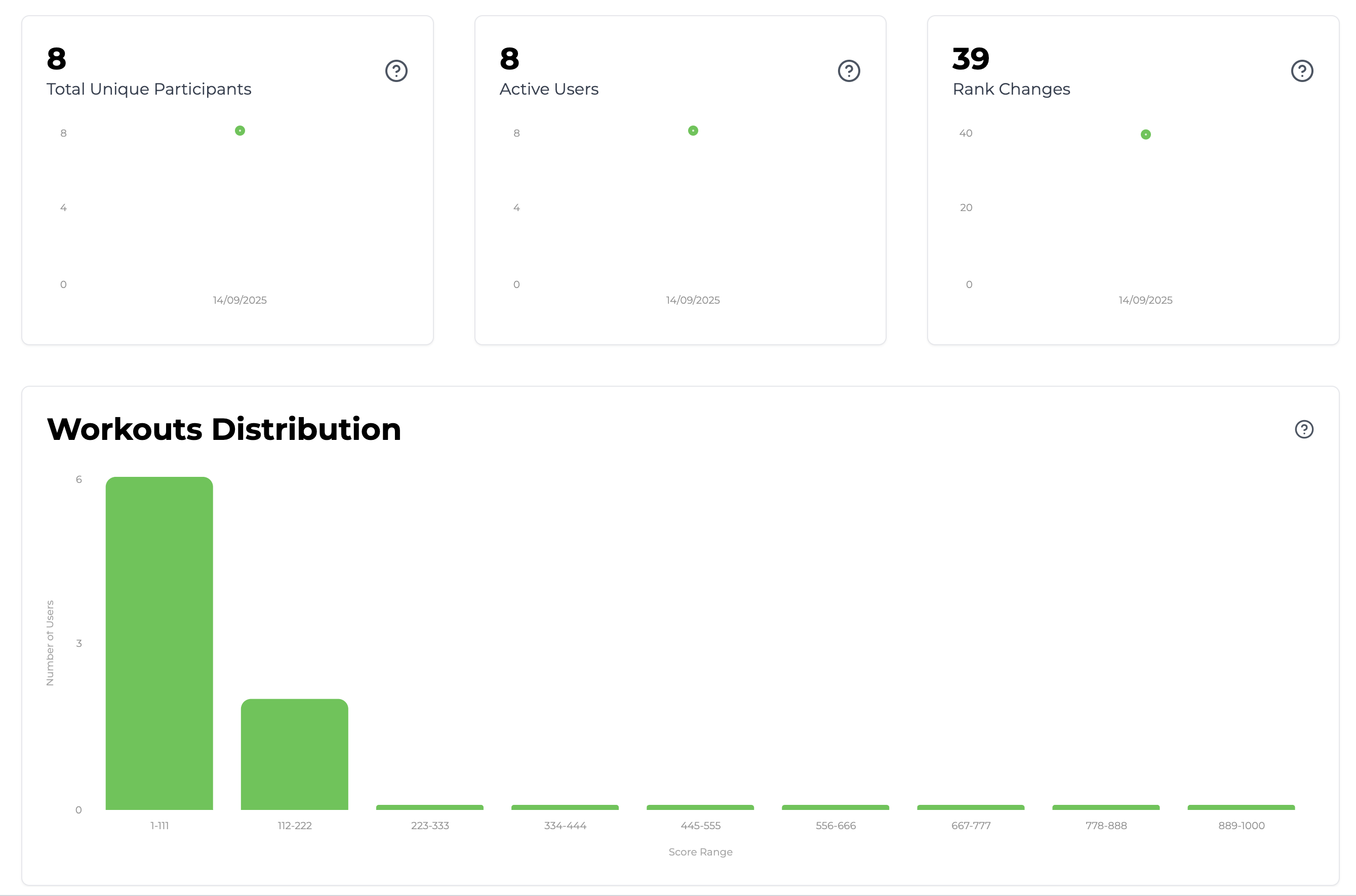 ### Total Unique Participants
This chart shows how many unique users have participated in any run of a leaderboard over time. This is useful to understand how many of your users actually take part in leaderboards and how [participant limits](#participant-limits) are affecting this.
### Total Unique Participants
This chart shows how many unique users have participated in any run of a leaderboard over time. This is useful to understand how many of your users actually take part in leaderboards and how [participant limits](#participant-limits) are affecting this.
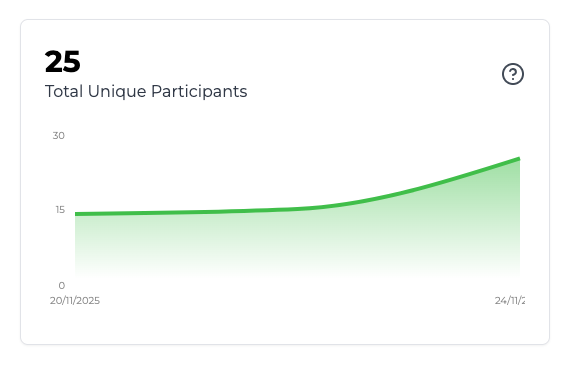 ### Active Users
This chart show the number of users who have changed rank at least once in a given leaderboard. This is useful to get a sense of how competitive the average user is in a particular leaderboard.
### Active Users
This chart show the number of users who have changed rank at least once in a given leaderboard. This is useful to get a sense of how competitive the average user is in a particular leaderboard.
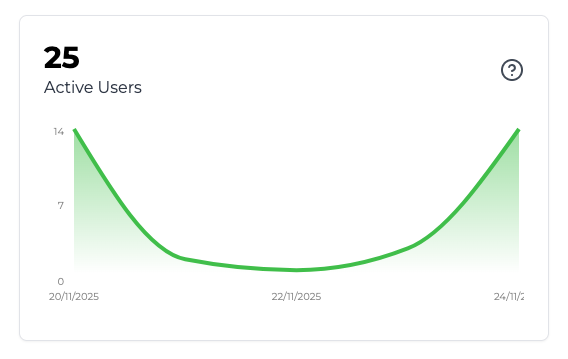 ### Rank Changes
This chart shows the total number of rank changes in a particular leaderboard over time. This is useful to understand how competitive users are across the board.
### Rank Changes
This chart shows the total number of rank changes in a particular leaderboard over time. This is useful to understand how competitive users are across the board.
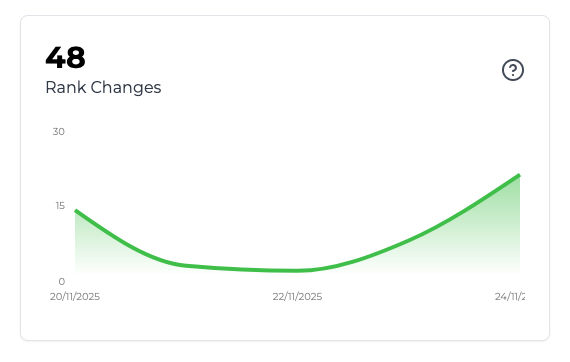 ### Score Distribution
This chart is a histogram of users' scores in a particular leaderboard. This is useful to get a sense of how bunched up or spread out users are, and what sections of the rankings are the most competitive.
### Score Distribution
This chart is a histogram of users' scores in a particular leaderboard. This is useful to get a sense of how bunched up or spread out users are, and what sections of the rankings are the most competitive.
 ## Frequently Asked Questions
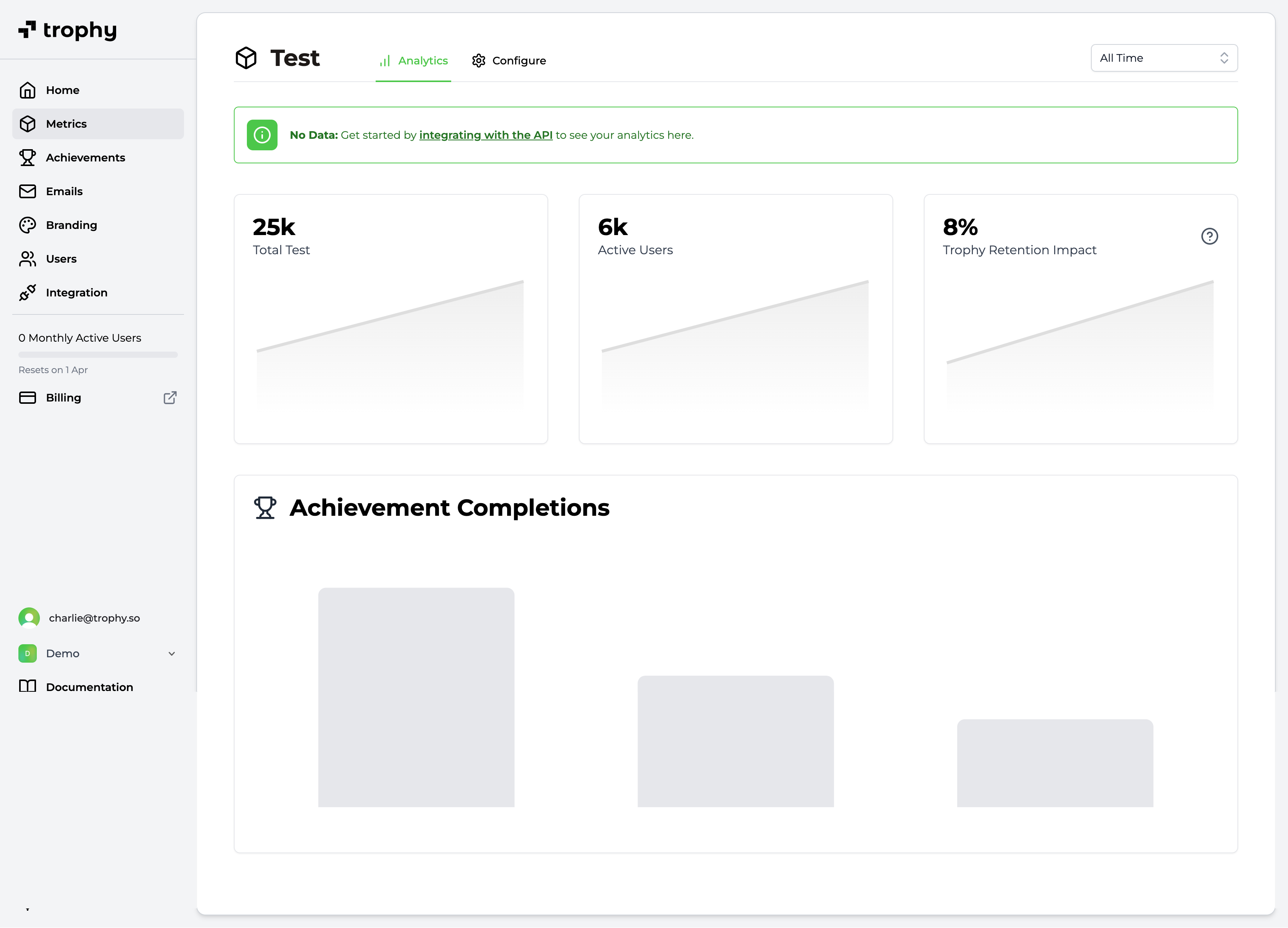 ### Trophy Retention Impact Score
By default, Trophy only enrolls 90% of your users in any emails. It leaves the other 10% out as a 'control cohort'.
Trophy then automatically tracks the 14-day retention of the two cohorts and compares them, resulting in the Trophy Impact Score.
### Trophy Retention Impact Score
By default, Trophy only enrolls 90% of your users in any emails. It leaves the other 10% out as a 'control cohort'.
Trophy then automatically tracks the 14-day retention of the two cohorts and compares them, resulting in the Trophy Impact Score.
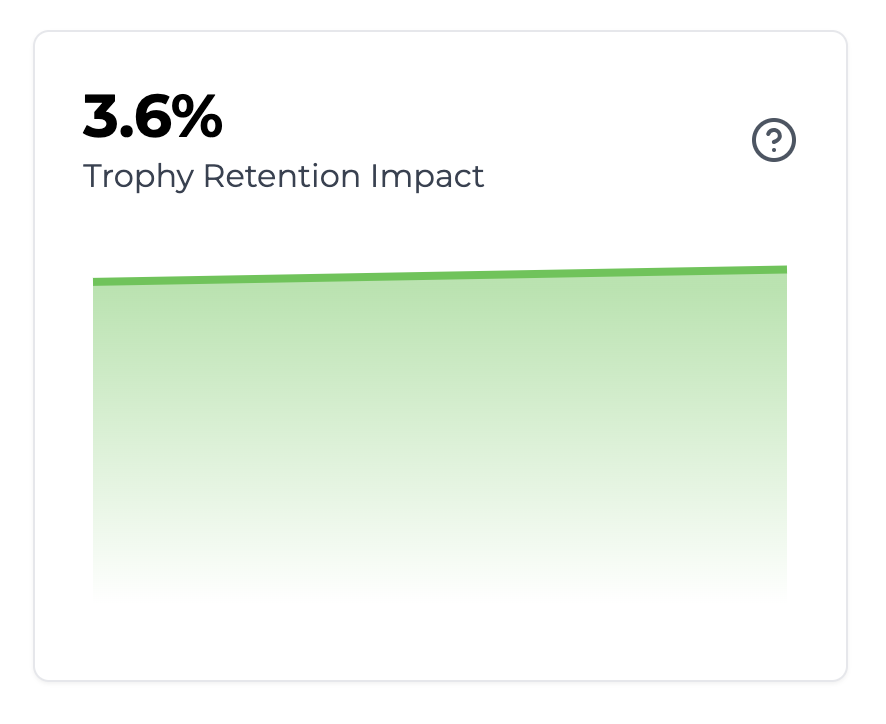 The Trophy Impact Score reflects the percentage difference in 14-day retention between the control cohort and the rest of your userbase.
 Then, the [user points summary API](/api-reference/endpoints/users/get-a-users-points-summary) can be used to fetch historical points data for a particular user.
Data can be aggregated daily, weekly or monthly between a start and end date. Use this API to display points progress charts to users over any time frame.
Then, the [user points summary API](/api-reference/endpoints/users/get-a-users-points-summary) can be used to fetch historical points data for a particular user.
Data can be aggregated daily, weekly or monthly between a start and end date. Use this API to display points progress charts to users over any time frame.
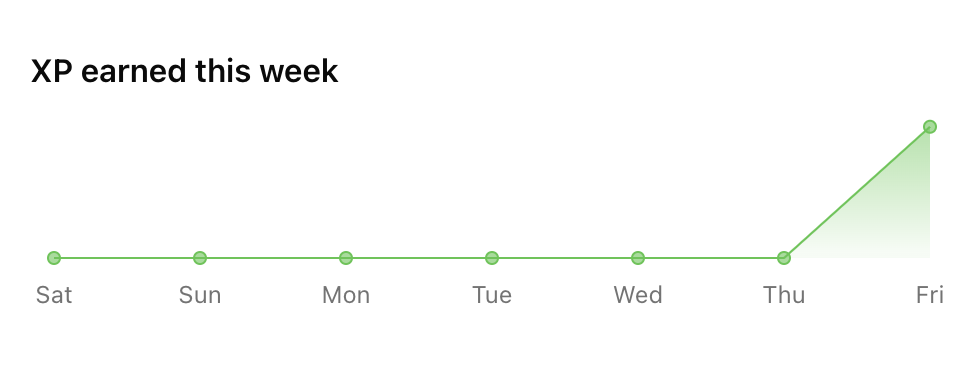 ### Displaying Aggregate Data
Additionally there are a number of APIs that can be used to fetch and display points data at the account level.
First, the [points summary API](/api-reference/endpoints/points/get-points-summary) returns aggregate points system data across your entire user base.
Use this data to display a histogram of points for a particular points system and show users how they compare to others on the platform.
### Displaying Aggregate Data
Additionally there are a number of APIs that can be used to fetch and display points data at the account level.
First, the [points summary API](/api-reference/endpoints/points/get-points-summary) returns aggregate points system data across your entire user base.
Use this data to display a histogram of points for a particular points system and show users how they compare to others on the platform.
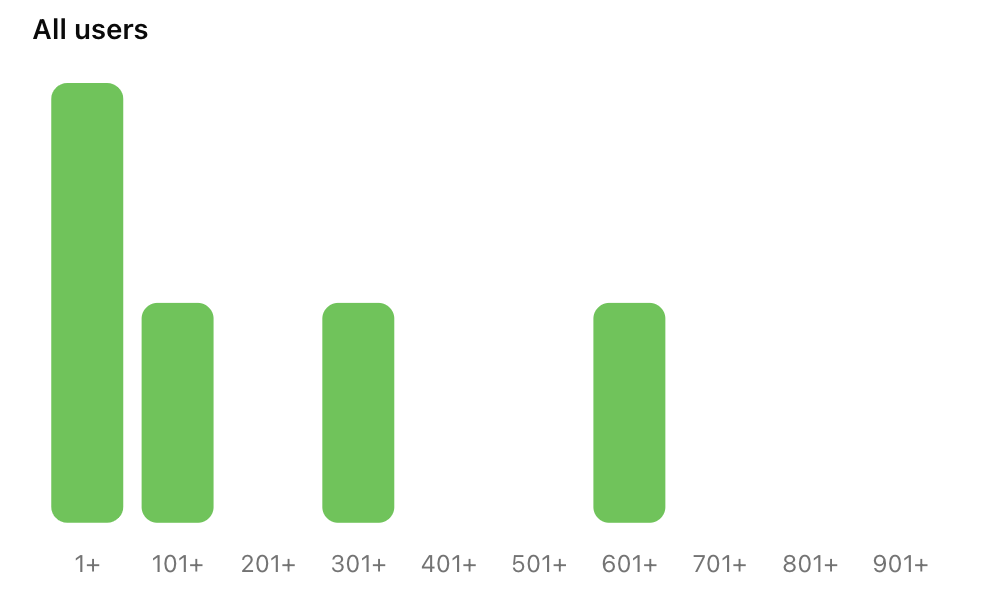 Finally, the [points system API](/api-reference/endpoints/points/get-points) returns data about a particular points system, including all its triggers that award points to or deduct points from users.
Use this API to show users how they can earn points on your platform. Any new triggers you add will automatically be returned from this API helping to reduce code changes in your platform, and shifting operations to Trophy.
Finally, the [points system API](/api-reference/endpoints/points/get-points) returns data about a particular points system, including all its triggers that award points to or deduct points from users.
Use this API to show users how they can earn points on your platform. Any new triggers you add will automatically be returned from this API helping to reduce code changes in your platform, and shifting operations to Trophy.
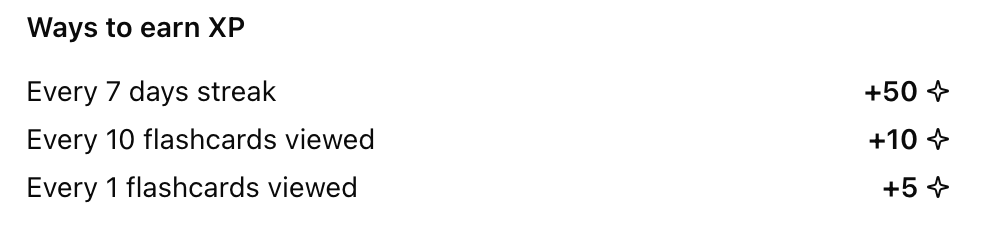 ## Points Analytics
Trophy has built-in analytics to track points awards for each points system you configure across your users in real time including:
* Total points earned by all users over time
* Most points earned by a single user
* Average points earned in the first 14 days (useful for understanding new user retention patterns and the impact of points)
* A breakdown on the most commonly awarded points triggers
## Points Analytics
Trophy has built-in analytics to track points awards for each points system you configure across your users in real time including:
* Total points earned by all users over time
* Most points earned by a single user
* Average points earned in the first 14 days (useful for understanding new user retention patterns and the impact of points)
* A breakdown on the most commonly awarded points triggers
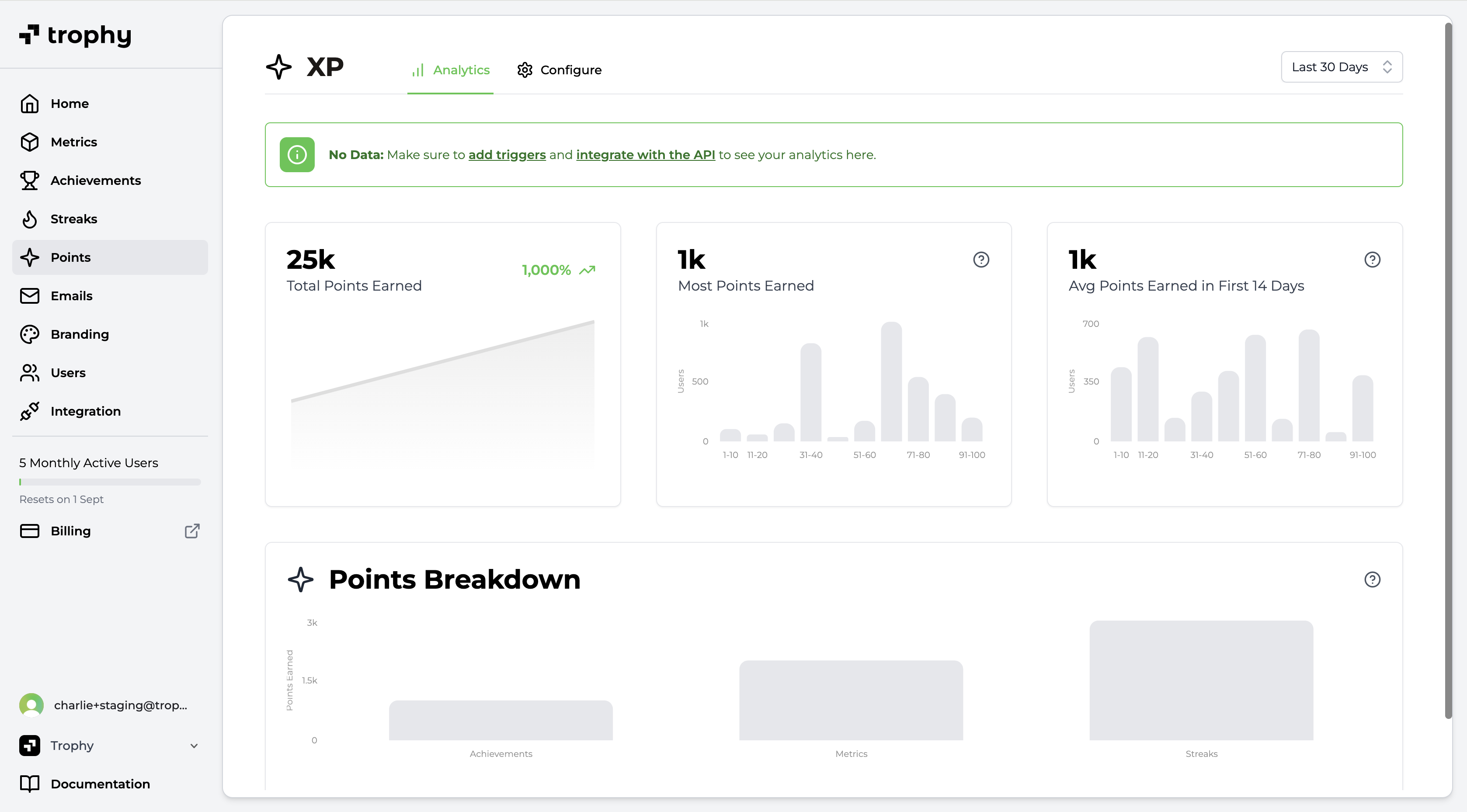 ## Get Support
Want to get in touch with the Trophy team? Reach out to us via [email](mailto:support@trophy.so). We're here to help!
# Streaks
Source: https://docs.trophy.so/platform/streaks
Learn how to use streaks in a gamified product experience with Trophy.
## What are Streaks?
A streak is a period of consecutive days, weeks or months that a user has performed a key action on your platform. Streaks have been shown to meaningfully increase retention, particularly when the user action being tracked aligns with the core value of your product.
## Get Support
Want to get in touch with the Trophy team? Reach out to us via [email](mailto:support@trophy.so). We're here to help!
# Streaks
Source: https://docs.trophy.so/platform/streaks
Learn how to use streaks in a gamified product experience with Trophy.
## What are Streaks?
A streak is a period of consecutive days, weeks or months that a user has performed a key action on your platform. Streaks have been shown to meaningfully increase retention, particularly when the user action being tracked aligns with the core value of your product.
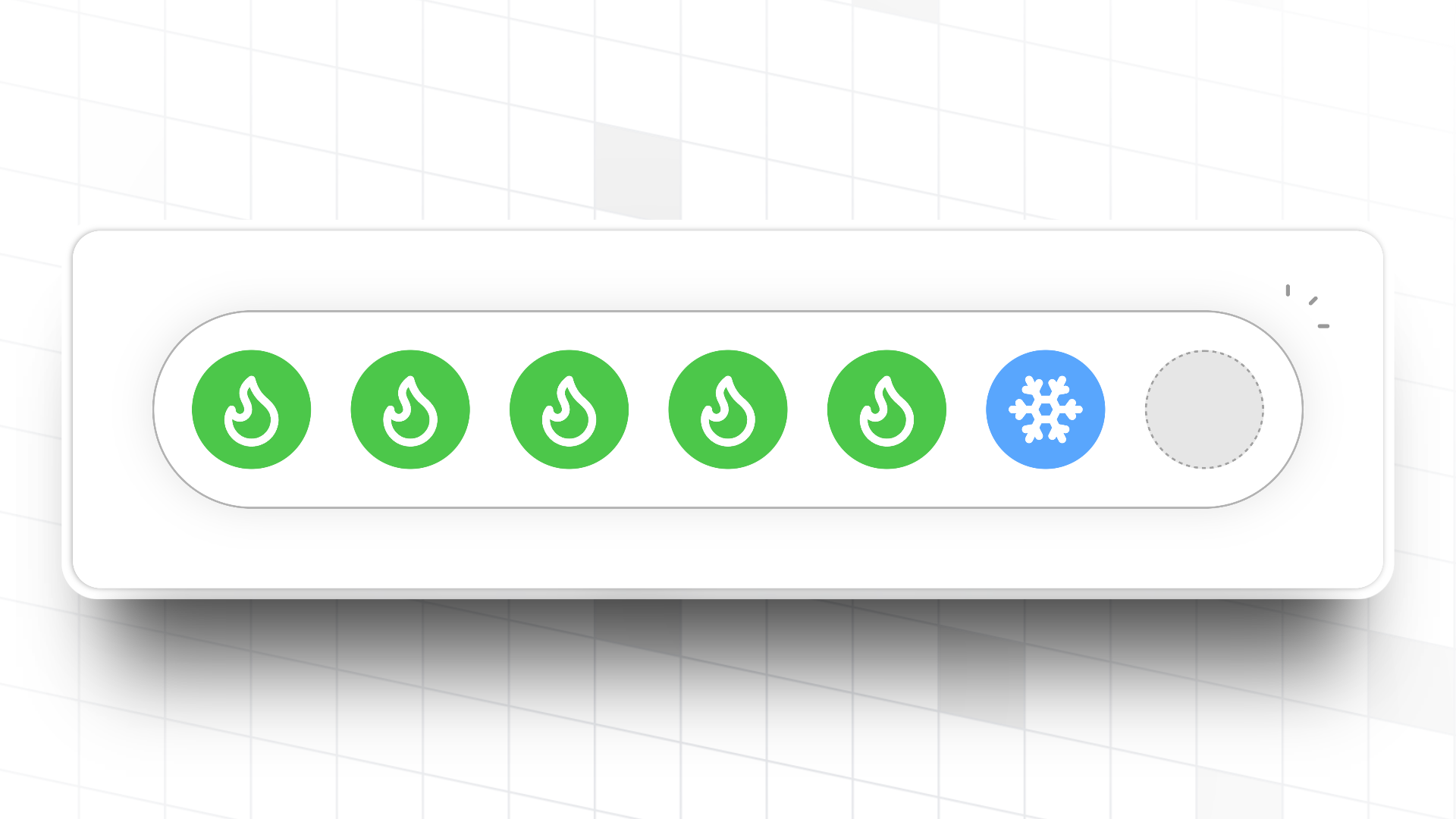 Streak freezes are optional in Trophy but can be configured on the [streaks page](https://app.trophy.so/streaks) of the Trophy dashboard.
### Granting Initial Freezes
You can configure any number of arbitrary freezes to grant to new users when you first identify them with Trophy.
Giving users too many freezes may decrease their perceived value, but granting too few freezes might result it a higher number of lost streaks.
Streak freezes are optional in Trophy but can be configured on the [streaks page](https://app.trophy.so/streaks) of the Trophy dashboard.
### Granting Initial Freezes
You can configure any number of arbitrary freezes to grant to new users when you first identify them with Trophy.
Giving users too many freezes may decrease their perceived value, but granting too few freezes might result it a higher number of lost streaks.
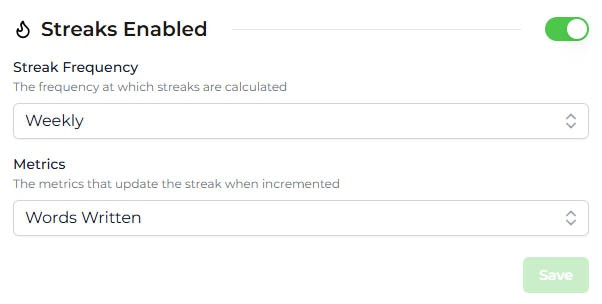 ## Managing Streaks
This section outlines some of the operations you can perform to manage user's streaks in your application.
### Restoring A Users Streak
To restore a user's streak, head to the user details page and use the 'Restore Streak' action. Restoring a user's streak sets it to the length it was when they last lost it.
## Displaying Streaks
Trophy exposes streak data in two ways, which can be used to build UI elements within your applications and display streaks to users.
## Managing Streaks
This section outlines some of the operations you can perform to manage user's streaks in your application.
### Restoring A Users Streak
To restore a user's streak, head to the user details page and use the 'Restore Streak' action. Restoring a user's streak sets it to the length it was when they last lost it.
## Displaying Streaks
Trophy exposes streak data in two ways, which can be used to build UI elements within your applications and display streaks to users.
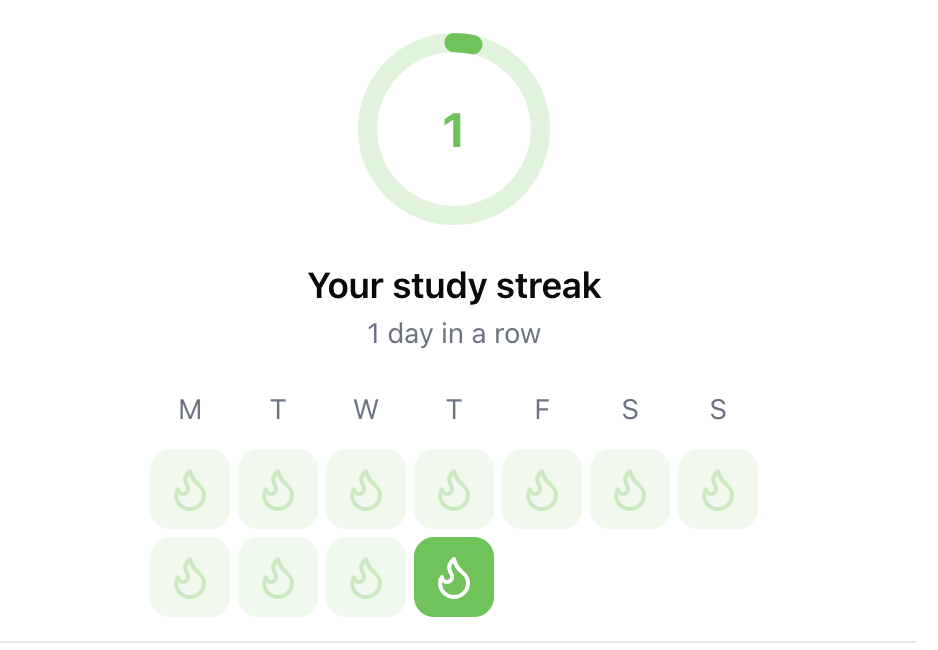 ### List Multiple User's Streaks
If you want to display streaks for multiple users at once, for example to support a friend streak or user group feature, then use the [list user streaks API](/api-reference/endpoints/streaks/get-streaks).
```json [expandable] theme={null}
[
{
"userId": "user-123",
"streakLength": 15,
"extended": "2025-01-01T05:03:00Z"
},
{
"userId": "user-456",
"streakLength": 12,
"extended": "2025-01-01T08:43:00Z"
},
{
"userId": "user-789",
"streakLength": 0,
"extended": null
}
]
```
## Get Support
Want to get in touch with the Trophy team? Reach out to us via [email](mailto:support@trophy.so). We're here to help!
# Users
Source: https://docs.trophy.so/platform/users
Learn how to track interactions across your userbase using Trophy.
## What are Users?
Users are the individual people that use your product. You tell Trophy about your users through APIs and use the dashboard to design gamification experiences around them.
Users must be individuals, they cannot be companies or organisations. To create organizational structures or user groupings, consider using a [custom user attribute](#custom-user-attributes).
## Key Attributes
Key attributes are properties of users controlled and managed by Trophy and are for things like `id` or `email`, some are required while others are optional.
### Required Attributes
Trophy only requires one key attribute, `id`. Every user you tell Trophy about must have an `id`, this is what identifies them as a unique person.
### List Multiple User's Streaks
If you want to display streaks for multiple users at once, for example to support a friend streak or user group feature, then use the [list user streaks API](/api-reference/endpoints/streaks/get-streaks).
```json [expandable] theme={null}
[
{
"userId": "user-123",
"streakLength": 15,
"extended": "2025-01-01T05:03:00Z"
},
{
"userId": "user-456",
"streakLength": 12,
"extended": "2025-01-01T08:43:00Z"
},
{
"userId": "user-789",
"streakLength": 0,
"extended": null
}
]
```
## Get Support
Want to get in touch with the Trophy team? Reach out to us via [email](mailto:support@trophy.so). We're here to help!
# Users
Source: https://docs.trophy.so/platform/users
Learn how to track interactions across your userbase using Trophy.
## What are Users?
Users are the individual people that use your product. You tell Trophy about your users through APIs and use the dashboard to design gamification experiences around them.
Users must be individuals, they cannot be companies or organisations. To create organizational structures or user groupings, consider using a [custom user attribute](#custom-user-attributes).
## Key Attributes
Key attributes are properties of users controlled and managed by Trophy and are for things like `id` or `email`, some are required while others are optional.
### Required Attributes
Trophy only requires one key attribute, `id`. Every user you tell Trophy about must have an `id`, this is what identifies them as a unique person.
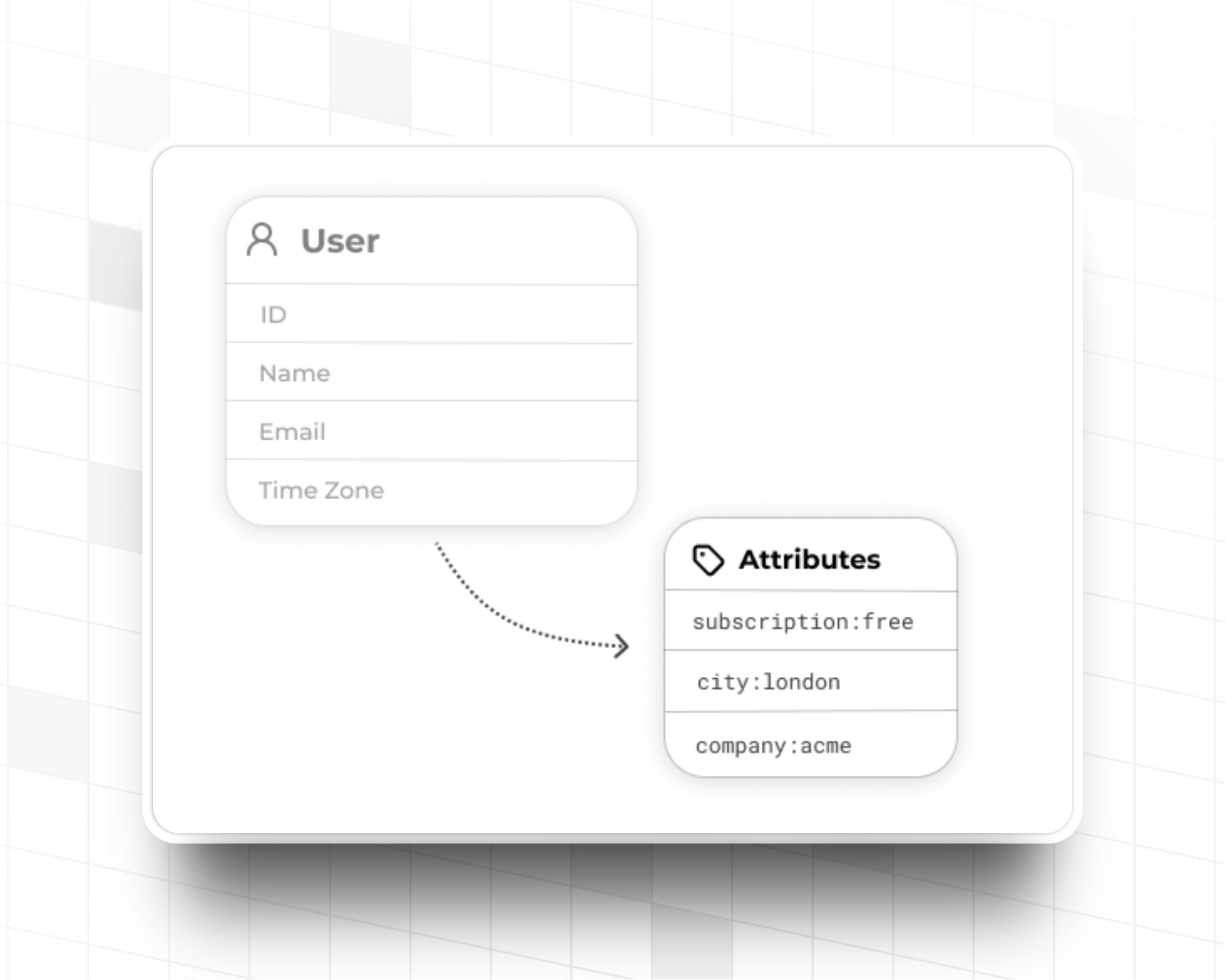 Custom user attributes are managed by you and can be anything you like based on your use case.
For example a language learning app might use a custom user attribute for the language a user is learning, or a study platform might use one for the users favourite subject.
Custom user attributes let you tell Trophy about this contextual information and use it to personalize gamification features.
### Creating Attributes
To create a new custom user attribute, head to the [attributes tab](https://app.trophy.so/users/attributes) of the users page in the Trophy dashboard and hit the *Add User Attribute* button.
Give the attribute a name and a unique key. The key is what you'll use to reference the attribute in API calls.
### Setting Attributes
Attributes can be assigned values for specific users using their unique key either inline, as users increment metrics through the [metric increment API](/api-reference/endpoints/metrics/send-a-metric-change-event), or explicitly through the [user identification](/api-reference/endpoints/users/identify-a-user), [create user](/api-reference/endpoints/users/create-a-user), or [update user](api-reference/endpoints/users/update-a-user) APIs.
Custom user attributes are managed by you and can be anything you like based on your use case.
For example a language learning app might use a custom user attribute for the language a user is learning, or a study platform might use one for the users favourite subject.
Custom user attributes let you tell Trophy about this contextual information and use it to personalize gamification features.
### Creating Attributes
To create a new custom user attribute, head to the [attributes tab](https://app.trophy.so/users/attributes) of the users page in the Trophy dashboard and hit the *Add User Attribute* button.
Give the attribute a name and a unique key. The key is what you'll use to reference the attribute in API calls.
### Setting Attributes
Attributes can be assigned values for specific users using their unique key either inline, as users increment metrics through the [metric increment API](/api-reference/endpoints/metrics/send-a-metric-change-event), or explicitly through the [user identification](/api-reference/endpoints/users/identify-a-user), [create user](/api-reference/endpoints/users/create-a-user), or [update user](api-reference/endpoints/users/update-a-user) APIs.
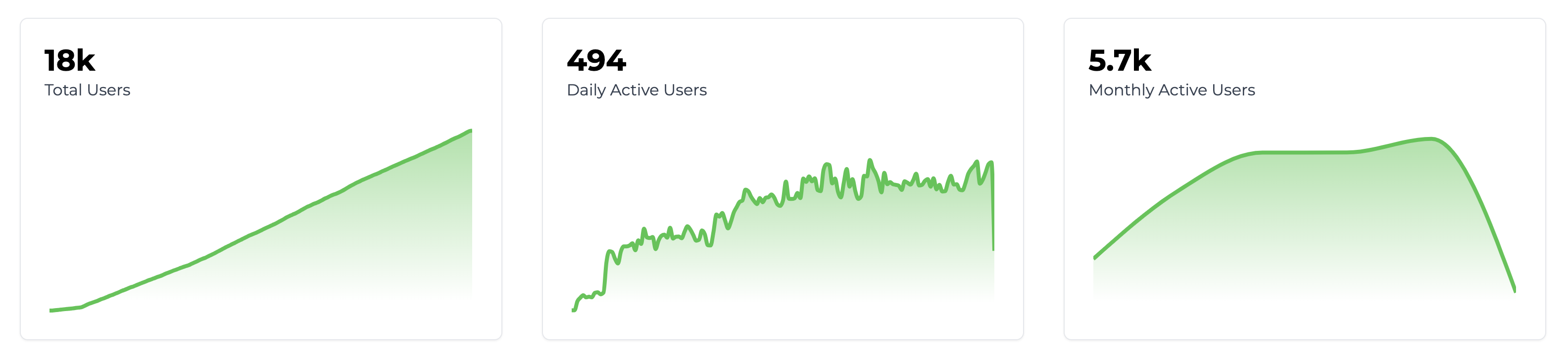 On this page you can also search through every user that Trophy has recorded, which can be useful for debugging.
### Top Users
Additionally, on the [Dashboard](https://app.trophy.so), Trophy shows a *Top Users* list with the set of users who have made the most progress against your platform's metrics.
These are your most engaged users, so it's useful to know who they are!
## Frequently Asked Questions
On this page you can also search through every user that Trophy has recorded, which can be useful for debugging.
### Top Users
Additionally, on the [Dashboard](https://app.trophy.so), Trophy shows a *Top Users* list with the set of users who have made the most progress against your platform's metrics.
These are your most engaged users, so it's useful to know who they are!
## Frequently Asked Questions
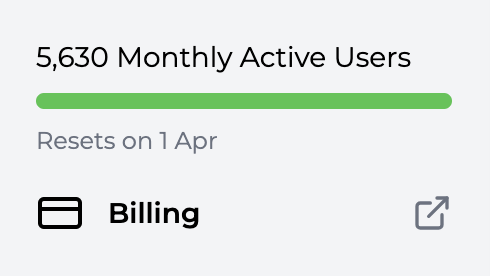 You can estimate your usage costs on our [Pricing page](https://trophy.so/pricing).
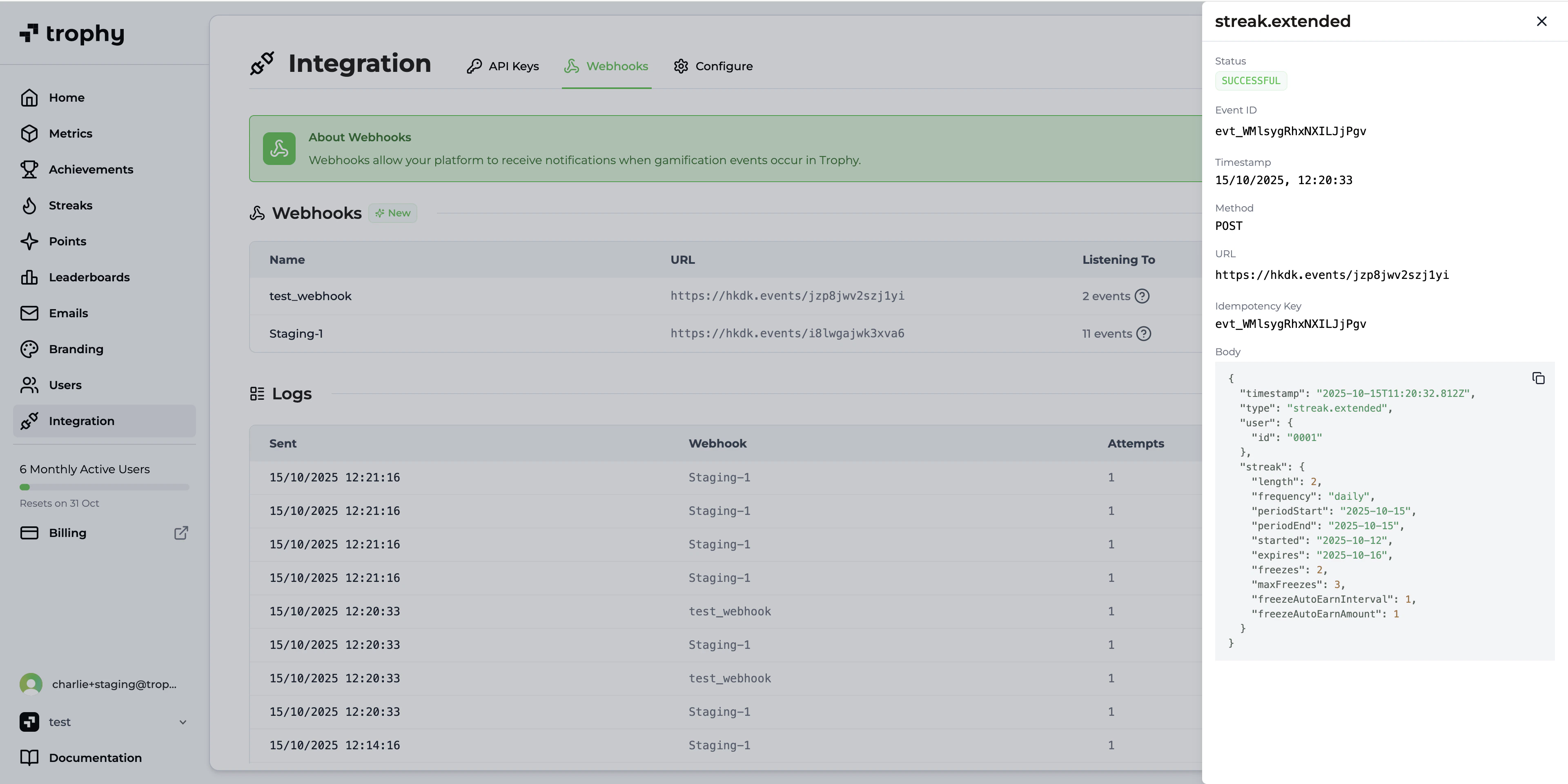 ## Data Retention
Trophy retains all webhook logs for **7 days**. If you would like to discuss increasing your data retention window, please [get in touch](mailto:support@trophy.so) and we'll happily discuss it with you.
## Get Support
Want to get in touch with the Trophy team? Reach out to us via [email](mailto:support@trophy.so). We're here to help!
# Quick Start
Source: https://docs.trophy.so/webhooks/quickstart
Start receiving webhook events from Trophy in under 10 minutes.
## Getting Started
## Data Retention
Trophy retains all webhook logs for **7 days**. If you would like to discuss increasing your data retention window, please [get in touch](mailto:support@trophy.so) and we'll happily discuss it with you.
## Get Support
Want to get in touch with the Trophy team? Reach out to us via [email](mailto:support@trophy.so). We're here to help!
# Quick Start
Source: https://docs.trophy.so/webhooks/quickstart
Start receiving webhook events from Trophy in under 10 minutes.
## Getting Started