> ## Documentation Index
> Fetch the complete documentation index at: https://docs.trophy.so/llms.txt
> Use this file to discover all available pages before exploring further.

# Welcome to Trophy

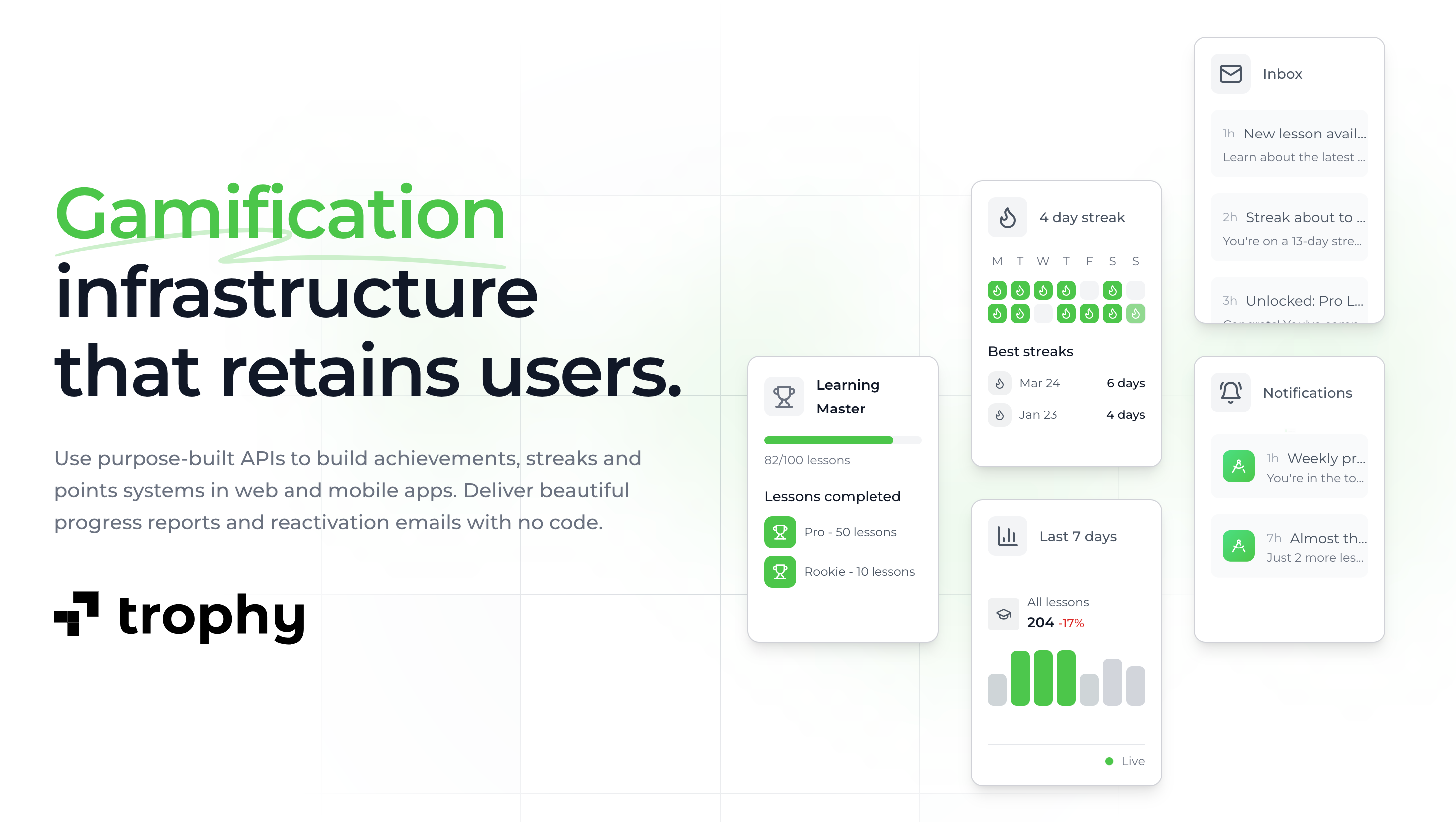
> Trophy is the gamification layer for consumer apps. Build points, achievements, streaks, and leaderboards in minutes with Trophy's pre-built APIs and SDKs.

Trophy is the gamification layer for consumer apps. Build points, achievements, streaks, and leaderboards in minutes with Trophy’s pre-built APIs and SDKs.

<h2 id="getting-started">
  Getting started
</h2>

Install a Trophy SDK to track user activity and power points, achievements, streaks, and leaderboards in your app.

<CodeGroup>
  ```bash Node theme={null}
  npm install @trophyso/node
  ```

  ```bash Ruby theme={null}
  gem install trophy_api_client
  ```

  ```bash Python theme={null}
  pip install trophy
  ```

  ```bash PHP theme={null}
  composer require trophyso/php
  ```

  ```bash Java (Gradle) theme={null}
  implementation 'so.trophy:trophy-java:1.0.0'
  ```

  ```bash Java (Maven) theme={null}
  <dependency>
    <groupId>so.trophy</groupId>
    <artifactId>trophy-java</artifactId>
    <version>1.0.0</version>
  </dependency>
  ```

  ```bash Go theme={null}
  go get github.com/trophy-so/trophy-go
  ```

  ```bash .NET (C#) theme={null}
  // .NET Core CLI
  dotnet add package Trophy

  // Nuget Package Manager
  nuget install Trophy

  // Visual Studio
  Install-Package Trophy
  ```
</CodeGroup>

<CardGroup cols={3}>
  <Card title="Quick Start" icon="circle-play" href="/getting-started/quickstart">
    Set up a Trophy account and build your first feature in five minutes.
  </Card>

  <Card title="Use the REST API" icon="code" href="/api-reference/introduction">
    Learn how to use the REST API to integrate Trophy into your application.
  </Card>

  <Card title="View a complete example" icon="github" href="https://github.com/trophyso/example-study-platform/tree/demo">
    Full example application with a full gamification stack using Trophy.
  </Card>
</CardGroup>

<h2 id="using-ai-agents">
  Using AI agents
</h2>

Connect Trophy’s MCP servers so agents can read live docs and configure your account while integrating.

<Tip>
  Using Trophy's MCP servers is recommended for a faster set up and development experience.
</Tip>

<CardGroup cols={3}>
  <Card title="Docs MCP" icon="book-open" href="/mcp/docs-mcp-server/introduction">
    Live documentation search for AI agents.
  </Card>

  <Card title="Account MCP" icon="cog" href="/mcp/account-mcp-server/introduction">
    Configure your Trophy account using AI agents.
  </Card>

  <Card title="Best practice" icon="circle-check" href="/mcp/best-practice">
    Recommended setup for using both MCP servers together.
  </Card>
</CardGroup>

<h2 id="send-your-first-event">
  Send your first event
</h2>

All gamification features are powered by [metric events](/features/events). Here's how to send your first event using a Trophy SDK:

<CodeGroup>
  ```bash cURL theme={null}
  curl -X POST https://api.trophy.so/v1/metrics/flashcards-flipped/event \
       -H "X-API-KEY: $TROPHY_API_KEY" \
       -H "Idempotency-Key: flashcard-view-42" \
       -H "Content-Type: application/json" \
       -d '{
    "user": {
      "id": "18",
      "email": "user@example.com",
      "tz": "Europe/London"
    },
    "value": 1
  }'
  ```

  ```typescript Node theme={null}
  import { TrophyApiClient } from "@trophyso/node";
  import type { EventResponse } from "@trophyso/node/api";

  const trophy = new TrophyApiClient({
    apiKey: process.env.TROPHY_API_KEY as string,
  });

  // user.id is required. email and tz are optional but recommended
  // (tz is required for correct streak calendar days).
  const response: EventResponse = await trophy.metrics.event(
    "flashcards-flipped",
    {
      user: {
        id: "18",
        email: "user@example.com",
        tz: "Europe/London",
      },
      value: 1,
      // Protects against duplicate events from the same flashcard
      idempotencyKey: "flashcard-view-42",
    }
  );
  ```

  ```python Python theme={null}
  from trophy import Trophy
  from trophy.types import EventRequestUser

  client = Trophy(
      api_key=os.environ.get("TROPHY_API_KEY"),
  )

  # user.id is required. email and tz are optional but recommended
  # (tz is required for correct streak calendar days).
  response = client.metrics.event(
      key="flashcards-flipped",
      user=EventRequestUser(
          id="18",
          email="user@example.com",
          tz="Europe/London",
      ),
      value=1.0,
      idempotencyKey="flashcard-view-42", # Protects against duplicate events from the same flashcard
  )
  ```

  ```php PHP theme={null}
  use Trophy\TrophyClient;
  use Trophy\Types\EventRequestUser;
  use Trophy\Types\MetricsEventRequest;

  $trophy = new TrophyClient([
      'apiKey' => getenv('TROPHY_API_KEY')
  ]);

  // user.id is required. email and tz are optional but recommended
  // (tz is required for correct streak calendar days).
  $user = new EventRequestUser([
      'id' => '18',
      'email' => 'user@example.com',
      'tz' => 'Europe/London',
  ]);

  $request = new MetricsEventRequest([
      'user' => $user,
      'value' => 1,
      // Protects against duplicate events from the same flashcard
      'idempotencyKey' => 'flashcard-view-42',
  ]);

  $response = $trophy->metrics->event("flashcards-flipped", $request);
  ```

  ```java Java theme={null}
  TrophyApiClient client = TrophyApiClient.builder()
      .apiKey(System.getenv("TROPHY_API_KEY"))
      .build();

  // user.id is required. email and tz are optional but recommended
  // (tz is required for correct streak calendar days).
  MetricsEventRequest request = MetricsEventRequest.builder()
        .user(
          EventRequestUser.builder()
            .id("18")
            .email("user@example.com")
            .tz("Europe/London")
            .build()
        )
        .value(1)
        // Protects against duplicate events from the same flashcard
        .idempotencyKey("flashcard-view-42")
        .build();

  EventResponse response = client.metrics().event("flashcards-flipped", request);
  ```

  ```go Go theme={null}
  client, err := trophy.NewClient(
      option.WithAPIKey(os.Getenv("TROPHY_API_KEY")),
  )
  if err != nil {
      log.Fatal(err)
  }

  // user.id is required. email and tz are optional but recommended
  // (tz is required for correct streak calendar days).
  response, err := client.Metrics.Event(
      "flashcards-flipped",
      &api.MetricsEventRequest{
          User: &api.EventRequestUser{
              Id: "18",
              Email: "user@example.com",
              Tz: "Europe/London",
          },
          Value: 1,
          // Protects against duplicate events from the same flashcard
          IdempotencyKey: "flashcard-view-42",
      },
  )
  ```

  ```csharp C# theme={null}
  var trophy = new TrophyClient(
      Environment.GetEnvironmentVariable("TROPHY_API_KEY")
  );

  // user.id is required. email and tz are optional but recommended
  // (tz is required for correct streak calendar days).
  var user = new EventRequestUser {
     Id = "18",
     Email = "user@example.com",
     Tz = "Europe/London"
  };

  var request = new MetricsEventRequest {
     User = user,
     Value = 1,
     // Protects against duplicate events from the same flashcard
     IdempotencyKey = "flashcard-view-42"
  };

  var response = await trophy.Metrics.EventAsync("flashcards-flipped", request);
  ```

  ```ruby Ruby theme={null}
  client = TrophyApiClient::Client.new(
    :api_key => ENV["TROPHY_API_KEY"]
  )

  # user.id is required. email and tz are optional but recommended
  # (tz is required for correct streak calendar days).
  result = client.metrics.event(
    :key => 'flashcards-flipped',
    :user => {
      :id => '18',
      :email => 'user@example.com',
      :tz => 'Europe/London'
    },
    :value => 1,
    :idempotencyKey => 'flashcard-view-42' # Protects against duplicate events from the same flashcard
  )
  ```
</CodeGroup>

The response includes changes to gamification state as a result of the event including:

* The user's new total value for the metric
* Any newly unlocked achievements
* New points totals and rewards
* An updated streak object
* Any new leaderboard positions

Use this response to react to changes in the user's gamification state and power UI elements.

```json Response [expandable] theme={null}
{
  "metricId": "d01dcbcb-d51e-4c12-b054-dc811dcdc623",
  "eventId": "0040fe51-6bce-4b44-b0ad-bddc4e123534",
  "total": 750,
  "achievements": [
    {
      "id": "5100fe51-6bce-6j44-b0hs-bddc4e123682",
      "trigger": "metric",
      "metricId": "5100fe51-6bce-6j44-b0hs-bddc4e123682",
      "metricName": "Flashcards Flipped",
      "metricValue": 500,
      "name": "500 Flashcards Flipped",
      "description": "Flip 500 flashcards in the app.",
      "badgeUrl": null,
      "userAttributes": [],
      "achievedAt": "2020-01-01T00:00:00Z"
    }
  ],
  "currentStreak": {
    "length": 1,
    "frequency": "daily",
    "started": "2025-04-02",
    "periodStart": "2025-03-31",
    "periodEnd": "2025-04-05",
    "expires": "2025-04-12",
    "extended": true
  },
  "points": {
    "xp": {
      "id": "0040fe51-6bce-4b44-b0ad-bddc4e123534",
      "key": "xp",
      "name": "XP",
      "description": null,
      "badgeUrl": null,
      "maxPoints": null,
      "total": 10,
      "level": {
        "id": "1140fe51-6bce-4b44-b0ad-bddc4e123534",
        "key": "bronze",
        "name": "Bronze",
        "description": "Starting level",
        "badgeUrl": null,
        "points": 0
      },
      "added": 10,
      "awards": [
        {
          "id": "0040fe51-6bce-4b44-b0ad-bddc4e123534",
          "awarded": 10,
          "date": "2021-01-01T00:00:00Z",
          "total": 10,
          "trigger": {
            "id": "0040fe51-6bce-4b44-b0ad-bddc4e123534",
            "type": "metric",
            "metricName": "Flashcards Flipped",
            "metricThreshold": 100,
            "points": 10,
            "status": "active",
            "userAttributes": [],
            "created": "2021-01-01T00:00:00Z",
            "updated": "2021-01-01T00:00:00Z"
          }
        }
      ]
    }
  },
  "leaderboards": {
    "daily_champions": {
      "id": "0040fe51-6bce-4b44-b0ad-bddc4e123535",
      "key": "daily_champions",
      "name": "Daily Champions",
      "description": null,
      "status": "active",
      "rankBy": "metric",
      "runUnit": "day",
      "runInterval": 1,
      "maxParticipants": 100,
      "breakdownAttributes": [],
      "metricName": "Flashcards Flipped",
      "metricKey": "flashcards-flipped",
      "threshold": 10,
      "start": "2025-01-01",
      "end": null,
      "startTime": null,
      "endTime": null,
      "previousRank": 50,
      "rank": 12
    }
  },
  "idempotencyKey": "flashcard-view-42",
  "idempotentReplayed": false
}
```

<h2 id="build-by-use-case">
  Build by use case
</h2>

For more information on how to build common gamification features using Trophy, see the following guides:

<CardGroup>
  <Card title="Achievements" icon="trophy" href="/guides/how-to-build-an-achievements-feature">
    Unlock achievements from progress or one-time actions.
  </Card>

  <Card title="Streaks" icon="flame" href="/guides/how-to-build-a-streaks-feature">
    Drive daily or weekly habit loops with timezone-awareness built-in.
  </Card>

  <Card title="Points" icon="sparkle" href="/guides/how-to-build-an-xp-feature">
    Award points from in-app actions and set up levels and boosts.
  </Card>

  <Card
    title="Leaderboards"
    icon={
  <svg
    width="20"
    height="18"
    viewBox="0 0 20 18"
    fill="none"
    xmlns="http://www.w3.org/2000/svg"
    className="text-primary dark:text-primary-light"
  >
    <path
      d="M2 16H6V8H2V16ZM8 16H12V2H8V16ZM14 16H18V10H14V16ZM0 16V8C0 7.45 0.195833 6.97917 0.5875 6.5875C0.979167 6.19583 1.45 6 2 6H6V2C6 1.45 6.19583 0.979167 6.5875 0.5875C6.97917 0.195833 7.45 0 8 0H12C12.55 0 13.0208 0.195833 13.4125 0.5875C13.8042 0.979167 14 1.45 14 2V8H18C18.55 8 19.0208 8.19583 19.4125 8.5875C19.8042 8.97917 20 9.45 20 10V16C20 16.55 19.8042 17.0208 19.4125 17.4125C19.0208 17.8042 18.55 18 18 18H2C1.45 18 0.979167 17.8042 0.5875 17.4125C0.195833 17.0208 0 16.55 0 16Z"
      fill="currentColor"
    />
  </svg>
}
    href="/guides/how-to-build-a-leaderboards-feature"
  >
    Create recurring or one-off leaderboards.
  </Card>

  <Card title="Emails" icon="mail" href="/features/emails">
    Lifecycle emails driven by streaks, achievements, and activity.
  </Card>

  <Card title="Push notifications" icon="bell" href="/features/push-notifications">
    Automated notification flows using gamification data.
  </Card>
</CardGroup>

<h2 id="ui-kit">
  UI Kit
</h2>

Ship gamification UI faster with Trophy’s React component library, built on shadcn/ui and designed to work with Trophy data shapes.

<Card title="UI Kit" icon="shapes" href="https://ui.trophy.so">
  Explore pre-built UI components for streaks, achievements, leaderboards, points and more.
</Card>

<h2 id="production-checklist">
  Production checklist
</h2>

Before you deploy your integration to production, review the recommended steps in the production checklist:

<Card title="Production checklist" icon="list-check" href="/getting-started/production-checklist">
  Recommended steps to ensure your integration is production-ready.
</Card>

<h2 id="pricing">
  Pricing
</h2>

Trophy meters usage by **monthly active users (MAUs)**. An MAU is a user who sends at least one [metric event](/features/events) in a given calendar month. You are not charged for churned users who stop sending events.

The free tier includes **1,000 MAUs**. Paid plans start at \$25/month with overages.

<CardGroup cols={2}>
  <Card title="Billing" icon="gauge" href="/account/billing">
    Free tier, paid plans, allowances, and overages.
  </Card>

  <Card title="Pricing estimator" icon="calculator" href="https://trophy.so/pricing">
    Get an estimate of monthly costs based on expected usage.
  </Card>
</CardGroup>

<h2 id="get-support">
  Get Support
</h2>

Want to get in touch with the Trophy team? Reach out to us via [email](mailto:support@trophy.so). We're here to help!


## Related topics

- [Quick Start](/getting-started/quickstart.md)
- [Installation](/mcp/account-mcp-server/installation.md)
- [Production Checklist](/getting-started/production-checklist.md)
- [Data sync](/platform/data-sync.md)
- [Users](/features/users.md)